How to Set Up a Multi-Login Browser to Run Multiple App Profiles
Learn how to use a multi-login browser to safely run multiple mobile app profiles for TikTok, Facebook, and Instagram simultaneously on one desktop.

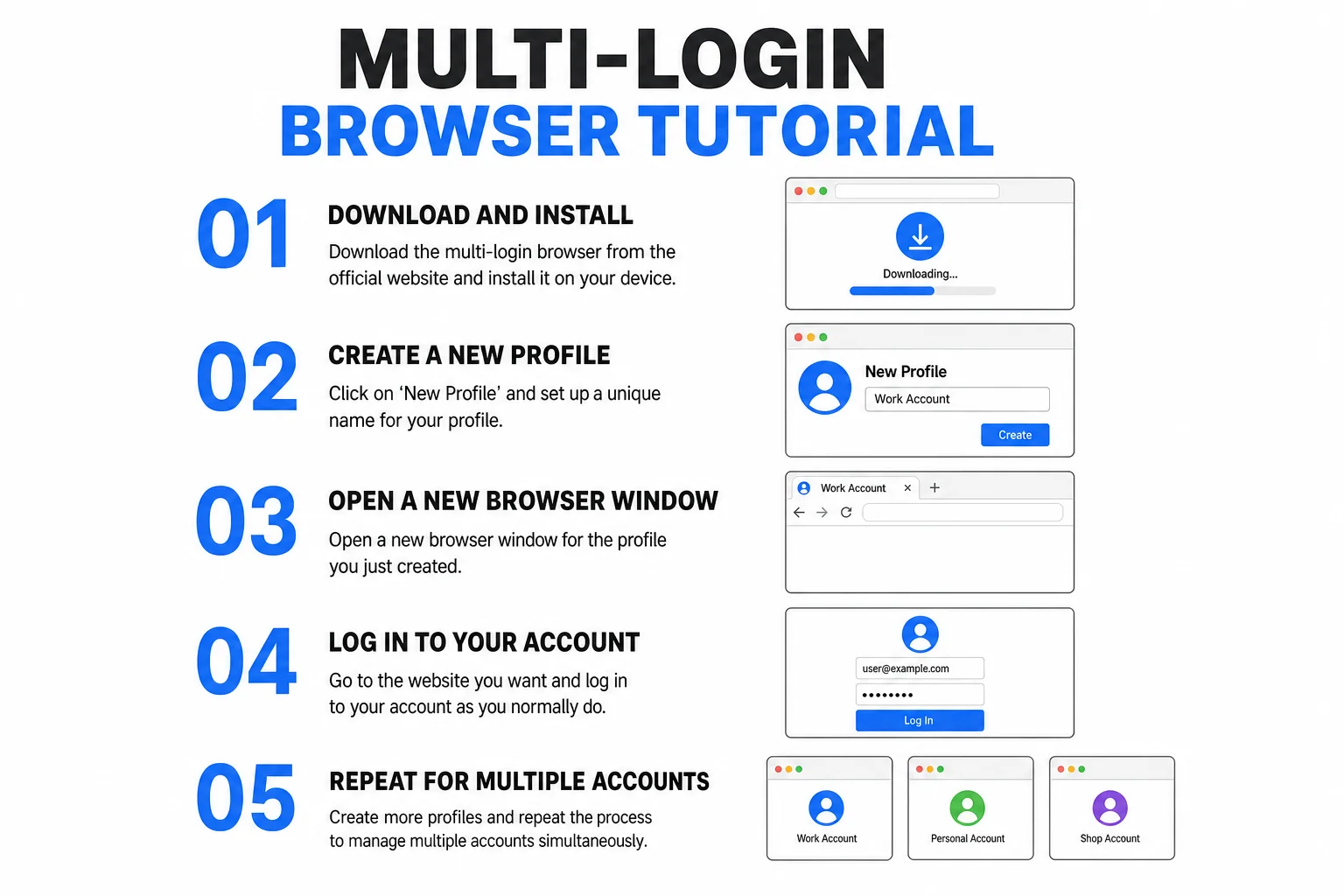
If you've ever tried running multiple Facebook, TikTok, or Instagram accounts from the same computer, you know exactly how frustrating it can get. You log into your second account, and within minutes, you're hit with a shadowban, a verification loop, or an outright suspension. Most people try to get around this by using incognito mode or creating multiple Chrome profiles, but platforms have become significantly smarter. They track your IP address, your browser fingerprint, and your hardware IDs. That's exactly where a multi-login browser comes in.
Today, we're going to break down how to set up a multi-login browser (often called an anti-detect browser) to run multiple app profiles completely isolated from one another. We'll look at how you can effectively run what is essentially multiple distinct Android phones directly from your desktop, allowing you to manage diverse social media operations safely. If you are still deciding which browser to use, check out our detailed guide on the best anti-detect browsers for a full comparison — or read our in-depth reviews of Octo Browser and AdsPower if you've already narrowed it down to a specific tool.
What is a Multi-Login Browser and Why Do You Need It?
A multi-login browser is a specialized piece of software designed to spoof your digital fingerprint. When you visit a website, your standard browser hands over a massive amount of data: your operating system, screen resolution, installed fonts, canvas rendering capabilities, and more. A multi-login tool intercepts this process. It allows you to create completely separate "profiles," each with its own unique, randomized digital fingerprint.
But modern anti-detect browsers have evolved beyond just spoofing desktop environments. The platform we're focusing on today allows you to emulate full mobile environments. When you launch a profile, the platform (like Facebook or TikTok) doesn't just see a different computer; it sees a completely different Android device connecting from a different location (when paired with a proxy).
Use Cases for Multiple Profiles
There are several scenarios where this kind of isolation is absolutely critical:
- Social Media Management: Agencies managing dozens of client accounts without risking cross-contamination.
- Affiliate Marketing: Running multiple isolated ad accounts to test different campaigns and niches.
- E-commerce & Dropshipping: Operating distinct storefronts or seller accounts on strict platforms.
- Automation Testing: Running web scrapers or bots safely.
Without this isolation, one banned account often creates a domino effect, taking down every other account associated with your hardware or IP.
How to Install and Set Up the Multi-Login App
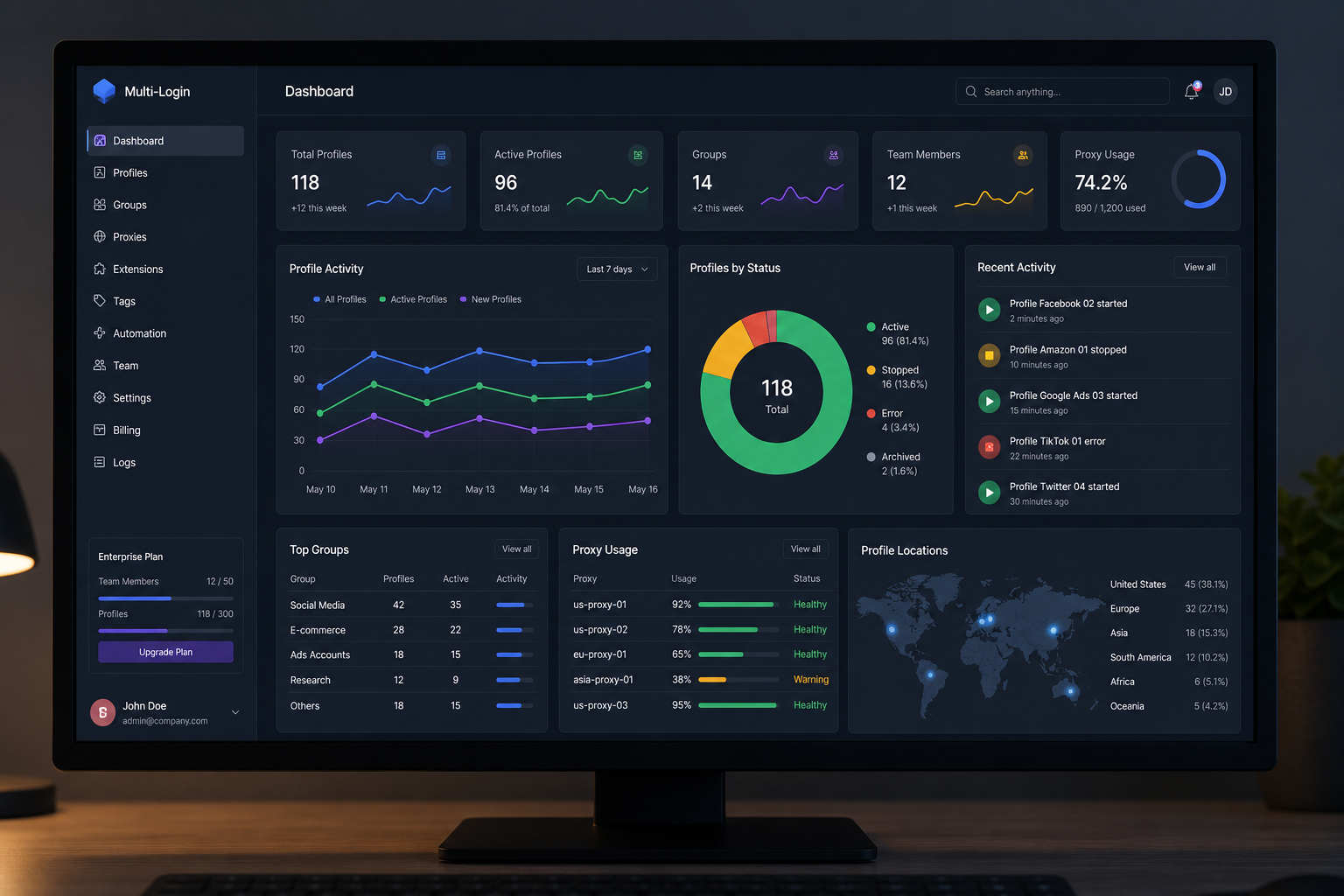
Getting started with a multi-login platform is surprisingly straightforward. You don't need any complex coding knowledge, and the interface is designed to be intuitive. Let's walk through the initial setup process.
First, you'll need to download the application to your desktop. Once installed and launched, you'll be greeted by the main dashboard. This is your command center. Unlike traditional browsers, you won't see a URL bar immediately; instead, you'll see options to create and manage profiles.
Configuring Your First Profile
To create a new environment, click on the Create Profile button. The software will automatically generate a completely unique hardware and software fingerprint. However, you still need to ensure your network connection is isolated. This is where proxies come in.
Under the proxy settings for your new profile, you should input a dedicated residential proxy. Do not use free VPNs or datacenter proxies for high-trust platforms like TikTok or Facebook, as these are heavily flagged. Once your proxy is entered, the software will usually have a built-in "Check Proxy" feature. Click this to ensure the connection is active and that your IP address matches the intended region. Taking the time to configure this correctly will save you massive headaches down the line, ensuring your accounts remain completely isolated.
Creating Multiple Mobile Profiles (Android, Facebook, TikTok)
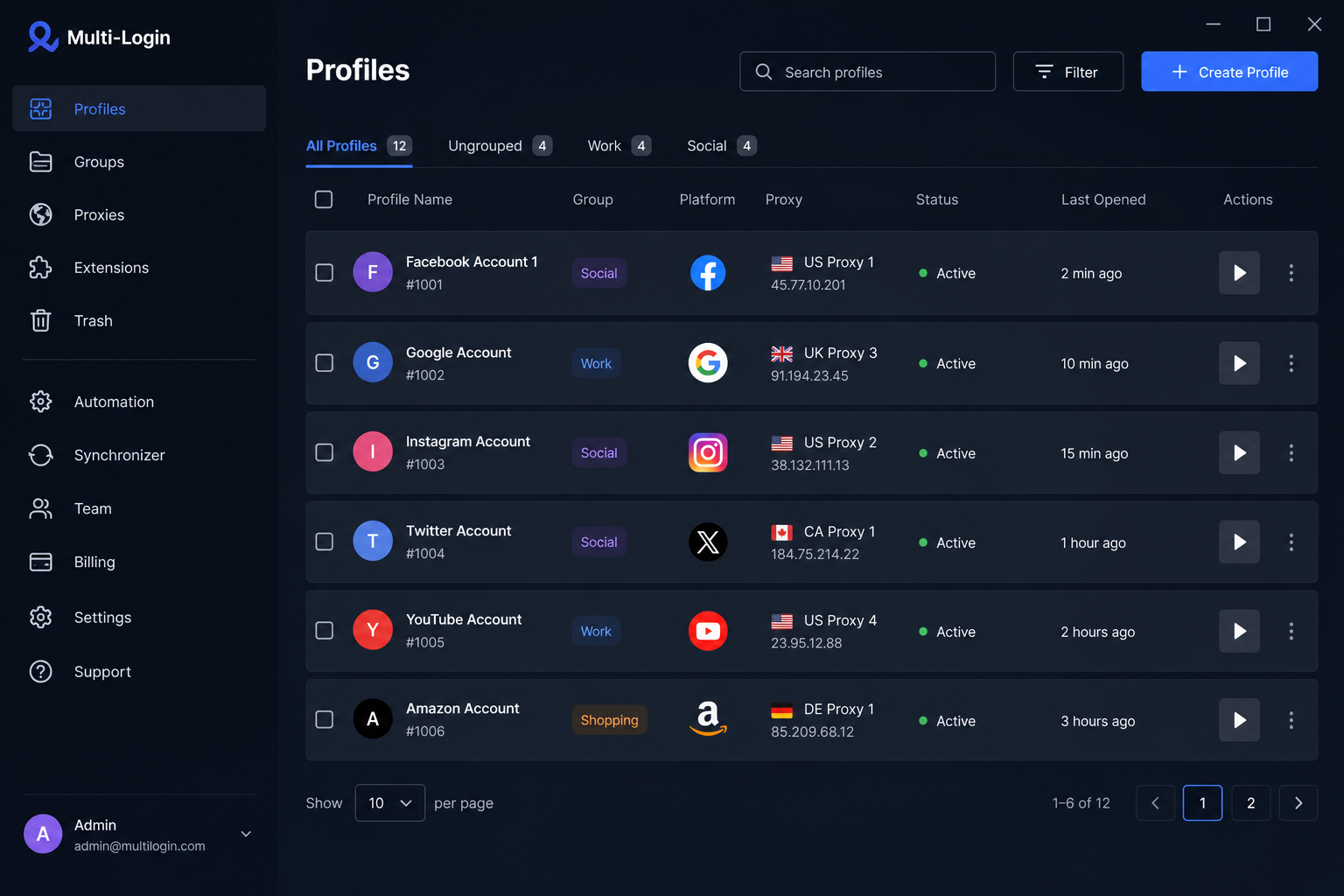
This is where the magic really happens. The specific tool featured in this tutorial allows you to simulate actual mobile environments right on your desktop. This is a game-changer for apps like TikTok and Instagram, which are notoriously strict about desktop uploads and heavily favor mobile interaction.
When you create a mobile profile, the interface literally opens up a simulated smartphone screen. You don't even need to go to the Google Play Store to find your apps. The platform typically has an "Apps" section built directly into the sidebar.
Installing Apps and Managing Sessions
Click on the Apps section and search for whatever you need: Facebook, TikTok, Instagram, or even older versions of these apps (like TikTok Lite or TikTok Asia). Click install, and it instantly loads onto your simulated device.
The true power here is concurrency. You aren't limited to one simulated phone. You can launch your "TikTok Profile 1" phone, then immediately launch your "Instagram Profile 2" phone right next to it. They operate simultaneously in completely separate windows, running on different IP addresses and projecting different hardware fingerprints. You can rotate the screen, take screenshots, export data, and even emulate camera uploads directly from your desktop files. It's essentially having a massive rack of physical phones sitting on your desk, fully digitized. This level of scaling is what makes anti-detect browsers an absolute necessity for anyone managing operations at volume.
Pricing and Coupon Code (Uncover 50)
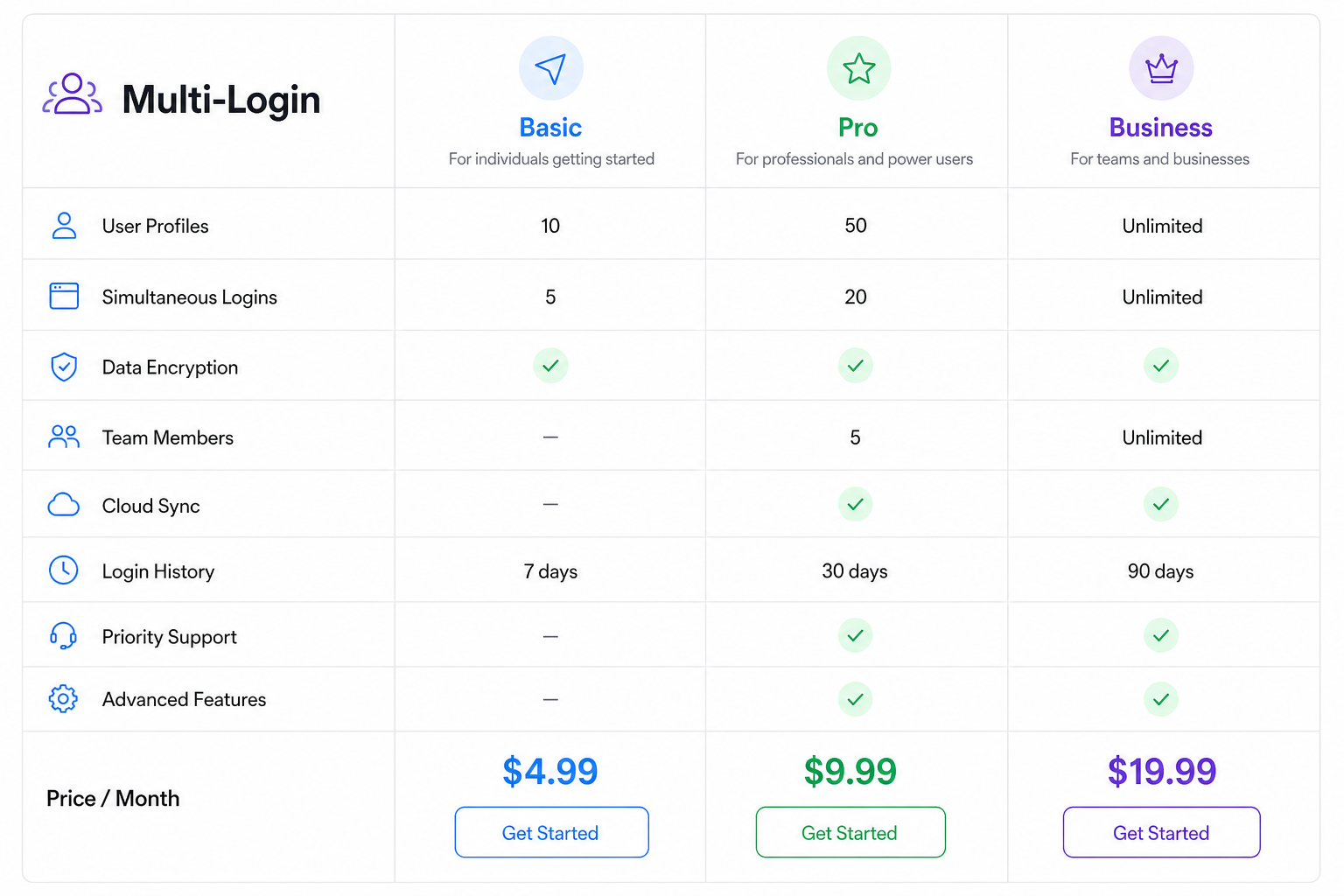
When it comes to scaling your operations, cost is always a factor. Buying physical mobile phones and separate SIM cards for every account is wildly expensive and impossible to manage at scale. Multi-login browsers offer a much more scalable pricing structure.
Typically, these platforms operate on a tiered subscription model based on the number of concurrent profiles you need. The base packages often start around $9 per month for a small handful of profiles, which is perfect for beginners testing the waters.
Scaling Up with Discounts
As you scale up to agency or heavy-affiliate levels, you might need something like 100 profiles. Normally, a 100-profile tier might cost around €35 per month. However, there's a significant advantage available right now. When selecting your plan, you can use the coupon code uncover 50 at checkout.
Applying this code drops the price by an incredible 50%, bringing that 100-profile package down to just €17.50 per month. For less than twenty euros, you are essentially getting the capability to run 100 distinct, isolated mobile phones. When you compare that ROI to standard marketing expenses, it's one of the most cost-effective investments for digital growth.
Quick Recap / Summary Table
| Feature | Details |
|---|---|
| Core Function | Isolates browser fingerprints and IP addresses to prevent account bans. |
| Mobile Emulation | Simulates full Android environments directly on desktop. |
| App Installation | Install TikTok, Facebook, Instagram natively without the Play Store. |
| Concurrency | Run multiple "phones" simultaneously on the same screen. |
| Base Pricing | Starts around $9/month for small profile limits. |
| Coupon Code | Use uncover 50 for 50% off higher tiers (e.g., 100 profiles for €17.50). |
Frequently Asked Questions
Will I still get banned if I use a multi-login browser?
A multi-login browser perfectly spoofs your hardware and software fingerprint. However, if you use a low-quality, abused proxy (like a free VPN) or engage in obvious spam behavior, platforms can still ban you based on your actions or IP reputation. The browser secures the environment; you still need to secure the connection and behave naturally.
Do I need a separate proxy for every profile?
Yes. If you run 5 profiles on the same IP address, the platform will immediately link them together, defeating the purpose of the anti-detect browser. You must assign a unique, high-quality proxy (preferably residential or mobile) to each profile.
Can I use this on a Mac?
Yes, most top-tier multi-login browsers are cross-platform and will run on macOS, Windows, and sometimes Linux.
Conclusion
If you're serious about scaling your social media presence, managing multiple client accounts, or running diverse affiliate campaigns, relying on Chrome profiles and hope simply isn't a viable strategy anymore. The platforms are too smart, and the risks of a blanket ban are too high.
By utilizing a multi-login browser, you take complete control over your digital footprint. The ability to spin up isolated mobile environments, install apps natively, and manage everything from a single desktop dashboard is an absolute necessity for modern digital marketing. Grab your proxies, set up your first profile, and experience what real scaling looks like. If you want to go deeper on a specific tool before committing, our Octo Browser review and AdsPower review cover two of the most popular options with full setup walkthroughs and pricing breakdowns.