10 Best Anti-Detect Browsers for 2026

If you're managing multiple accounts on platforms like Facebook, Amazon, or TikTok, you already know the risk: one small mistake, and all your accounts get permanently banned. Most bloggers and marketers try to solve this by using basic VPNs or clearing their cookies, but those methods no longer work against modern tracking systems. To truly protect your online identity and operate multiple accounts safely, you need an anti-detect browser.
I have spent weeks testing the top tools on the market, analyzing their fingerprint spoofing capabilities, pricing models, and ease of use. In this comprehensive guide, I'm ranking the 10 best anti-detect browsers for 2026. Whether you are an affiliate marketer, a dropshipper, or an agency running client accounts, this breakdown will help you find the exact tool you need.
What Is an Anti-Detect Browser?
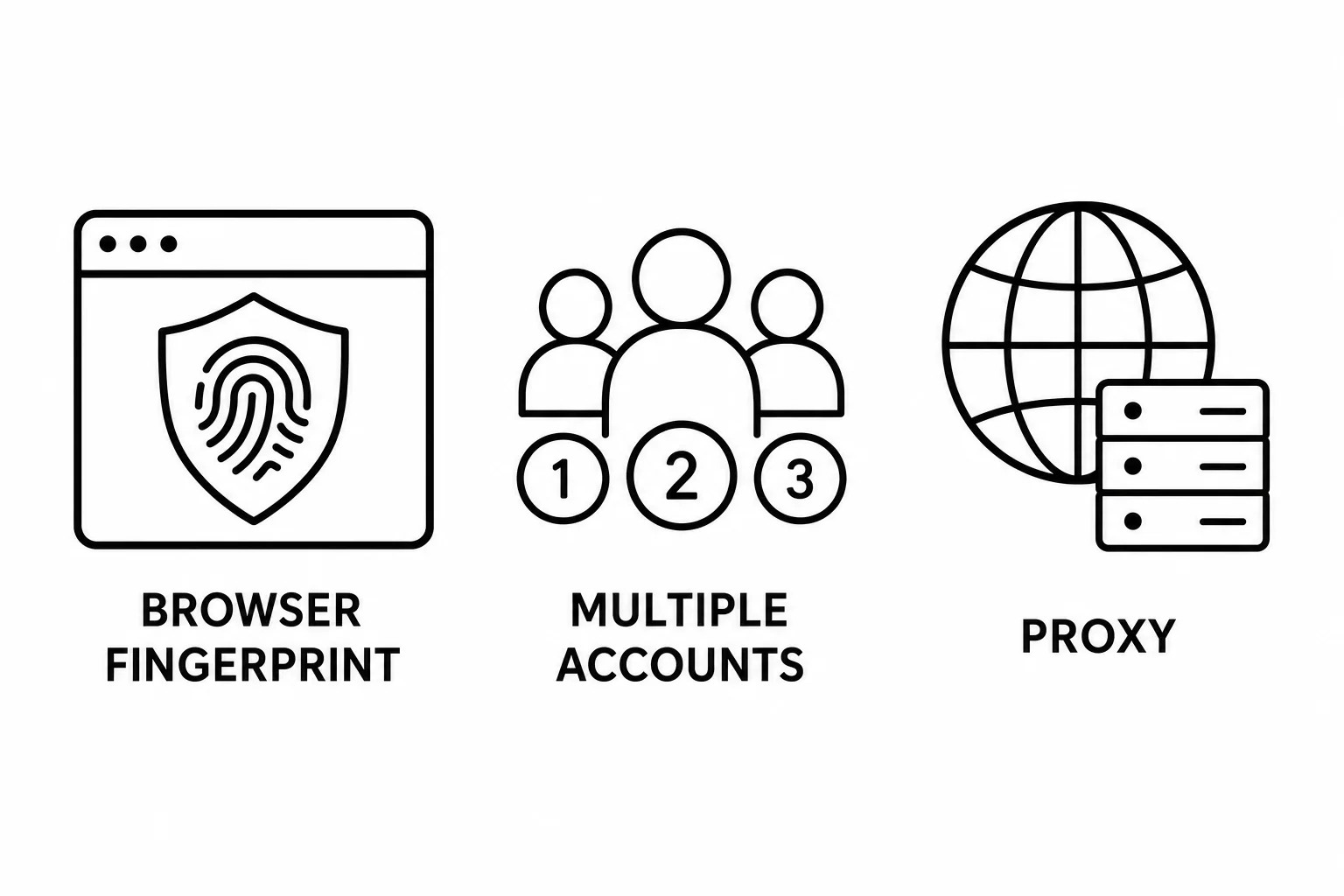
An anti-detect browser is a specialized web browser designed to spoof your digital fingerprint. Every time you visit a website, your standard browser (like Chrome or Safari) hands over a massive amount of data: your IP address, operating system, hardware specs, installed fonts, and even your graphics card rendering behavior (WebGL). Websites combine this data to create a unique "fingerprint" that identifies you with terrifying accuracy, even if you clear your cookies or use a VPN.
Anti-detect browsers solve this by allowing you to create multiple, completely isolated browsing profiles. Each profile acts as a distinct, realistic physical device with its own unique fingerprint. When combined with a good proxy, websites see each profile as a completely different user sitting in a different location.
They are primarily used for:
- Affiliate Marketing: Running multiple ad accounts without linking them together.
- E-Commerce: Managing several Amazon, eBay, or Etsy storefronts safely.
- Social Media Management: Operating hundreds of TikTok, Facebook, or X accounts for agencies or clients.
- Web Scraping: Extracting data without getting blocked or triggering CAPTCHAs.
How to Pick One: 4 Questions to Ask
Before you commit to an anti-detect browser, ask yourself these four critical questions to ensure you don't overpay or end up with a tool that doesn't fit your workflow:
- How many profiles do you actually need? If you only need 5 to 10 profiles, you can easily get away with a free plan. If you need hundreds for automation, you'll have to pay.
- Are you working solo or with a team? Team collaboration features (like sharing profiles without sharing passwords) are often locked behind more expensive tiers.
- Do you need built-in proxies? Some browsers offer built-in residential or data center proxies, saving you the hassle of buying them from third-party providers.
- Are you going to automate tasks? If you want to use Selenium, Puppeteer, or Playwright, check the browser's API limits and automation compatibility.
Quick Comparison Table
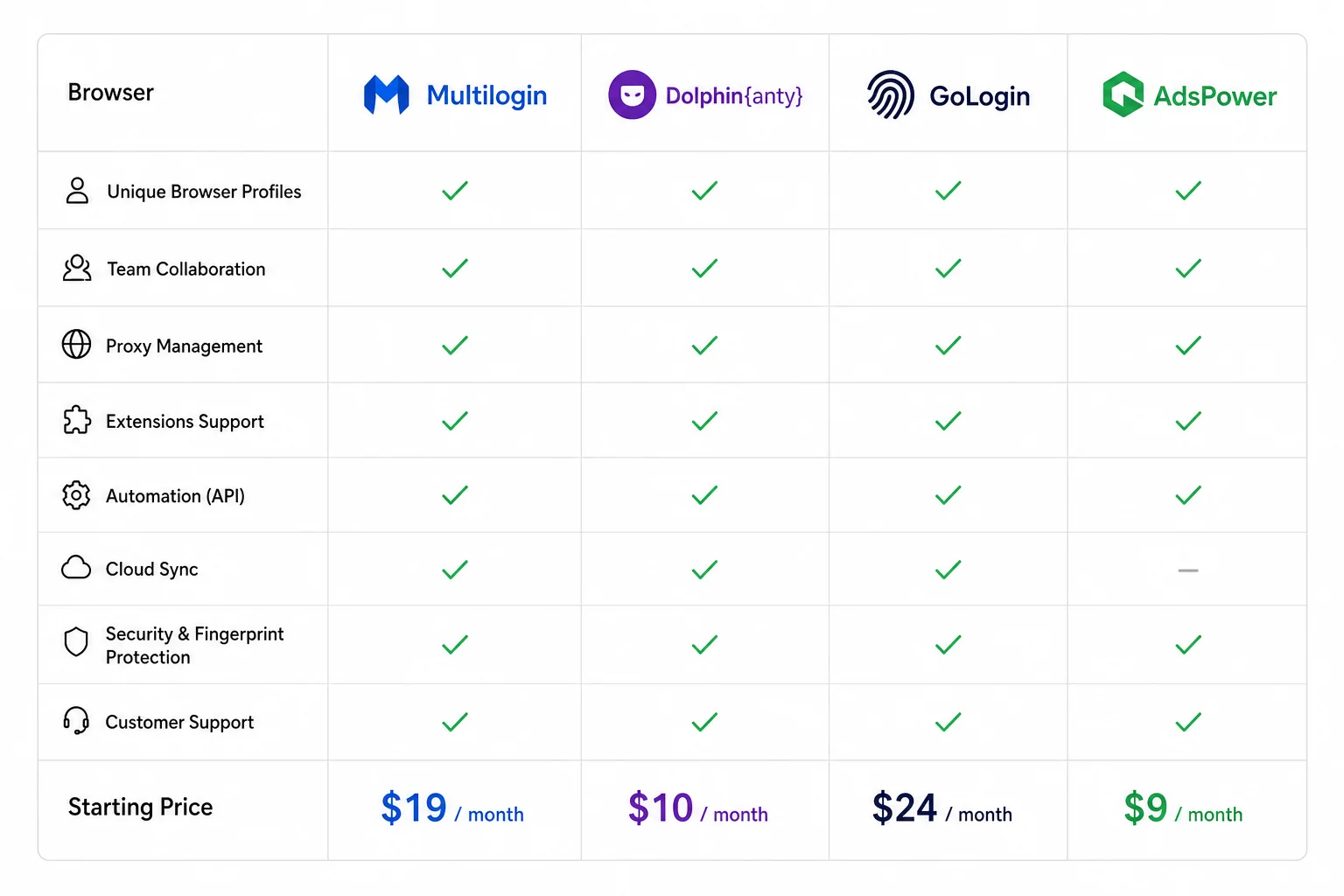
To give you a quick overview, here is how the top contenders stack up in terms of free plans, starting prices, and primary use cases.
1. GoLogin
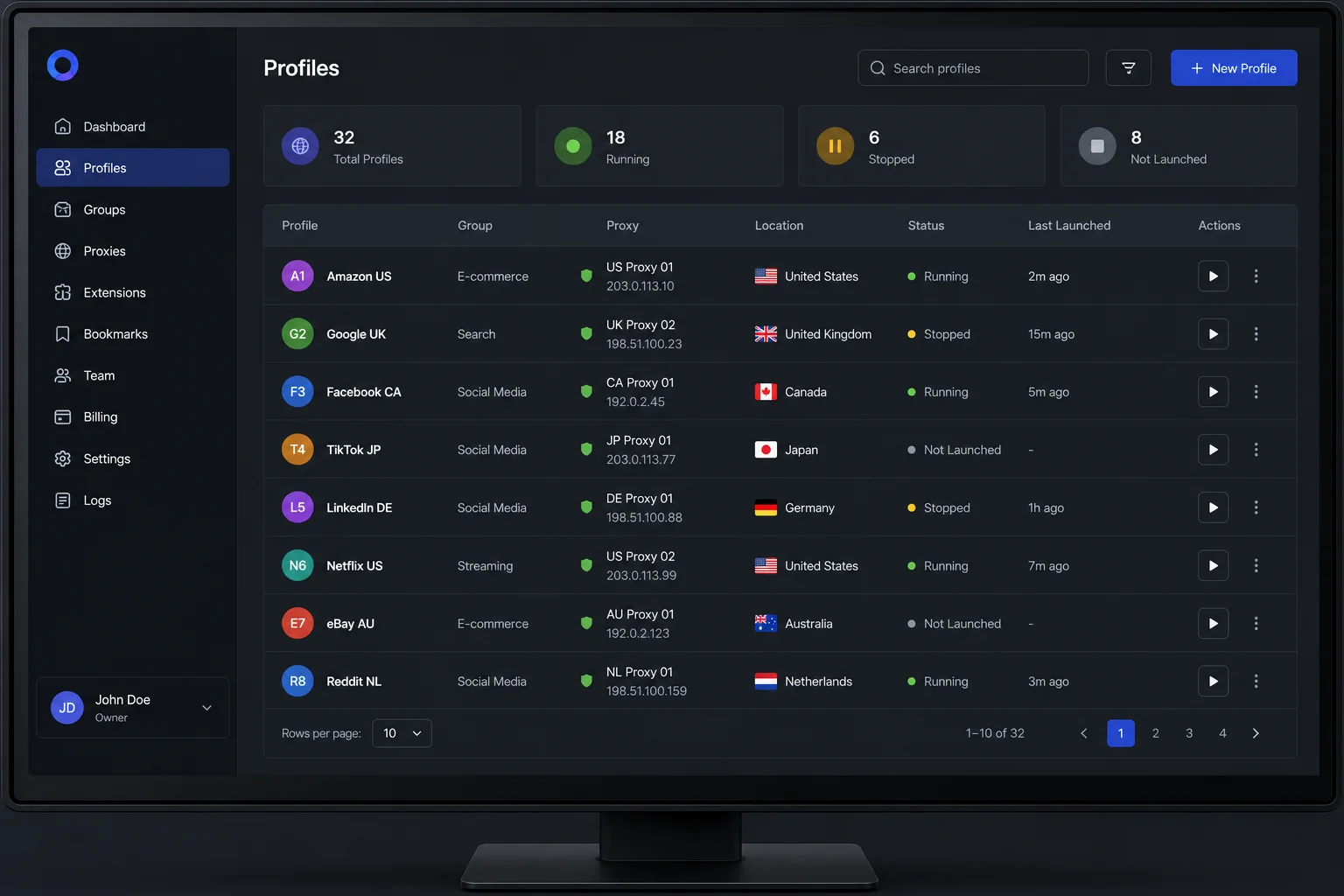
GoLogin consistently ranks as one of the best all-around anti-detect browsers. It strikes a perfect balance between advanced technical capabilities and a highly intuitive interface that won't overwhelm beginners. Unlike some heavily technical Chinese tools, GoLogin feels like a modern SaaS product.
Key Features
GoLogin allows you to manipulate over 50 different fingerprint parameters, giving you incredible granular control. However, if you aren't a technical expert, its one-click profile generation creates highly trusted fingerprints instantly. It also includes built-in proxy management and offers a fully functional web app, allowing you to launch cloud-based browser profiles from any device without installing the desktop software.
Pricing
GoLogin is highly competitive. They offer a hidden "Free Forever" plan for 3 profiles. Paid plans start at just $49/month (or $24/month if billed annually) for 100 profiles. Every paid tier also includes a generous amount of free proxy bandwidth.
Best For
GoLogin is the best overall choice for solo entrepreneurs, affiliate marketers, and small agencies who want top-tier reliability without a massive price tag or a steep learning curve.
2. Multilogin
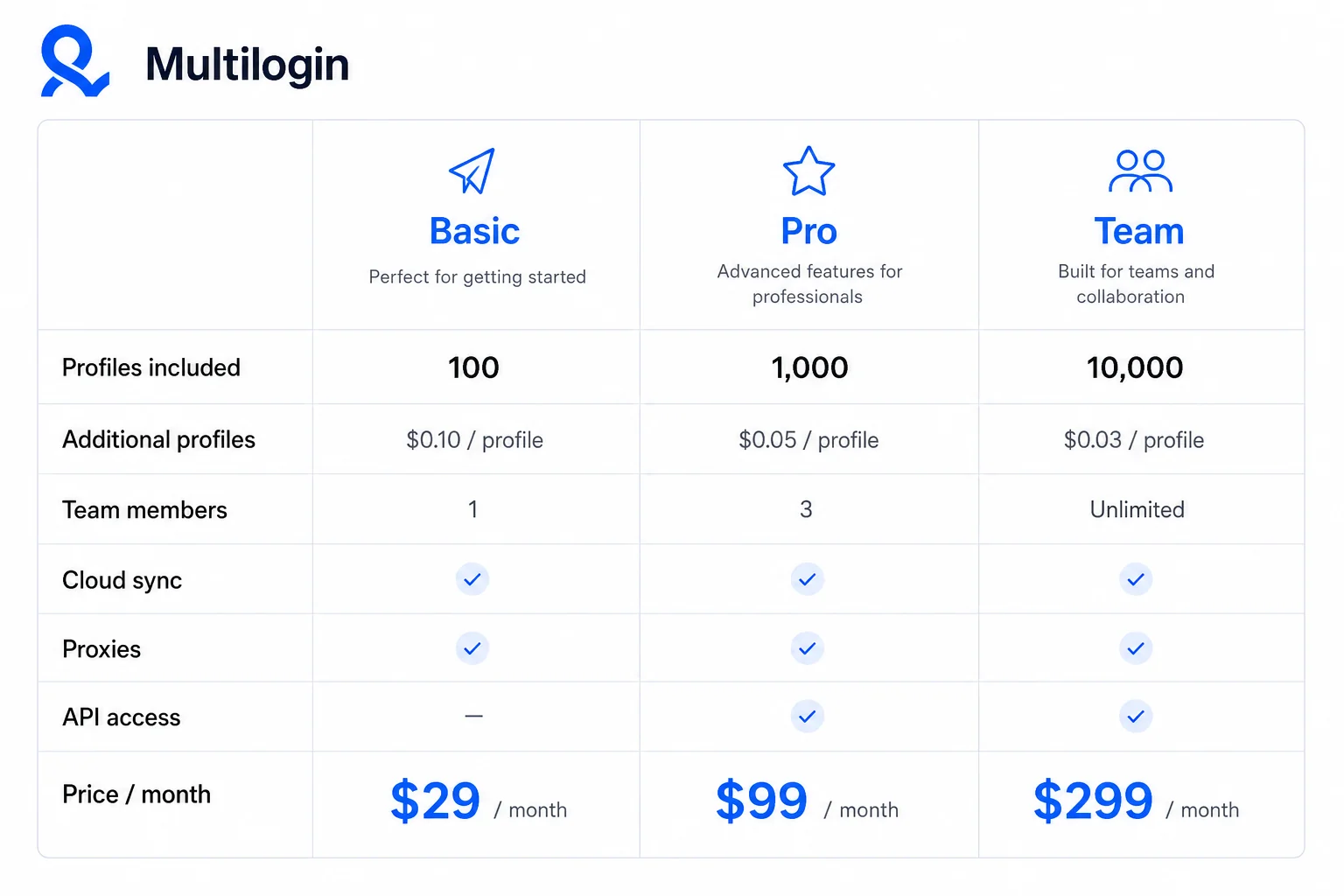
Multilogin is the undisputed pioneer of the anti-detect industry. Based in Estonia, this tool practically invented the category and remains the gold standard for fingerprint spoofing accuracy. Rather than just disabling parameters like WebGL, Multilogin completely spoofs them, resulting in incredibly high trust scores from advanced anti-fraud systems.
Key Features
Multilogin operates through its custom stealth browsers: Mimic (based on Chrome) and Stealthfox (based on Firefox). It boasts exceptional API limits and flawless integration with Selenium and Puppeteer. Recently, they transitioned heavily into a web-based architecture and introduced built-in residential proxies across all paid tiers.
Pricing
Quality comes at a premium. Multilogin is significantly more expensive than its competitors, with plans starting around €99/month for 100 profiles. There is no free plan available.
Best For
Enterprise clients, large marketing agencies, and professionals dealing with highly sensitive accounts (like high-volume crypto or banking operations) where absolute fingerprint perfection is required and budget is not an issue.
3. AdsPower
AdsPower is a massively popular anti-detect browser originating from China, designed heavily around e-commerce and social media management. While it suffered some reputational damage due to a past data leak, it remains one of the most feature-rich platforms available, particularly for users looking to scale operations.
Key Features
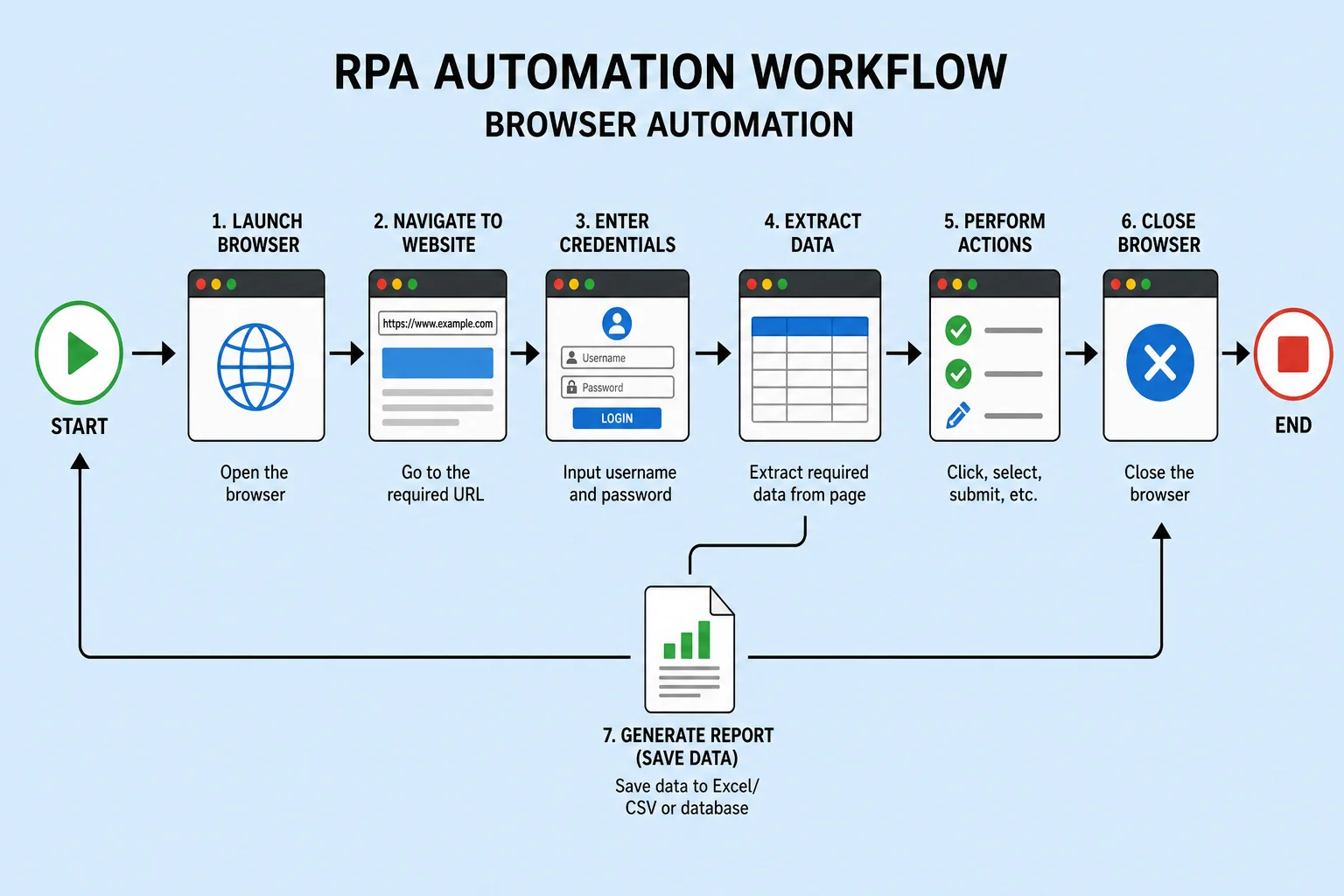
The standout feature of AdsPower is its RPA (Robotic Process Automation) system. You can build complex, automated workflows (like auto-liking on LinkedIn, warming up Facebook accounts, or scraping Amazon listings) without writing a single line of code. It supports both Chromium and Firefox cores and handles bulk account importing flawlessly.
Pricing
AdsPower offers a flexible, slider-based pricing model. There is a free plan for 2 profiles. Paid plans start as low as $9/month for 10 profiles, making it highly scalable as your business grows.
Best For
Dropshippers, social media managers, and e-commerce merchants who rely heavily on automation and need to manage hundreds of accounts cost-effectively. For a full breakdown of features, setup steps, and how AdsPower compares to Octo Browser, read our complete AdsPower review.
4. Dolphin Anty
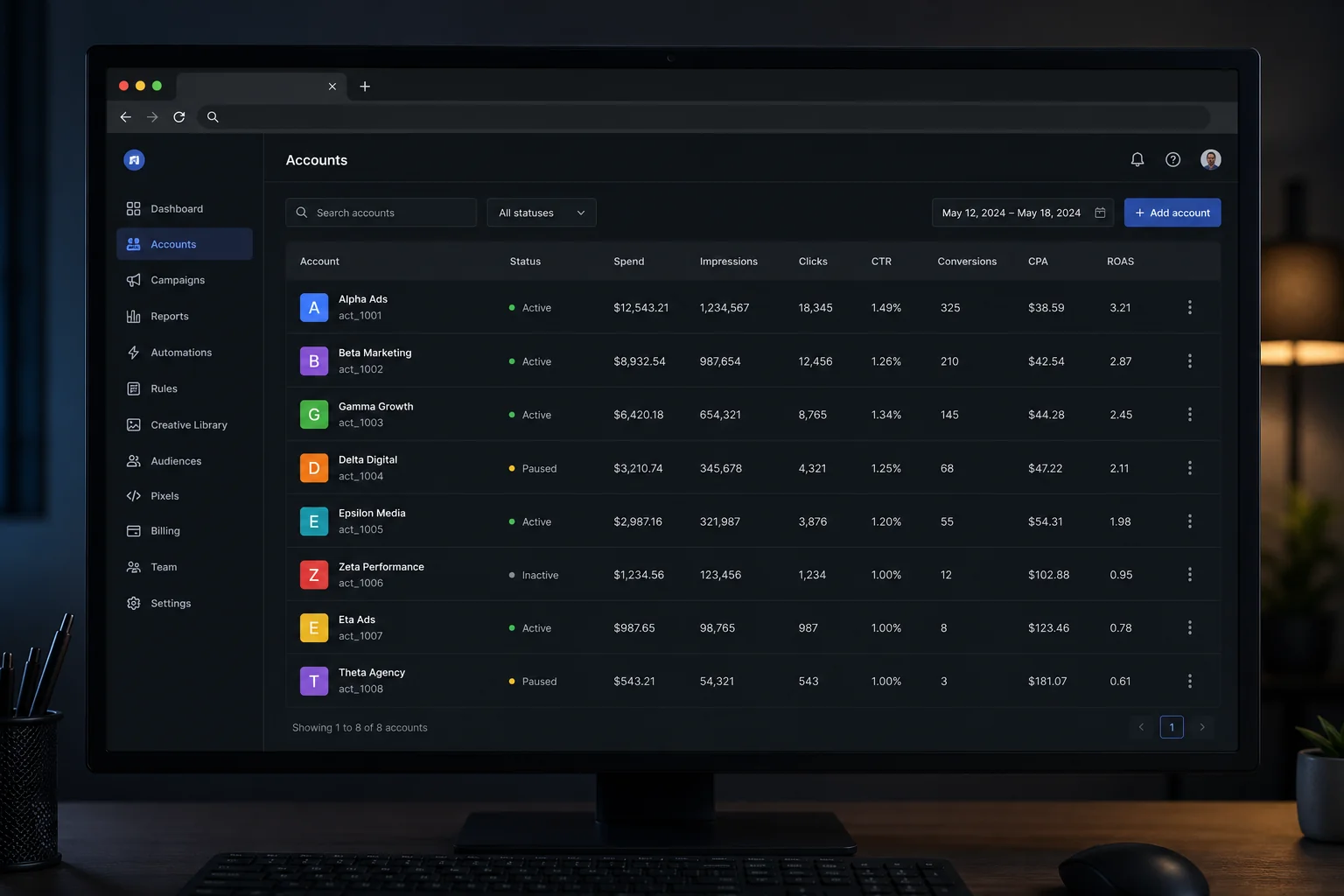
Dolphin Anty was built by affiliate marketers, for affiliate marketers. Every inch of its interface is optimized for media buyers running high volumes of Facebook, TikTok, and Google ad accounts.
Key Features
The UI is incredibly focused on speed. You can easily add tags, notes, and statuses to profiles. It features a robust mass-action panel that allows you to change proxies, export cookies, or duplicate profiles across dozens of accounts with one click. It also integrates seamlessly with Dolphin's ad auto-rules tool.
Pricing
Dolphin Anty offers a fantastic free plan providing 10 profiles. However, their paid plans are quite expensive, starting at $89/month for 100 profiles. Adding team members is also exceptionally costly compared to the industry standard.
Best For
Media buyers, affiliate marketers, and solo advertisers who need deep organizational tools for their ad accounts and can leverage the generous 10-profile free plan.
5. Nstbrowser
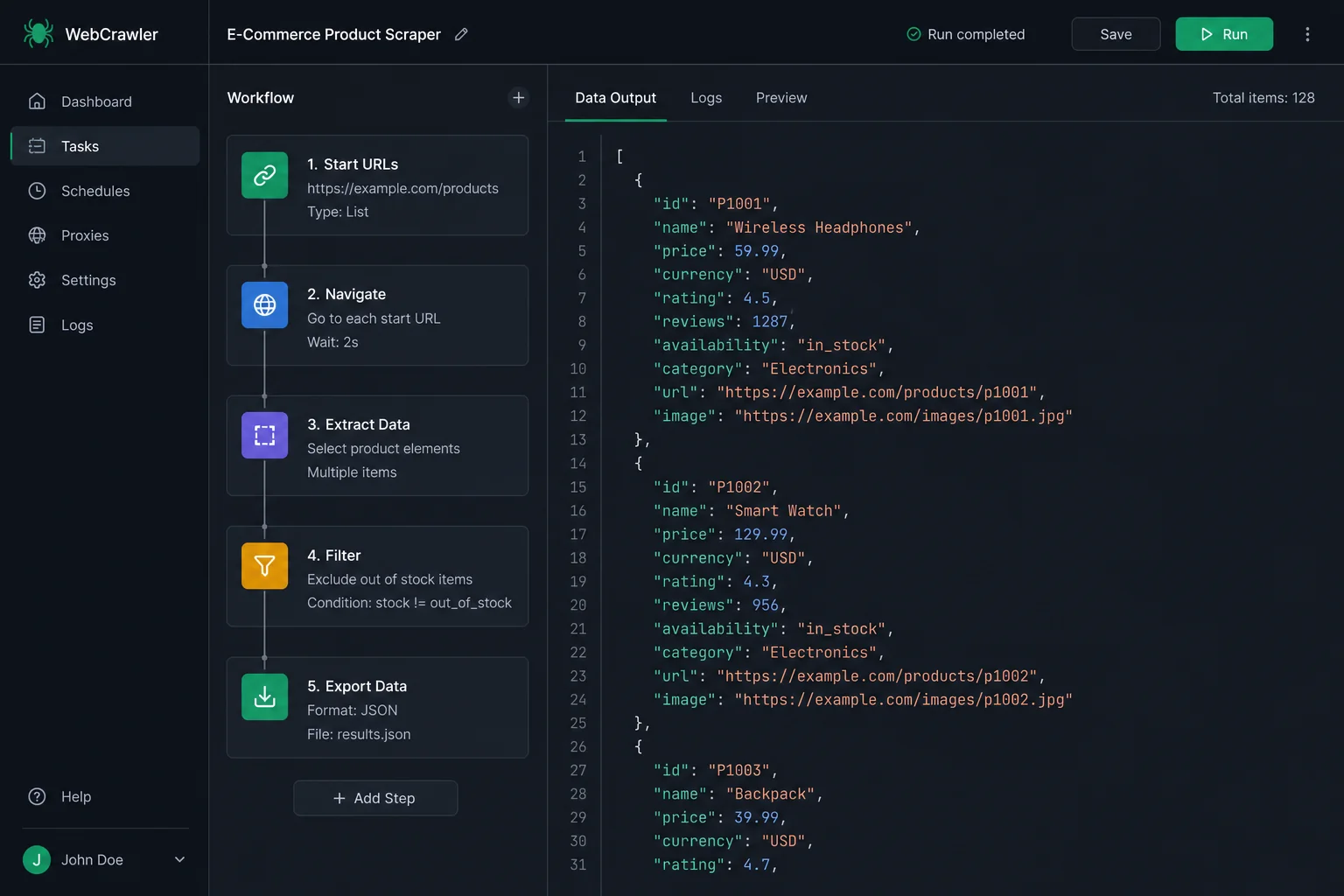
Nstbrowser is a specialized anti-detect browser focused entirely on web scraping, data extraction, and programmatic automation. If your goal is to bypass bot detection like Cloudflare or Datadome while scraping data at scale, this is your tool.
Key Features
It integrates flawlessly with Puppeteer, Playwright, and Selenium. Nstbrowser offers a unique Web Unblocker feature and built-in CAPTCHA solving. It also provides a cloud RPA automation marketplace where you can download ready-made scraping templates.
Pricing
Nstbrowser is famous for its massive free tier: it allows up to 500 profiles and 3 team members, limited only by the number of daily profile launches (30/day). Paid plans start at $29/month, offering an immense amount of value for heavy automation users.
Best For
Data scientists, web scrapers, and developers who need to bypass advanced bot protection systems at scale.
6. 1Browser
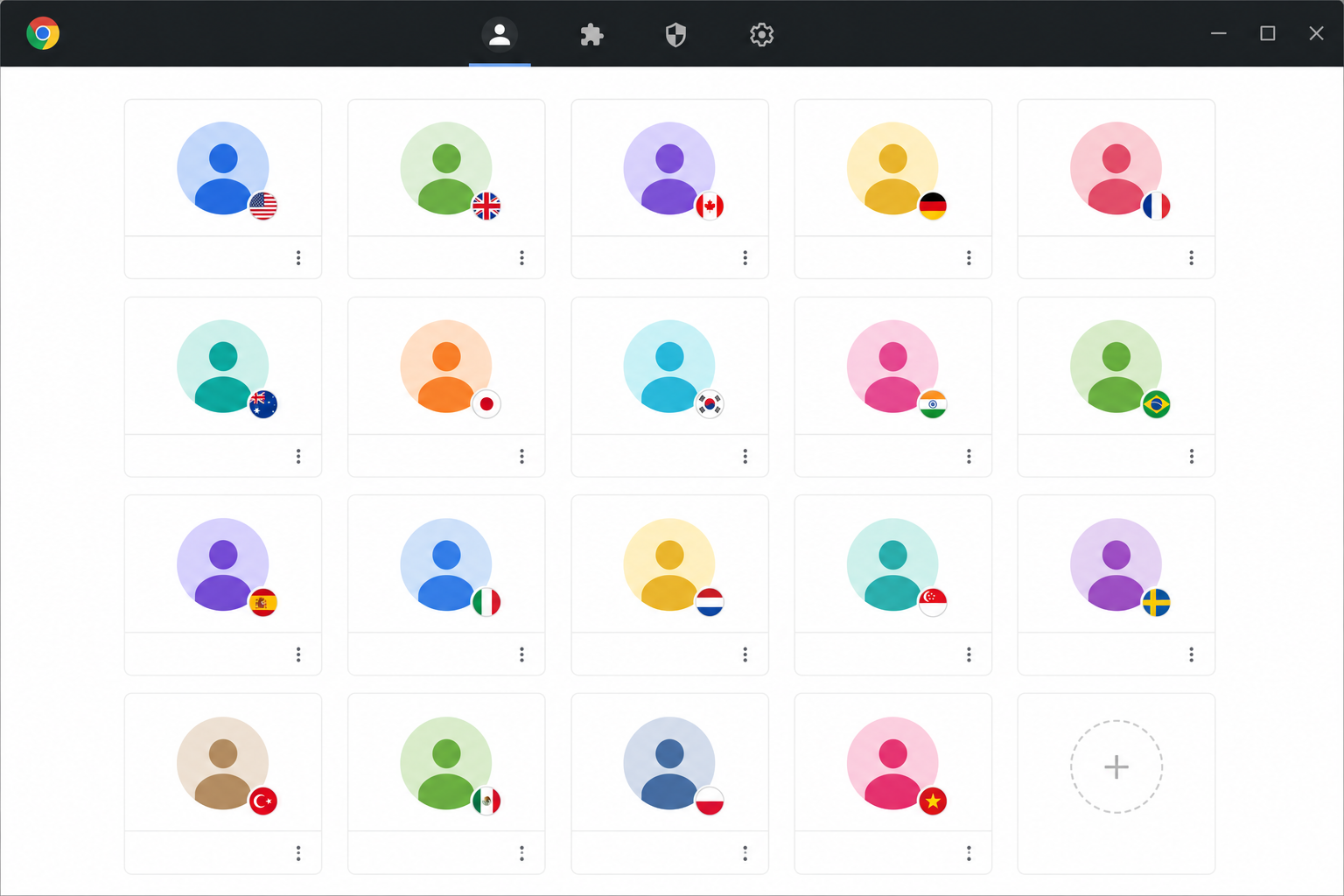
If you are on a strict budget, 1Browser is the best free anti-detect browser on the market right now. While it lacks the deep technical customizations of GoLogin or Multilogin, its core fingerprinting engine is highly capable for standard usage.
Key Features
The interface is essentially identical to Google Chrome, making it incredibly easy to pick up and use. 1Browser's most unique selling point is that it includes built-in free proxies on its free plan — something virtually unheard of in this industry. The fingerprinting works entirely under the hood with minimal manual tweaking required.
Pricing
The free plan offers 20 profiles and access to free proxies. Paid plans are extremely cheap, starting at just $9/month for 50 profiles and unlocking premium residential and mobile proxies.
Best For
Beginners, students, and budget-conscious marketers who just need a handful of isolated browser profiles without any complex setup.
7. Octo Browser
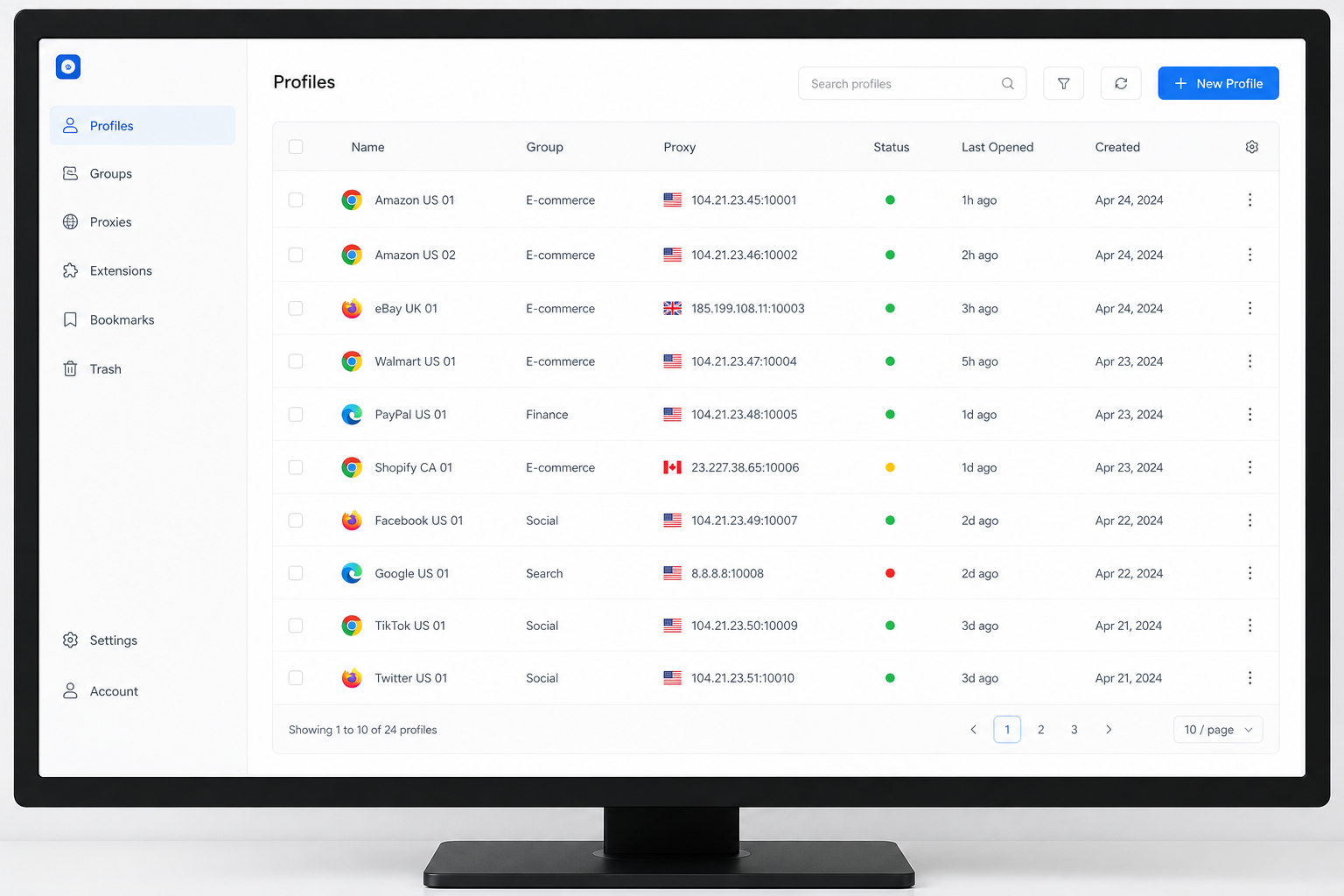
Octo Browser has built a strong reputation for raw performance and reliability. It avoids bloated features and focuses heavily on providing a fast, undetectable browser core that rarely crashes.
Key Features
The user interface is exceptionally clean and responsive. Fingerprint customization is highly accurate, easily passing tests on Pixelscan and CreepJS. It allows you to use your profiles across an unlimited number of physical devices. However, its mass-action capabilities are a bit limited compared to Dolphin Anty.
Pricing
Octo Browser does not offer a free plan. Pricing starts at €21/month for 10 profiles, which is noticeably steeper than mid-tier competitors. Advanced features like API access and team collaboration are locked behind their €111/month Team plan.
Best For
Users who prioritize application speed, stability, and clean design over budget pricing or massive feature sets. For a full deep-dive into setup, proxy configuration, and who Octo Browser is really built for, read our complete Octo Browser review.
8. MoreLogin
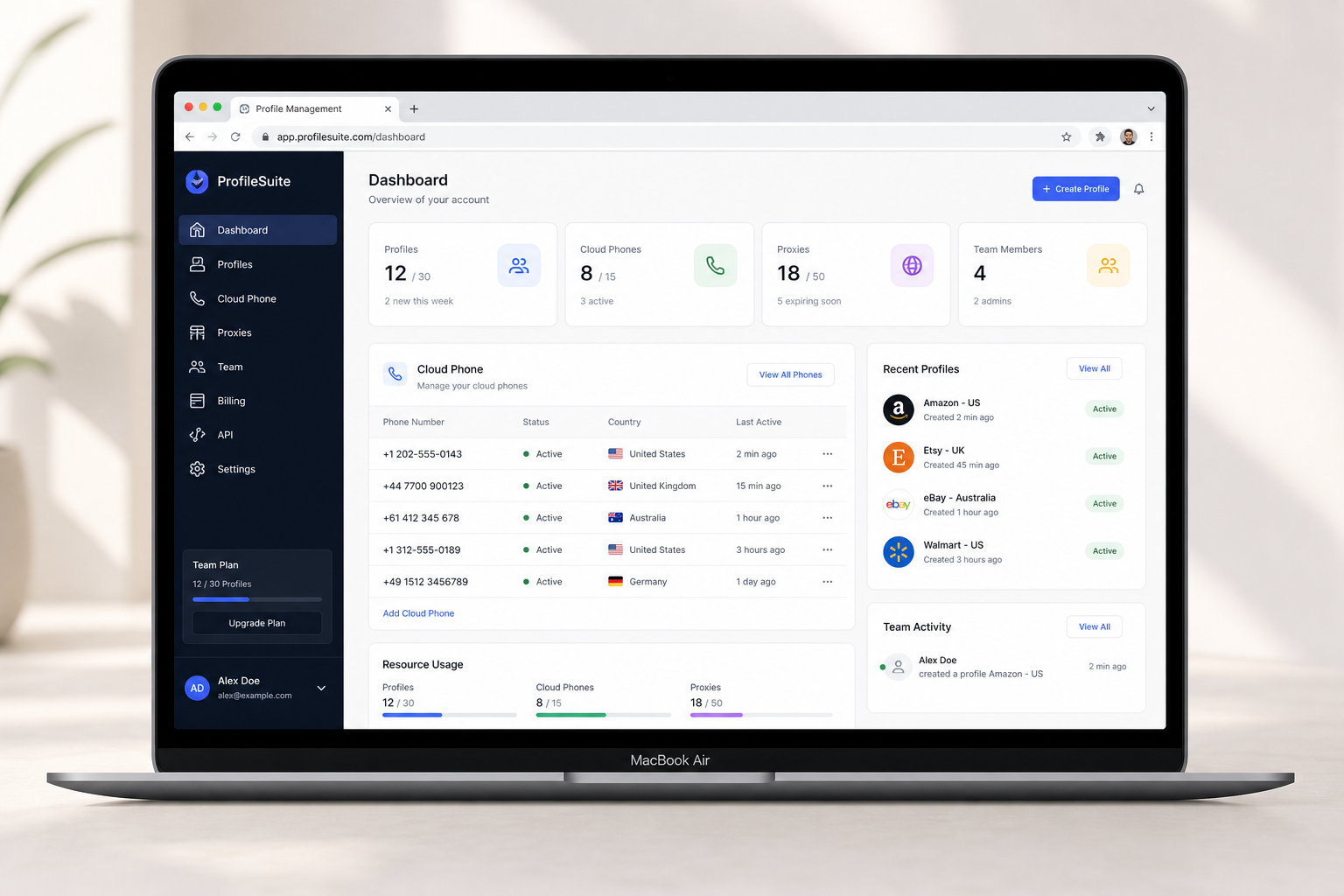
MoreLogin is a highly capable tool that distinguishes itself by offering both standard desktop browser profiles and emulated cloud phones within the same interface.
Key Features
If you need to manage mobile-first applications like TikTok, Instagram, or WhatsApp, MoreLogin's cloud phone environments provide incredibly authentic mobile footprints. It also features a "Real Canvas" fingerprinting technology that uses machine learning to harvest and apply canvas fingerprints from actual human devices, rather than mathematically generating them.
Pricing
There is a free plan allowing 2 profiles and 2 team members. Paid plans are highly customizable and start at $9/month for 10 profiles.
Best For
Marketers focused heavily on mobile app ecosystems (like TikTok organic or Instagram engagement) who need authentic mobile device emulation alongside standard desktop profiles.
9. Incogniton
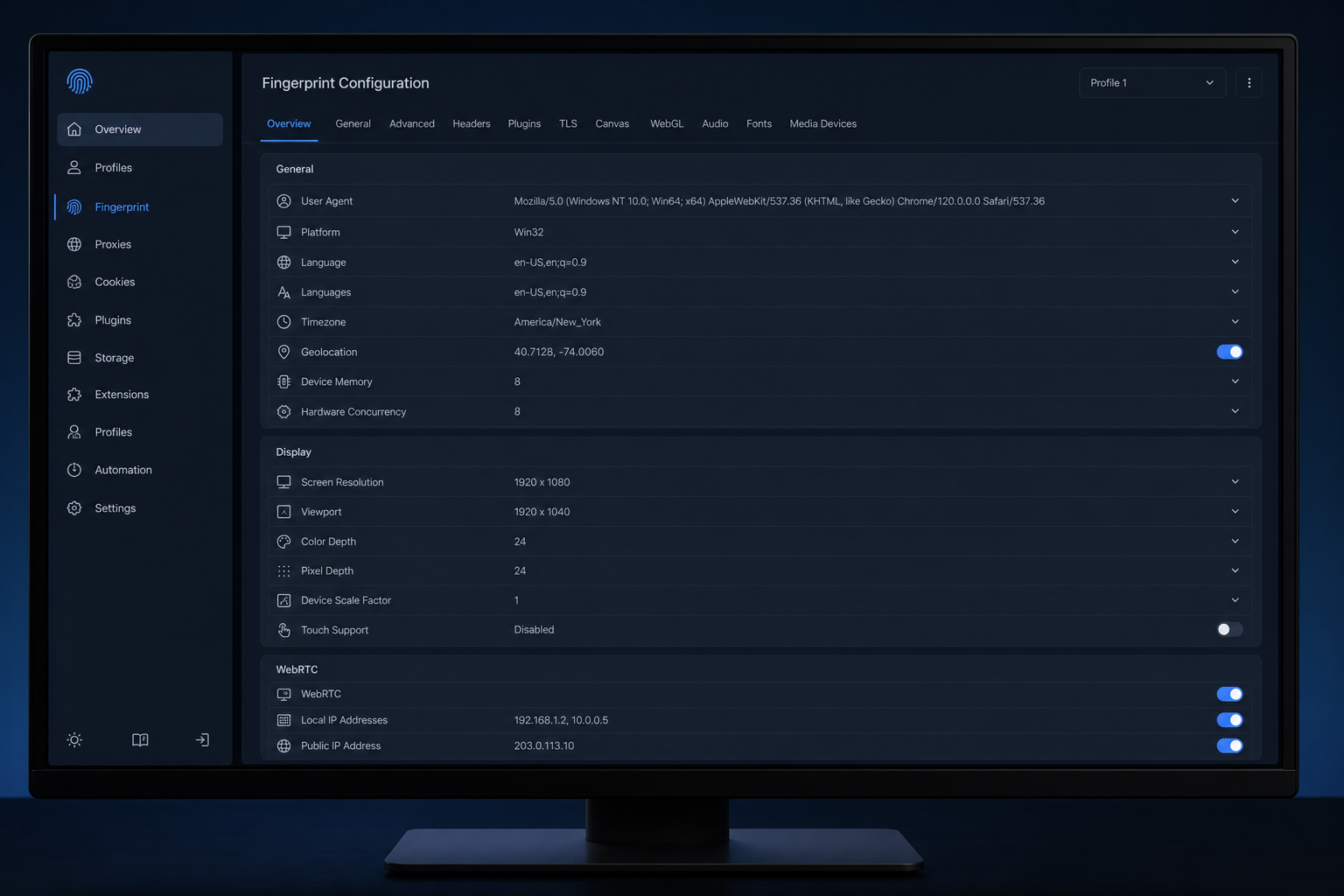
Based in the Netherlands, Incogniton is a solid, mid-tier anti-detect browser that has maintained a loyal user base by offering great value for money, despite having an interface that feels a bit stuck in 2018.
Key Features
Incogniton includes excellent mass-profile creation tools, a human-typing emulator for form filling, and a synchronizer tool that perfectly mirrors your actions across multiple profiles simultaneously. It requires a bit more technical knowledge to set up correctly compared to GoLogin, as the fingerprint parameters are highly exposed.
Pricing
Incogniton offers a generous free plan with 10 profiles. Paid tiers start at $29.99/month for 50 profiles. Keep in mind that API access for automation is not available on the free tier.
Best For
Freelancers and technical users who want maximum control over their fingerprint configurations and need a solid 10-profile free plan to get started.
10. SessionBox
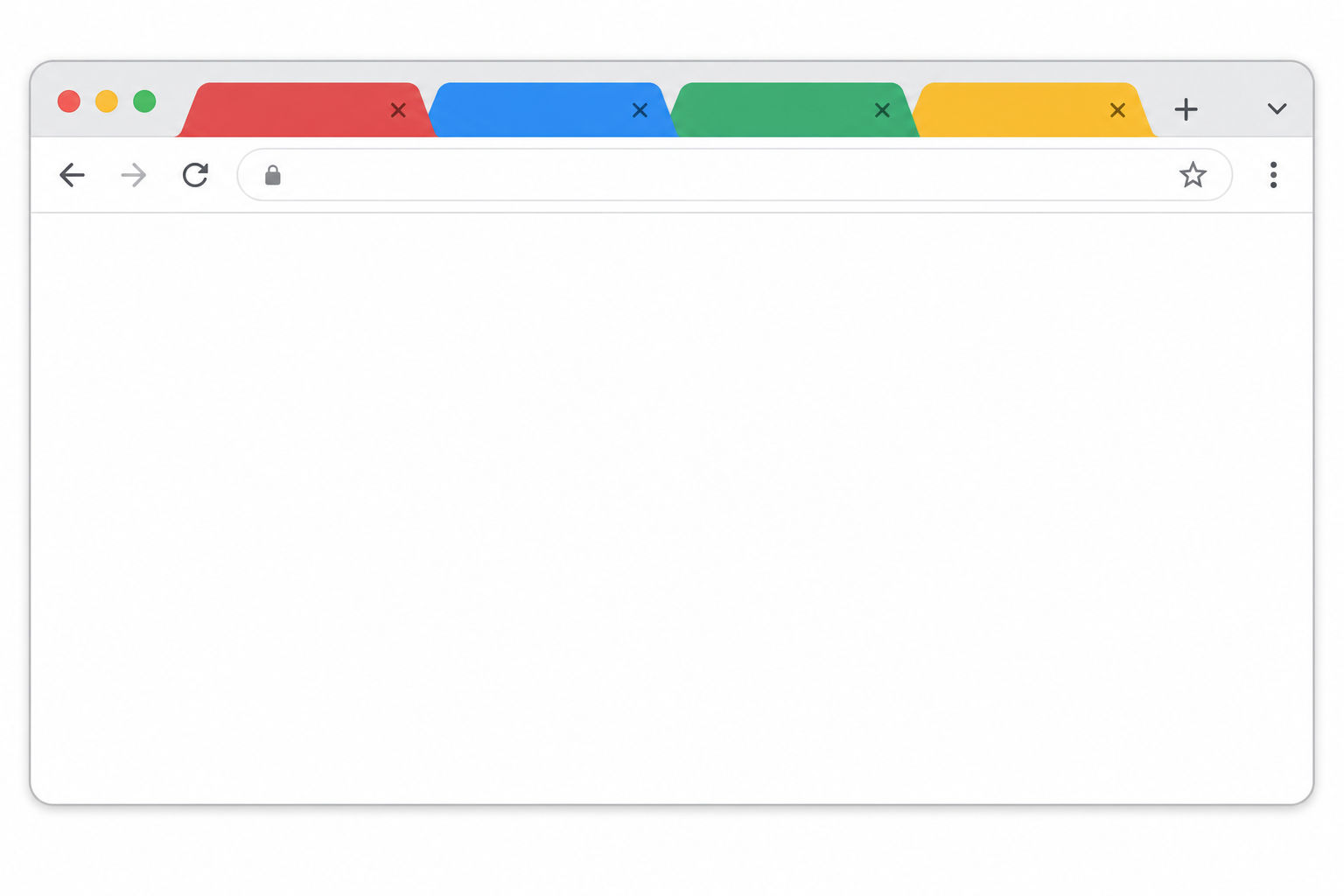
SessionBox takes a completely different approach to multi-accounting. Originally a Chrome extension, it has evolved into a full workstation browser. Instead of opening a new browser window for every profile, SessionBox uses a color-coded tab system within a single window.
Key Features
The UI is brilliant for productivity. You can have a blue tab logged into Facebook Account A, and a red tab logged into Facebook Account B, side-by-side in the same window. However, its actual fingerprint protection engine is notoriously weak compared to heavyweights like Multilogin or GoLogin.
Pricing
There is no free plan. Paid plans start around $8.99/month, but be warned: the cheapest "Hobby" plan does not include any active fingerprint spoofing — it only isolates cookies.
Best For
Productivity-focused users managing low-risk accounts (like multiple Gmail or Reddit accounts) who prefer a streamlined, single-window workflow over deep anti-fraud protection.
Quick Recap Table
If you're still on the fence, here is the quick summary of my recommendations based on specific needs:
| Use Case | Top Recommendation | Why it wins |
|---|---|---|
| Best Overall | GoLogin | Best balance of price, ease of use, and advanced fingerprinting. |
| Best Free Plan | 1Browser | 20 free profiles + free built-in proxies. Unbeatable value. |
| Best for Affiliate Marketing | Dolphin Anty | Built specifically for media buyers with mass-action tools. |
| Best for Automation/RPA | AdsPower | Incredible no-code workflow automation capabilities. |
| Best for Web Scraping | Nstbrowser | Massive 500-profile free plan for API scraping. |
| Best for Enterprise | Multilogin | The absolute highest quality fingerprinting, but highly expensive. |
Frequently Asked Questions
Is it legal to use an anti-detect browser?
Yes, using an anti-detect browser is completely legal. It is simply a tool that protects your privacy. However, using these tools to commit fraud, bypass legal bans, or violate the Terms of Service of platforms (like creating fake Amazon reviews) can result in account suspensions or legal action depending on your jurisdiction.
Do I absolutely need proxies?
Yes. An anti-detect browser spoofs your device hardware, but your IP address is still visible. If you run 10 different Facebook accounts from the exact same home IP address, Facebook will ban them all immediately. You must assign a unique, high-quality residential or mobile proxy to every browser profile.
Can Google and Facebook still track me?
If configured correctly with good proxies, no. High-end anti-detect browsers like Multilogin and GoLogin are designed specifically to defeat advanced tracking scripts from Google, Facebook, and Cloudflare by presenting completely consistent, non-leaking device fingerprints.
What is the difference between a VPN and an anti-detect browser?
A VPN only hides your IP address and encrypts your traffic. It does nothing to hide your browser fingerprint (WebGL, canvas, fonts, hardware). An anti-detect browser hides both your IP (via proxies) and completely fakes your hardware fingerprint, making you look like a different physical computer entirely.
Are free anti-detect browsers safe?
Reputable free plans from companies like Dolphin Anty (10 profiles) or 1Browser (20 profiles) are safe. However, avoid completely free, unknown tools, as they can sometimes steal your session cookies or inject malware.
Which browser is best for Mac users?
GoLogin, Multilogin, and AdsPower all offer native, highly optimized Apple Silicon (M1/M2/M3) versions of their software, ensuring fast performance without battery drain.
Conclusion
Choosing the right anti-detect browser ultimately comes down to your budget and technical requirements. If you want the most seamless, user-friendly experience without sacrificing security, GoLogin is the clear winner for 2026. If you are a media buyer needing aggressive mass-action tools, Dolphin Anty is your best bet. And if you have absolutely zero budget, you cannot beat the generous 20-profile free plan offered by 1Browser.
Remember, the browser is only half the battle. To keep your accounts truly safe, always pair your chosen anti-detect browser with high-quality residential or mobile proxies. And once you've chosen your tool, our step-by-step multi-login browser setup guide walks you through configuring your first profile, connecting proxies, and running multiple app sessions simultaneously — the foundational workflow that applies across all anti-detect tools.