AdsPower Review 2025: Best Anti-Detect Browser for Managing Multiple Accounts?
A full review of AdsPower — the anti-detect browser used by 9 million+ marketers, e-commerce sellers, and agencies to manage multiple accounts without getting banned.

If you're running multiple accounts on Facebook, Amazon, Instagram, or any other platform, you've probably dealt with bans. Not because you did anything obviously wrong — but because platforms detected that the same person was operating multiple accounts from the same device. That detection happens through browser fingerprinting, and it's why a VPN alone isn't enough to protect you.
AdsPower is built to solve exactly this problem. It's one of the most widely used anti-detect browsers in the world, with over 9 million users across 200+ countries, and it's the tool covered in this video review. This guide breaks down what it does, how to set it up, what it costs, and whether it's the right fit for your workflow.
What Is Browser Fingerprinting and Why It Gets You Banned
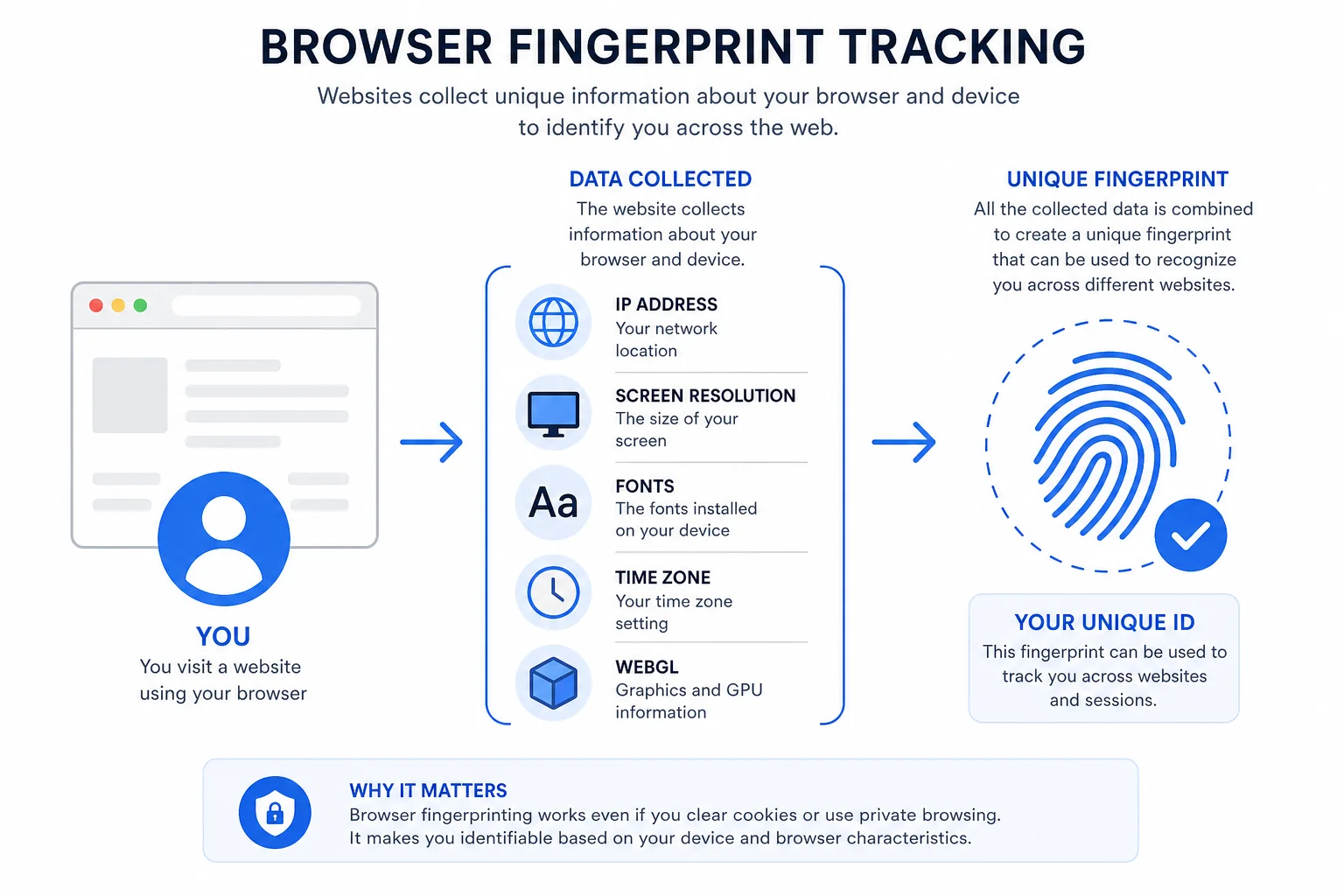
When you visit any website, your browser sends a detailed set of data points that — taken together — create a unique signature called your browser fingerprint. This includes your IP address, screen resolution, installed fonts, time zone, browser version, WebGL parameters, canvas rendering, and dozens of other identifiers.
Platforms like Facebook, Amazon, and Google use these signals to determine whether multiple accounts are being operated by the same person. If your fingerprint matches across accounts — even if you're using different passwords and email addresses — the platform will link them together and ban all of them.
A regular VPN only changes your IP address. Your browser fingerprint stays the same. That's why standard VPNs don't reliably prevent multi-account detection. What you actually need is a tool that gives each account a completely separate, believable fingerprint — and that's exactly what an anti-detect browser like AdsPower does.
For a broader look at how anti-detect browsers compare, our roundup of the best anti-detect browsers for 2026 covers all the major options, including how AdsPower stacks up against competitors.
What Is AdsPower?
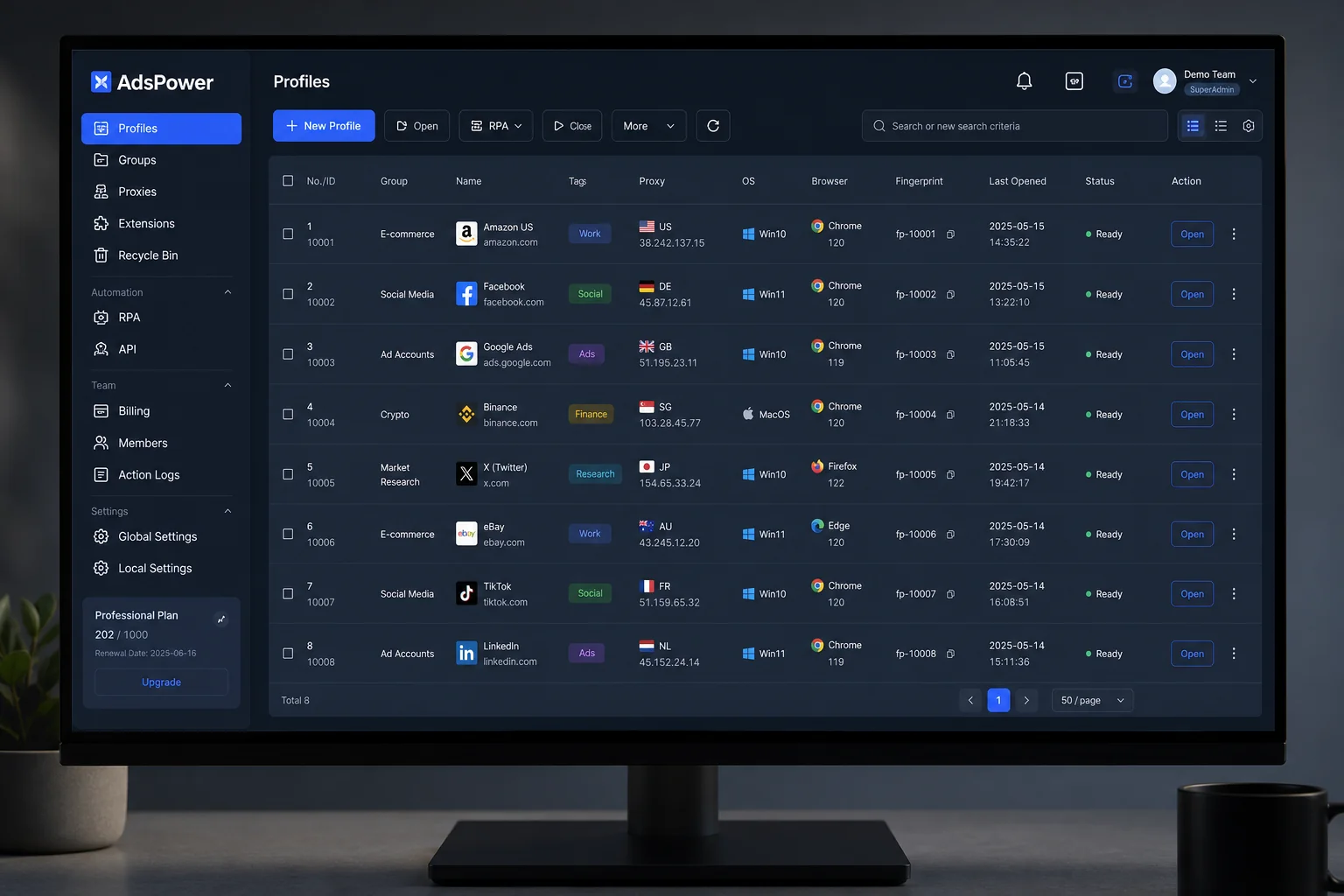
AdsPower is a multi-login anti-detect browser founded in 2019 and now used by more than 9 million people across more than 200 countries. It works by creating isolated browser environments — called profiles — where each one has a completely unique digital fingerprint. To any platform, each profile looks like a separate device operated by a separate person.
What makes AdsPower distinct from simply opening multiple browser windows is the depth of that isolation. Each profile has its own cookies, local storage, cache, and fingerprint data. Nothing bleeds between profiles. Close one, open another, and the platform sees an entirely different machine.
AdsPower offers two browser engines: Sun Browser (Chromium/Chrome-based) and Flower Browser (Firefox-based). Most users will work with Sun Browser for Chrome-specific tasks, but having Firefox as an option matters for platforms where Chrome and Firefox behave differently in ways that affect fingerprint detection.
The platform also has strong security credentials — it holds SOC 2 Type II, ISO 27001, and ISO 27701 certifications, making it one of the most compliance-verified anti-detect browsers available. No other anti-detect browser currently holds all three of these certifications simultaneously.
Key Features of AdsPower
Dual Browser Engines
Sun Browser and Flower Browser give you access to both Chromium and Firefox rendering environments. You can also choose the operating system profile — Windows, macOS, or Android — which changes how the browser presents itself to platforms. Switching to Android emulation is useful for tasks that behave differently on mobile, without needing an actual mobile device.
50+ Fingerprint Parameters
AdsPower lets you customize over 50 fingerprint parameters per profile: WebRTC, Canvas, WebGL, AudioContext, fonts, screen resolution, timezone, language, and more. You can either randomize these automatically (AdsPower generates an internally consistent, realistic set) or configure them manually for precise control. The auto-generation is solid for most use cases and takes about 30 seconds to set up a new profile.
Proxy Integration
Each profile connects to its own proxy, keeping network identities completely separate. AdsPower supports HTTP, HTTPS, SOCKS5, and SSH proxy protocols. It doesn't include built-in proxies, so you'll bring your own from your preferred provider and paste the credentials directly into the profile settings. The proxy checker inside the profile creation screen confirms IP, timezone, and location are consistent before you start working.
Built-in RPA Automation
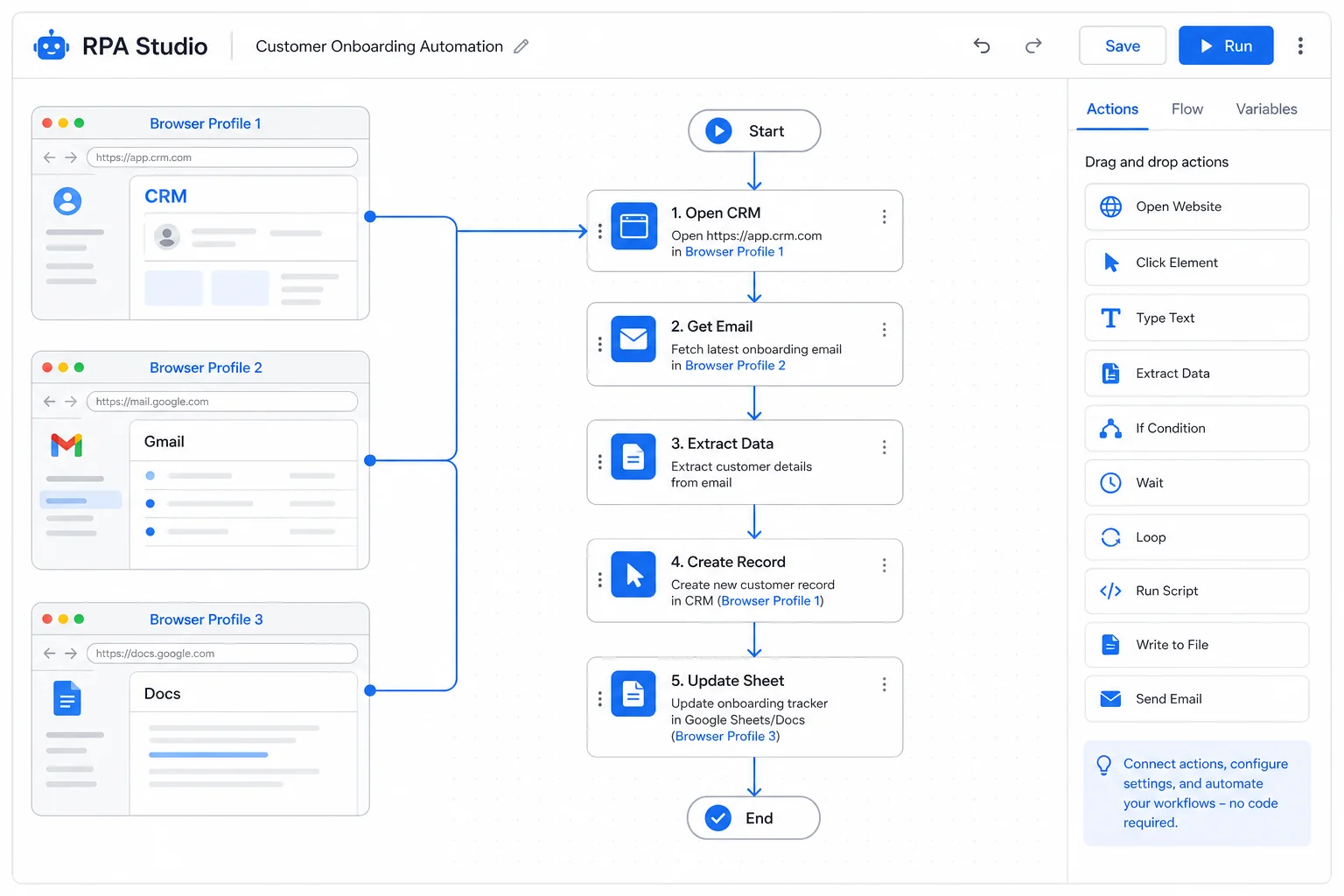
One of AdsPower's most distinctive features is its built-in RPA (Robotic Process Automation) tool. It's a no-code visual workflow builder that automates repetitive tasks across browser profiles — things like logging into accounts, posting content, collecting data, or following a defined sequence of clicks. Templates are available in the marketplace, and Facebook automation flows are included locally. If you're already building automation pipelines with tools like n8n, AdsPower's RPA fits naturally alongside that kind of workflow infrastructure.
Synchronizer
The Synchronizer lets you run multiple profiles simultaneously and mirror actions across them. If you open a profile for Facebook, one for YouTube, and one for Amazon — the Synchronizer manages all three at once. Select the profiles you want to sync, hit start, and they all launch in parallel. This is the feature that makes large-scale multi-account operations actually manageable without toggling between windows constantly.
Team Management
AdsPower is built for teams, not just solo operators. You can add team members, assign them specific profiles to operate, control what they can and can't access, and monitor activity logs that show exactly what each member did and when. Two-factor authentication is available, and profiles are locked to authorized users only. This makes AdsPower usable as an operational tool for agencies managing client accounts at scale.
Extensions Marketplace
Each profile supports Chrome extensions, which you can install from the Chrome Web Store directly inside the profile. AdsPower also has its own recommended extensions marketplace — Google Translate, cookie editors, ad brokers, and others come pre-listed. Install what you need per profile, without those extensions affecting your main browser or other profiles.
How to Set Up AdsPower (Step-by-Step)
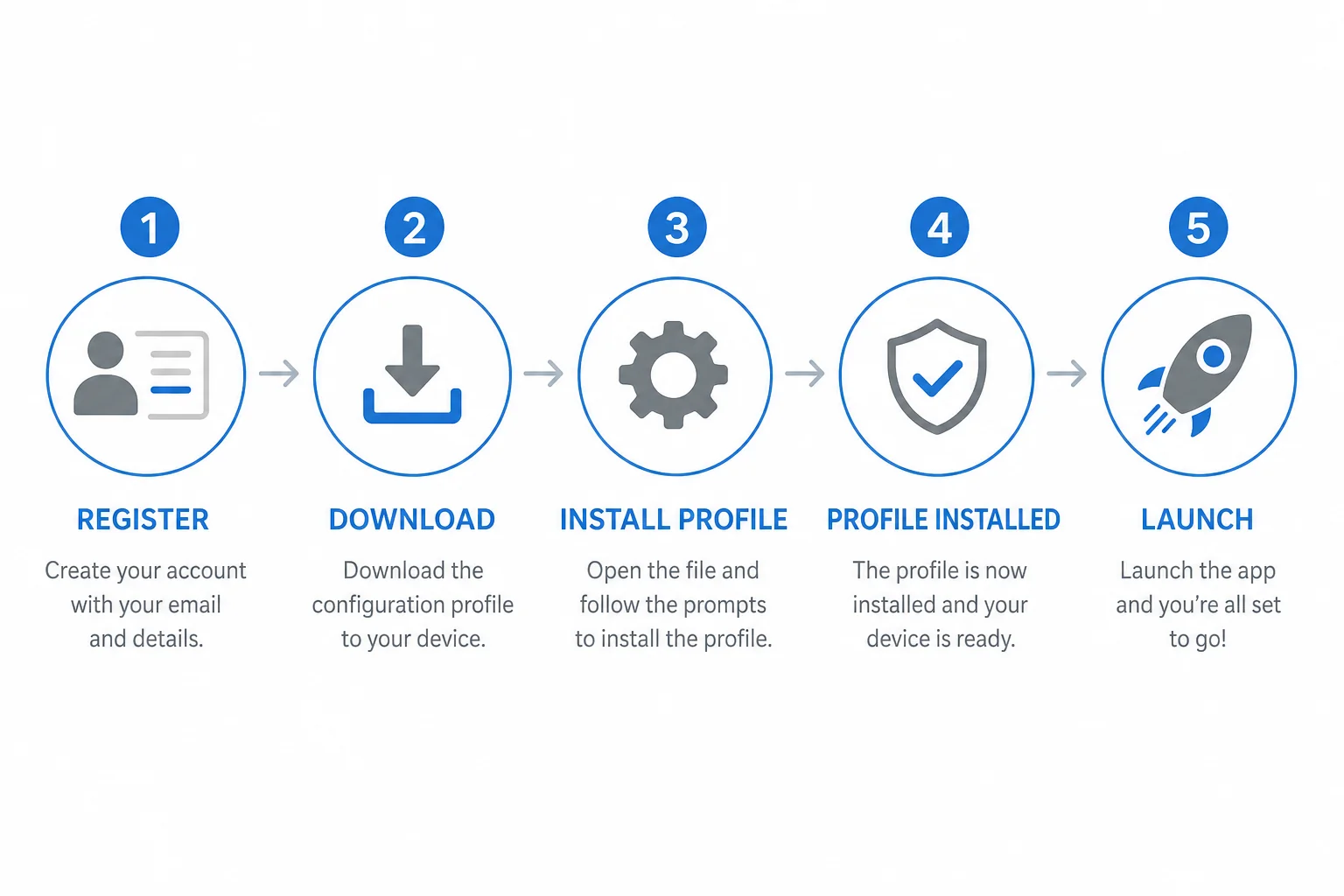
If you're completely new to multi-login browsers, our multi-login browser setup guide explains how profiles, proxies, and session isolation work in practice — the same concepts apply here. For AdsPower specifically, here are the steps:
Step 1 — Create an Account
Go to adspower.com and register. The free plan activates immediately with no credit card required. You get 5 profiles to start and access to all the core features for testing.
Step 2 — Download the Desktop App
Download the AdsPower desktop application for Windows, macOS, or Linux. The app is what actually manages and launches your browser profiles — the web dashboard handles account settings, but profiles run through the installed software.
Step 3 — Create a New Profile
In the dashboard, click New Profile. Give it a name that maps to its purpose (e.g., "Amazon US Store", "Facebook Ads Account 2"). Then configure:
- Browser engine — Sun (Chrome) or Flower (Firefox)
- Operating system — Windows, macOS, or Android
- Proxy — paste your SOCKS5 or HTTP proxy credentials; use the checker to verify IP and timezone consistency
- Fingerprint — click to auto-generate or customize manually
- Platform shortcut — optionally set a default URL (e.g., YouTube, Facebook) so the profile opens directly there
Step 4 — Open and Test the Profile
Click Open on the profile. A clean Chromium or Firefox window launches — completely isolated from your main browser and all other profiles. Test it against BrowserLeaks or Pixelscan to verify fingerprint consistency if you need confidence before using it for real work.
Step 5 — Automate with RPA (Optional)
If you have repetitive workflows, head to the RPA section, pick a template or build your own flow, and assign it to the relevant profiles. The no-code builder handles most standard automation scenarios without requiring any scripting knowledge.
AdsPower Pricing: Free vs Paid Plans
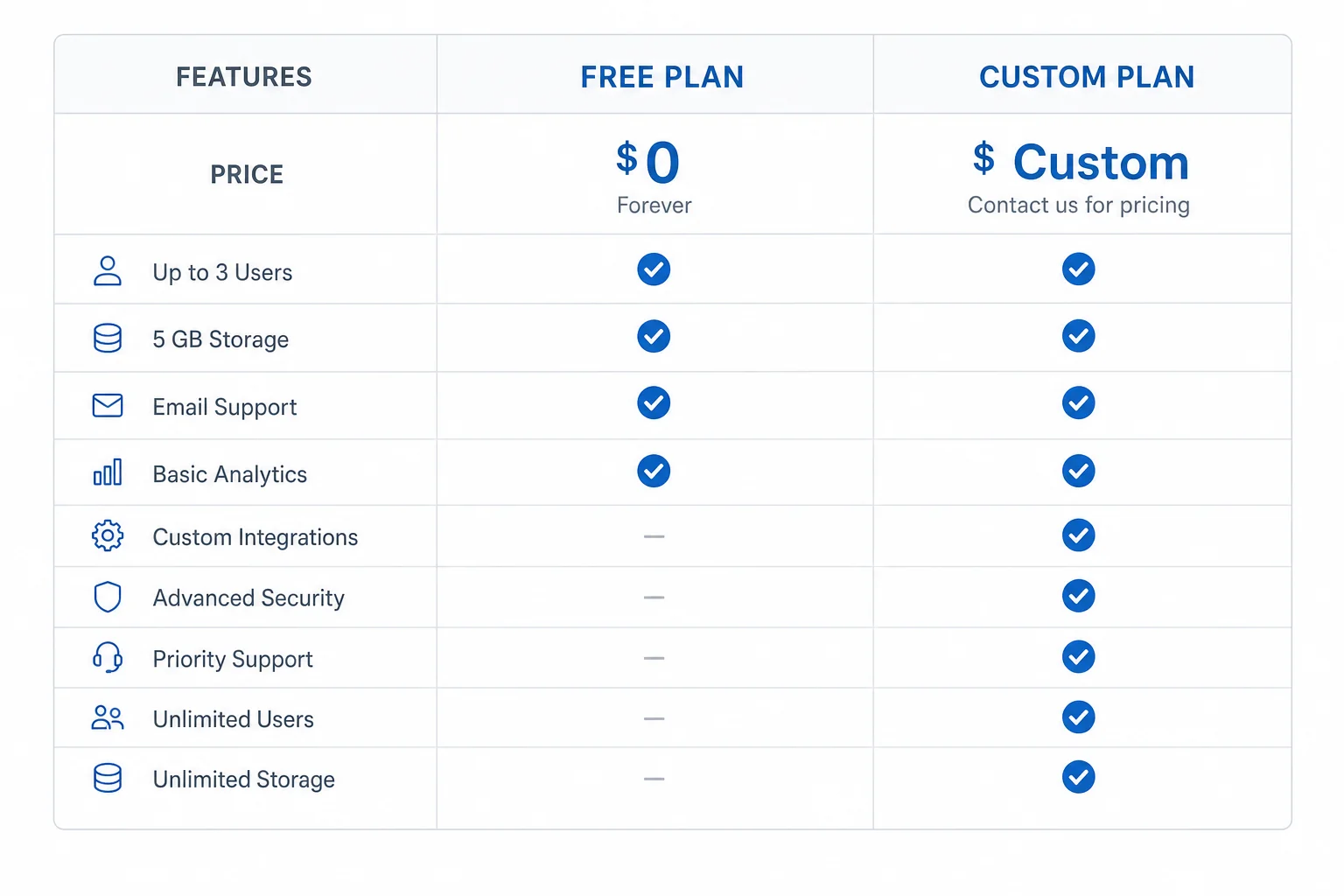
AdsPower has a more accessible pricing structure than most competitors in this space:
- Free plan — 5 browser profiles, core features, no credit card required. Genuinely useful for solo users with light workloads or for testing the platform before committing.
- Custom paid plans — starting at $9/month for 10 profiles (or around $5.40/month on annual billing). You configure exactly how many profiles and team members you need, and the price scales accordingly. Plans can go up to 1,000+ profiles for enterprise operations.
Key pricing notes:
- Annual billing is 40% cheaper than monthly — the biggest discount available
- Platform discount codes can stack on top of the annual discount for additional savings
- There's a daily limit on how many times you can open or import profiles — if you exceed it, you wait until the next day. This limit applies to the entire team, so plan profile usage accordingly on higher-volume operations
- No built-in proxies — you source those separately from your preferred proxy provider
Compared to alternatives like Octo Browser (starting at €10/month with no free tier) or Multilogin (higher entry cost), AdsPower's free plan and $9/month entry point make it one of the most accessible options for people starting out with anti-detect browser workflows. Our full anti-detect browser comparison covers pricing across all major tools in detail.
Who Should Use AdsPower?
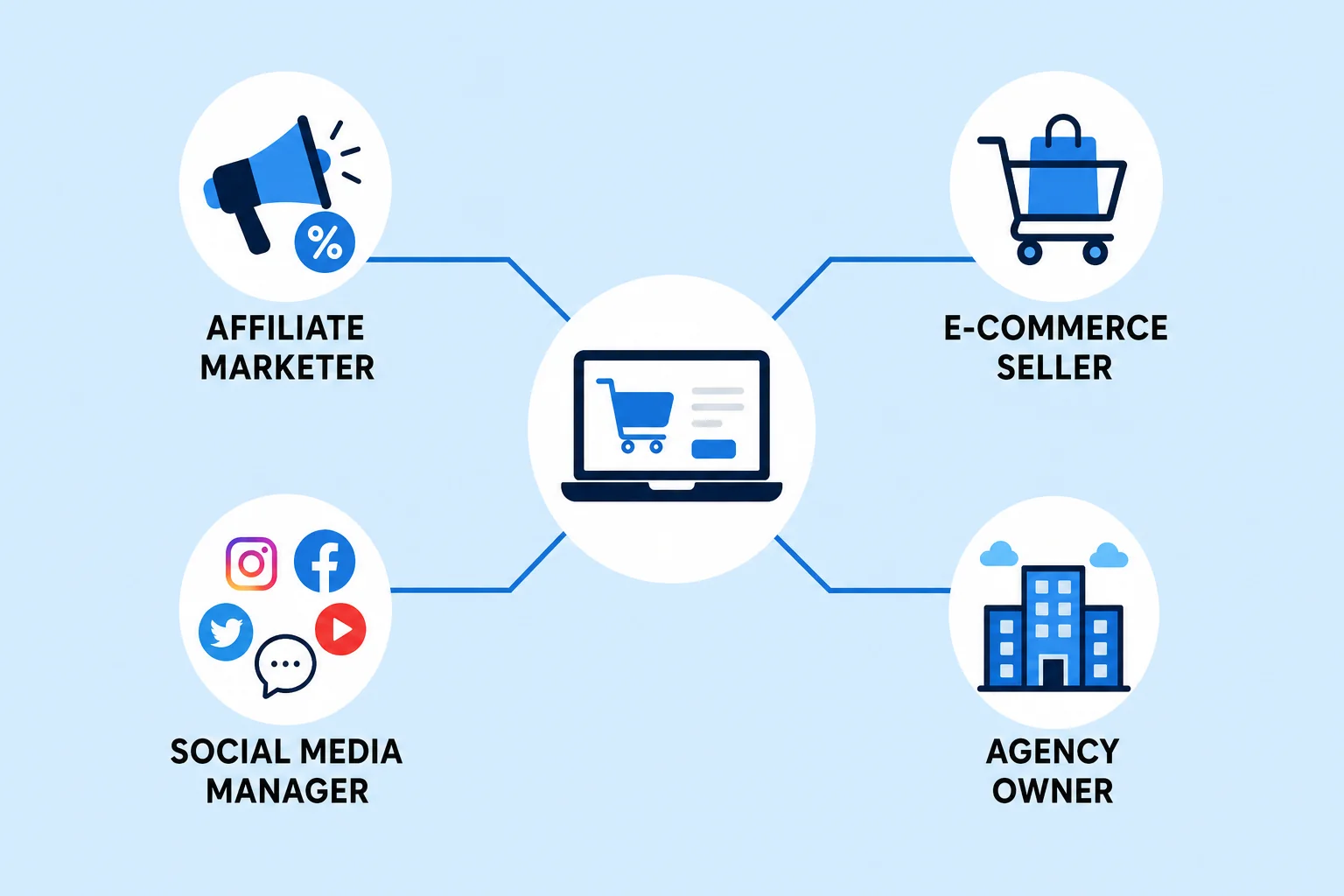
Affiliate Marketers
Running separate ad accounts per product or offer is standard practice for better targeting and risk management. AdsPower lets you manage those accounts from a single machine without linking them together. If affiliate marketing is your primary income model, our list of high-ticket affiliate programs worth promoting pairs well with the kind of infrastructure AdsPower provides.
E-commerce Sellers
Targeting different regional markets — Pakistan, UAE, Saudi Arabia, US — from separate store accounts requires clean profile isolation. AdsPower handles this by giving each market-facing account its own proxy, fingerprint, and browsing environment. Multiple storefronts on Amazon, eBay, or Shopify can run from the same machine without triggering cross-account detection.
Social Media Managers and Agencies
Managing dozens of client Instagram, Facebook, or TikTok accounts without accounts bleeding into each other is exactly what AdsPower's team features are designed for. Role-based access, activity logs, and profile-level permissions make it workable as an operational tool across a team. If you're building an agency business model around this kind of service, our guide to AI businesses you can start this week covers the service model side of what agencies like this look like in practice.
Automation Engineers and Developers
The Local API lets developers integrate AdsPower profile management into external scripts and tools. Combined with Puppeteer or Playwright, you can build fully automated browser workflows that run across isolated profiles. The built-in RPA handles simpler workflows without any coding; the API opens up the more complex custom automation pipelines that power large-scale operations.
Who Should NOT Use AdsPower
If you're managing 2–3 accounts casually, the free plan is probably all you need. The full feature set — RPA, Synchronizer, team management — has a learning curve that only pays off at volume. AdsPower is a professional tool; if your multi-account needs are light, start on the free plan and upgrade only when the limits actually stop you.
Quick Recap: AdsPower at a Glance
| Detail | Info |
|---|---|
| Founded | 2019 |
| Users | 9 million+ across 200+ countries |
| Browser engines | Sun (Chromium) + Flower (Firefox) |
| OS emulation | Windows, macOS, Android |
| Fingerprint parameters | 50+ |
| Free plan | Yes — 5 profiles, no credit card |
| Paid plans from | $9/month (10 profiles) / $5.40/month annually |
| Annual discount | 40% off |
| Built-in proxy | No — bring your own |
| Proxy protocols | HTTP, HTTPS, SOCKS5, SSH |
| RPA automation | Yes — no-code visual builder |
| Team features | Yes — roles, logs, permissions |
| Security certs | SOC 2 Type II, ISO 27001, ISO 27701 |
| Platforms | Windows, macOS, Linux |
| Best for | Affiliate marketers, e-commerce sellers, social media agencies, automation teams |
Frequently Asked Questions
Is AdsPower really free?
Yes — the free plan gives you 5 browser profiles with no credit card required. It includes core fingerprinting features and is genuinely usable for light multi-account work. Paid plans start at $9/month when you need more profiles or team access.
Does AdsPower include proxies?
No. AdsPower doesn't provide built-in proxies. You connect your own SOCKS5, HTTP, HTTPS, or SSH proxies inside each profile. This keeps AdsPower's cost lower but means you need a separate proxy budget. Residential proxies from reputable providers give the best results for most use cases.
Is AdsPower safe and secure?
AdsPower holds SOC 2 Type II, ISO 27001, and ISO 27701 certifications — independently audited security standards that verify encryption, data handling, and confidentiality controls. Profile data is isolated, credentials are encrypted, and two-factor authentication is available. That said, a security breach was reported in 2025, so it's worth keeping software updated and using strong account security practices.
Can I use AdsPower for TikTok and YouTube?
Yes. AdsPower supports TikTok, YouTube, Facebook, Amazon, Instagram, and virtually any web platform. You can set a default URL per profile so it opens directly to the platform you're working on, and each profile maintains its own logged-in session.
How does AdsPower compare to Octo Browser?
The main differences: AdsPower has a free plan (5 profiles) and starts at $9/month, while Octo Browser has no free plan and starts at €10/month. AdsPower includes built-in RPA automation; Octo Browser's strength is kernel-level fingerprint spoofing. AdsPower also has a larger user base and broader platform support. Both are solid tools — the choice depends on whether you prioritize cost and automation (AdsPower) or fingerprint technical depth (Octo). Our anti-detect browser roundup covers this comparison in full.
Does AdsPower work on mobile?
The desktop app runs on Windows, macOS, and Linux. AdsPower can emulate Android OS inside profiles, which changes how the fingerprint presents itself to platforms — but this is emulation on your desktop, not a native mobile app.
Conclusion
AdsPower is one of the most complete and accessible anti-detect browsers available in 2025. The free plan with 5 profiles removes the barrier to getting started, and the $9/month entry point is lower than most serious competitors. The dual browser engines, 50+ fingerprint parameters, built-in RPA, and team management features cover everything from solo affiliate work to full agency operations.
The main limitations to know upfront: no built-in proxies (budget for those separately), a daily profile open limit on paid plans, and a learning curve on the RPA and Synchronizer features if you want to use automation at scale.
Start with the free plan, test it against your actual platforms, and upgrade only when the 5-profile limit becomes a real constraint. If you want to compare AdsPower to every other major option before deciding, our best anti-detect browsers guide gives you the full picture side by side.
Questions about setup or which plan makes sense for your situation? Drop them in the comments.