How to Find Ready-to-Buy B2B Leads and Close Them With AI
A step-by-step system to find business owners actively searching for your service, validate their email, and pitch a personalized AI lead magnet.

Imagine starting your day with an endless stream of highly qualified, ready-to-buy prospects. I'm talking about business owners right now who are saying, "We need exactly what you sell, reach out to me." I have not seen a single person online talk about this absolute gold mine. Here's how to find these ready-to-buy leads, charge them $5,000 for your service, and let AI completely deliver everything for you.
The Problem With Finding High-Ticket Leads
Here's the problem with finding leads for your high-ticket service. For about every 100 business owners you're targeting, maybe only around three or four are actively looking for your solution. They are literally the ones posting on LinkedIn, Reddit, and talking with their friends on social media, basically saying, "I need XYZ."
Let's say, for example, you help companies build websites, landing pages, or sales automation. Your ideal customers are posting on social media saying, "I need a website for my startup." Or they're on Reddit asking, "How do I create a landing page for my SEO business?"

Our system is going to actively find these leads, scrape their contact information, and use AI to not only write the cold email, but actually deliver the service for them based on their job description.
Step 1: Find Ready-to-Buy Leads With ChatGPT-5 Deep Research
Our first step is using ChatGPT-5 to find business owners who are actively looking for our solution but haven't hired anybody yet. Head over to chatgpt.com. I've given you the exact prompts in the description of this video.
Essentially, what we're trying to do is find people who are actively posting online or on social media who need your service. For example, instead of it being Lovable.dev development work, if you offer SEO or Facebook advertising, you can get very specific. You probably have your own specific service or offer, so just replace this for your specific scenario. For mine, we're going to use Lovable.dev development work.
We're also asking ChatGPT-5 to give us the website domains. As long as we have the website domains of people actively posting for our solution, we can use a tool called Findymail.com to turn this raw domain into the right contact at that company. We're also going to use it to find the email address and validate it, so Findymail is going to be massive for us.
But before we get to that, we need to use ChatGPT-5's deep research based on this prompt, and it's going to actively go out and find these people. For example, it's going to look on Twitter, LinkedIn, Reddit, IndieHackers, and Medium, and it's going to look for this right here: "lovable.dev, help needed, project," and it's going to find the leads for us, which is absolutely incredible.
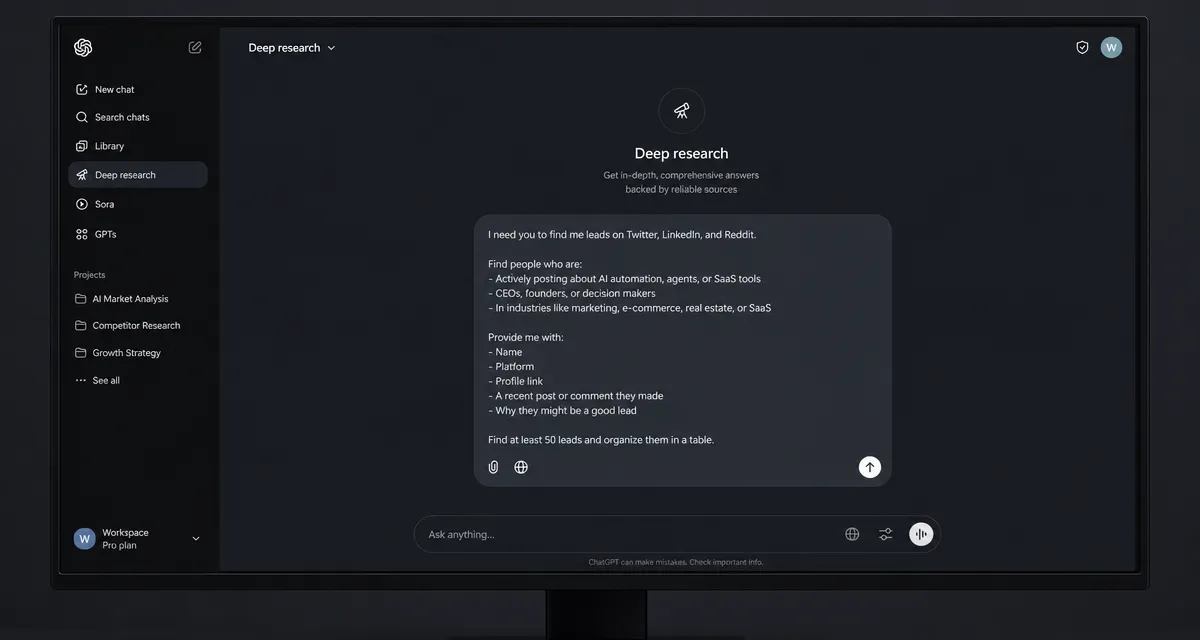
Once that's ready and good to go, just click launch, and ChatGPT-5 is going to start its deep research, finding these leads for you. Now you just need to wait about 15 to 20 minutes while ChatGPT-5 goes out and finds these leads.
Qualify the Lead Before You Reach Out
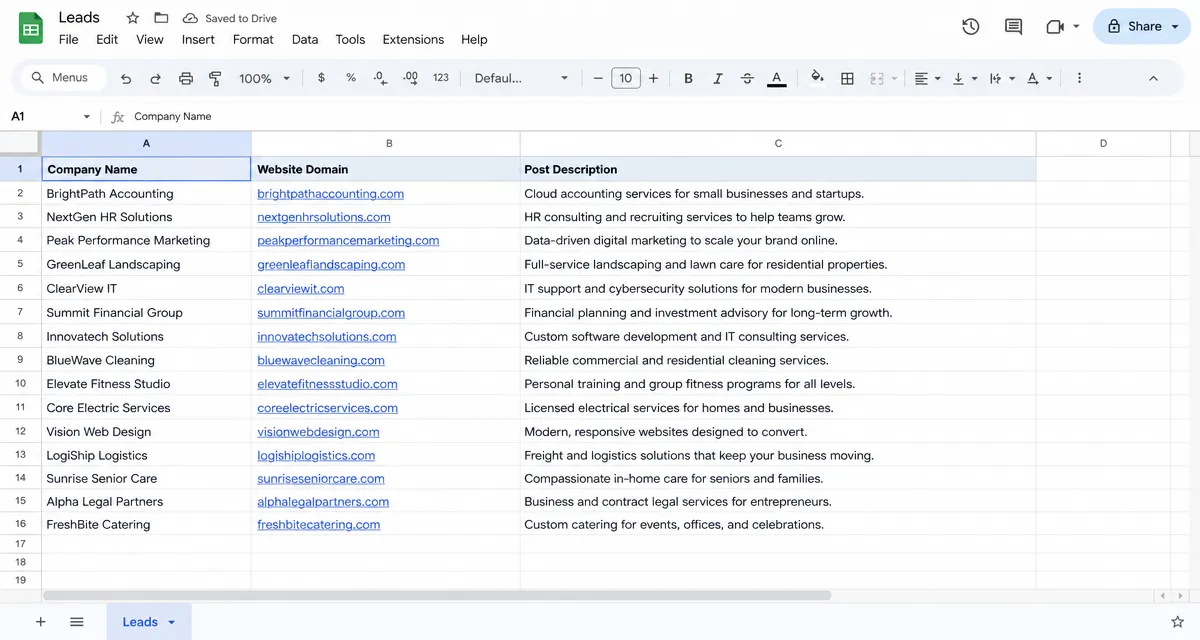
Once you're done, in the prompt I wrote, you're going to get a CSV from ChatGPT-5. Open that in Google Sheets, and you'll be at around this phase. For example, we have this company right here who posted about Lovable.dev, and here's exactly what they said. They're basically looking for a landing page and a web platform with AI-powered tools to be built inside their product.
What we can do right now is summarize this inside ChatGPT and ask it to condense this down to about two sentences so we can understand if we can help this person. They want a landing page and platform to support a new product that places sales talent inside companies. They combine it with personalized sales coaching and hiring support, and they want a lead capture landing page, a coaching dashboard, and a blog. It looks like we can do that with Lovable, so that's exactly what we're going to do for this example.
Now that we know this company is a great fit for us, we can go ahead to the next step. What I recommend is going through your set of leads and making sure they're a fit before you go and find their contact information and use AI to write a cold email. We got pretty lucky that it was the first person in our sheet, but go through your leads and find the right fit first.
Based on this entire job description, we can turn that into a written, personalized cold email. We can also use Lovable to deliver this service for them completely hands-off. We're going to package all of that and send it directly to this person as a lead magnet. That way, we're giving them something of value and trying to book a sales call so we can sell them on our high-ticket service.
Find and Validate the Email With Findymail
Now that we've found a business owner who's actively looking for what we're offering, this is the part that makes the entire system possible. We're going to use a tool to find the right contact at this company and then find their valid email address. All you have to do is head over to Findymail.com, create an account, and go to the email finder section.
If you have a lot of leads, for example if you want to find valid emails for around 50 to around 5,000 leads, it doesn't matter how many, you can use the bulk section. All you have to do is put in your list of domains and say you want to target the CEO, the founder, the CMO, or whatever titles you're after. Findymail is going to find the contact and then find their valid email address. You can find a mobile number too.
For our example, we're going to go into the single section and copy and paste this person so we can find their email. Let's go over to Findymail. Perfect, it looks like it found an email within around 2 seconds, which is great.
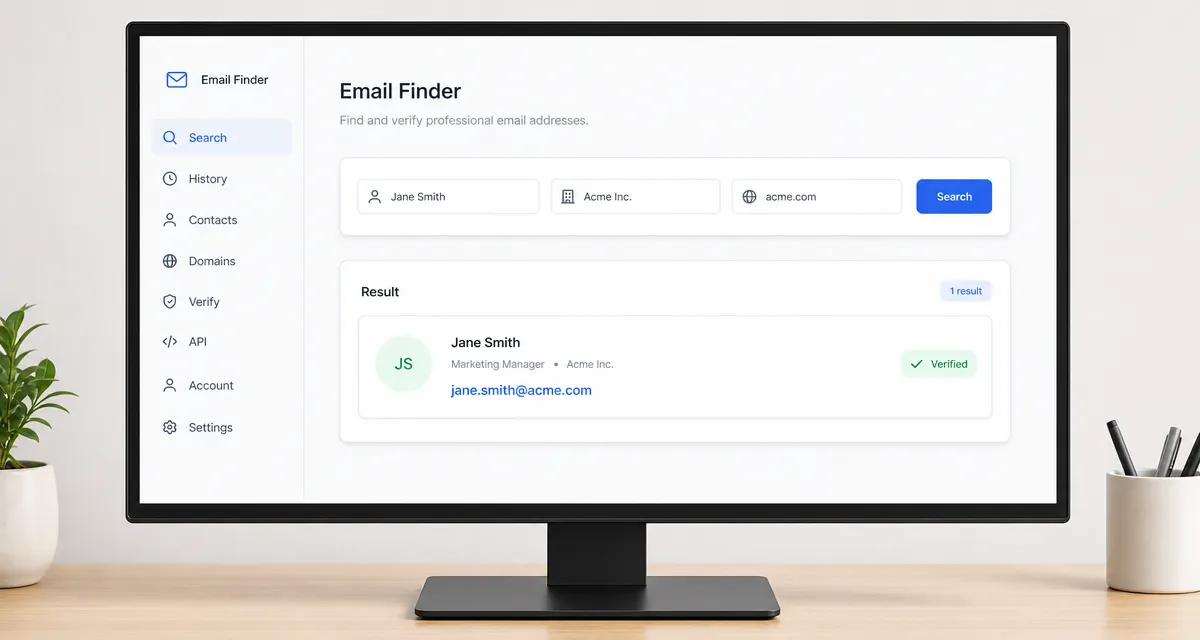
When we're ready to send the cold email and the Lovable lead magnet, we have the email address that we know is going to be delivered. It's not going to hit the spam folder and it's not going to bounce. We know it's going to be delivered.
Build the Personalized Lead Magnet With Lovable
Now for the fun part. Remember the job description this person put out? We're going to turn that into a full application inside Lovable. If you don't know what Lovable is, it's an AI tool you can chat with, basically like ChatGPT, and it's going to code websites and applications for you. We're going to feed the job description into Lovable so we can send it to this person as a personalized lead magnet and get our foot in the door with a great prospect.
Now I'm going to quickly go over to ChatGPT and write another prompt. I'm going to ask it to take the job description and write me a prompt I can give to Lovable. Here's the exact prompt I'm going to use. Again, all of the prompts I'm using are in the Google doc in the description. Head over to your Google sheet, copy and paste the whole description, and paste it into ChatGPT.
Here's the finalized prompt. Copy and paste this inside Lovable and click go. You don't need the expensive plan for Lovable, it's around $20 or $30 a month and it's very useful.
Lovable just finished the entire website that we're going to give to this lead as the lead magnet. If we look at it: "Build winning sales teams that actually convert," a get started button, a "see how it works" section that's some sort of video sales letter, "trusted by industry leaders," case studies, "hire smarter, sell faster," a free trial, and a "schedule your demo" button. They would put their case studies here, and there's a free lead magnet section too. I don't think this is bad at all.
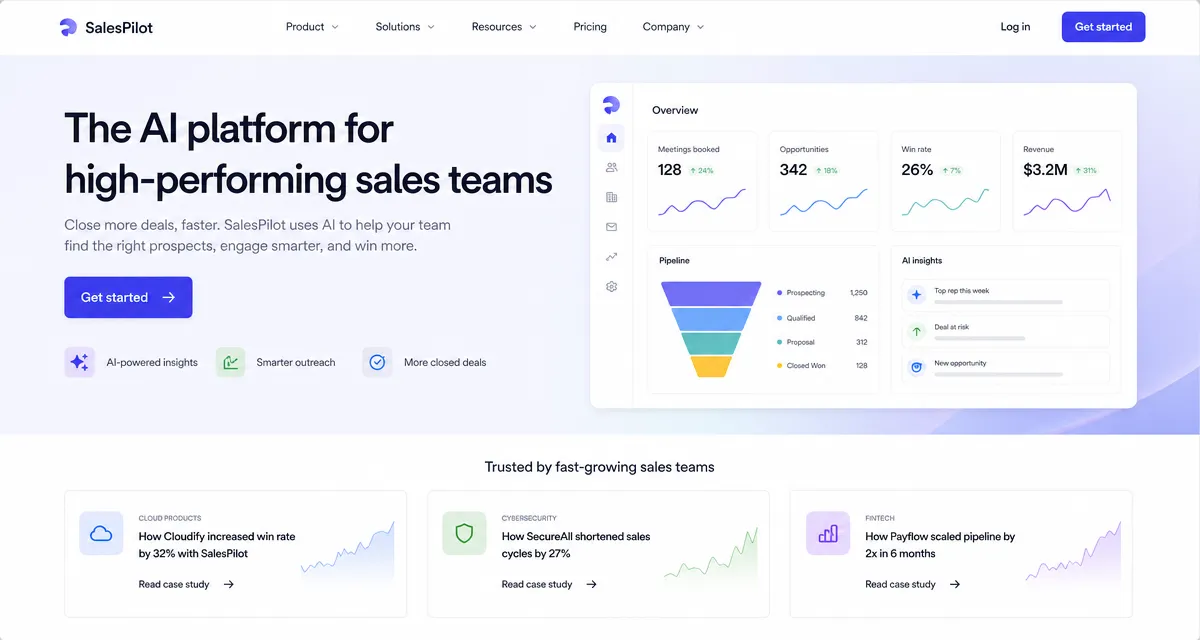
What we're going to do is hit publish, and as soon as we publish this, we can give this website directly to the lead and say something like, "Hey, if you want us to build this out and spend more time on this, let's talk about a deal that works for both of us." This is a very good way to get our foot in the door and show that we actually did work to get their attention. We just shipped. Now we can click right here, and this is the link that can go external, we can start giving this to our leads.
Add a Dashboard If the Job Description Calls For One
Now that we've built the website for this lead, we also saw in the job description that it asked for a user dashboard. Inside the prompt, we can copy and paste this into ChatGPT and ask it to write another prompt for Lovable. Here's the prompt ChatGPT gave us, and again, we're just going to copy this and put it inside Lovable.
Now that Lovable just finished our sales dashboard, I think it looks pretty good so far. We're seeing a lot of numbers, a lot of data tracking, sessions coming up, next actions to do. This is something this person would probably end up using. But this is probably just the initial phase, the MVP phase, because we don't have a lot of context on his business.
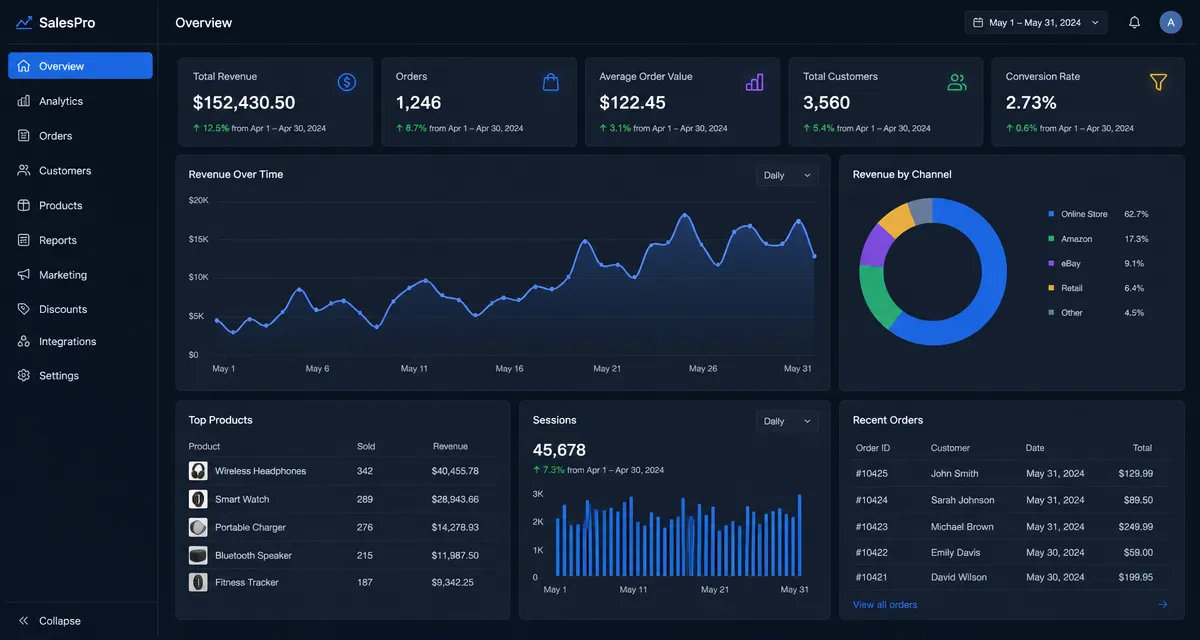
This is a great way to send him this lead magnet and say something along the lines of trying to book him for a call for a quick discussion. If it's a great fit, we can then talk about building him an actual internal dashboard tailored to his business, because we'll have full context on it.
Write a Cold Email That Leads With the Solution
Our next step is the final one. We're going to email them a preview of their job description using our $1 million Google Doc system, and then make a no-brainer offer to close the deal. The cold email copy is one of the most important parts.
Most people would write something like, "Hey John, I saw your post on Twitter about needing a Lovable.dev developer. I'm interested in this job." That's going to get very boring and it's going to get ignored. Instead, we're going to lead with the solution. Something like, "Hey John, a little birdie told me about your specific problem. I went ahead and made you four things." I made two websites you can use directly for your new sales product, and two web apps you can use for this new product, and I did this inside Lovable.dev. Then we use AI to write a punchy line, and our call to action is: "Want me to build the full versions? If not, feel free to keep this one, but let me know."
What we can do is go inside the doc and copy this entire prompt, then head over to ChatGPT. I basically use ChatGPT for everything. This is very important because we're trying to personalize our cold email specifically to this company, and we're going to use the job description again as the input.
We need to head over to the Google sheet and copy the project description. Then right here, what's his first name? His first name is Jean. And project specs, we've filled that in below. Then we click enter, and ChatGPT is going to give us the personalized copy.
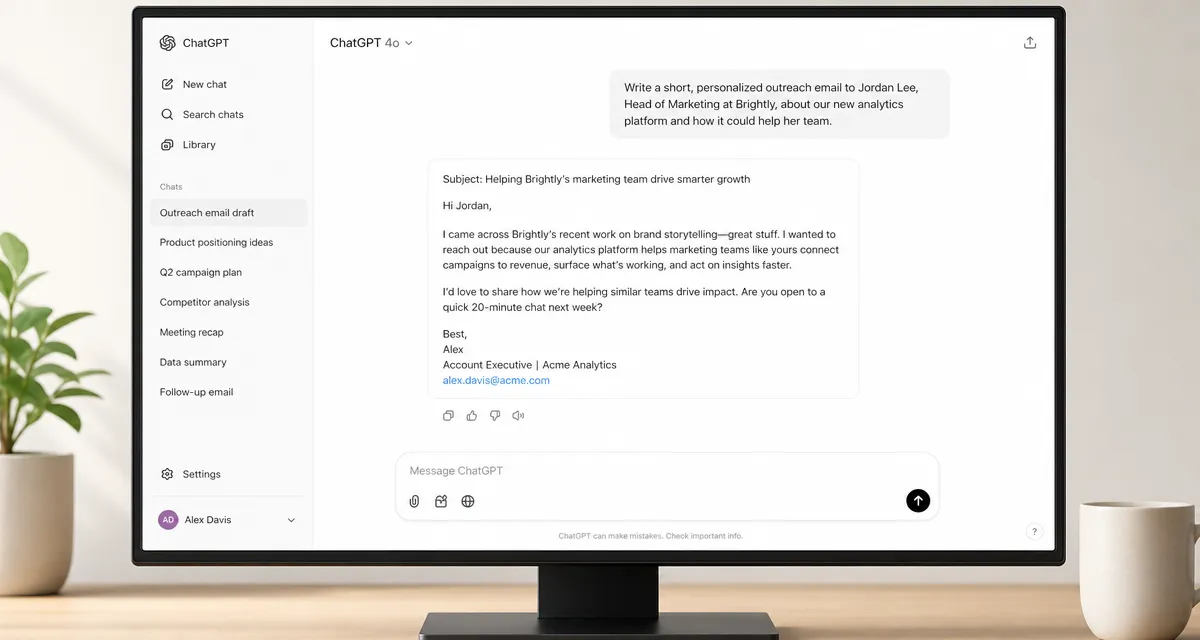
"A little birdie told me you're looking to launch a new product, but you don't yet have a landing page to capture leads and explain your offer. I went ahead and made you a sample landing page and a sample internal dashboard. It shows how you can clearly position your sales talent placement plus your coaching service, capturing leads and tying it into your AI-powered dashboard and your blog for growth. Do you want me to build a full version? If not, keep this one, Cody." That is absolutely perfect. We're going to use that copy, and now we're going to use our Google Doc system to get this message in front of Jean.
Deliver the Message With the Google Doc System
All you have to do is go into your browser and type doc.new. This system is incredibly powerful, and I've never heard a single person talk about it. What we're going to do is think of this as if we're inside Gmail drafting a cold email. We need to make sure it's formatted correctly.
The great part about this system is that we can send links without going to the spam folder or bouncing. We already have the valid email for Jean, so all we need to do is put our message in front of him. The great part about our message is the actual assets we created for this person. If we sent four links through Gmail, we would definitely bounce or go straight to the spam folder. This system helps that tremendously.
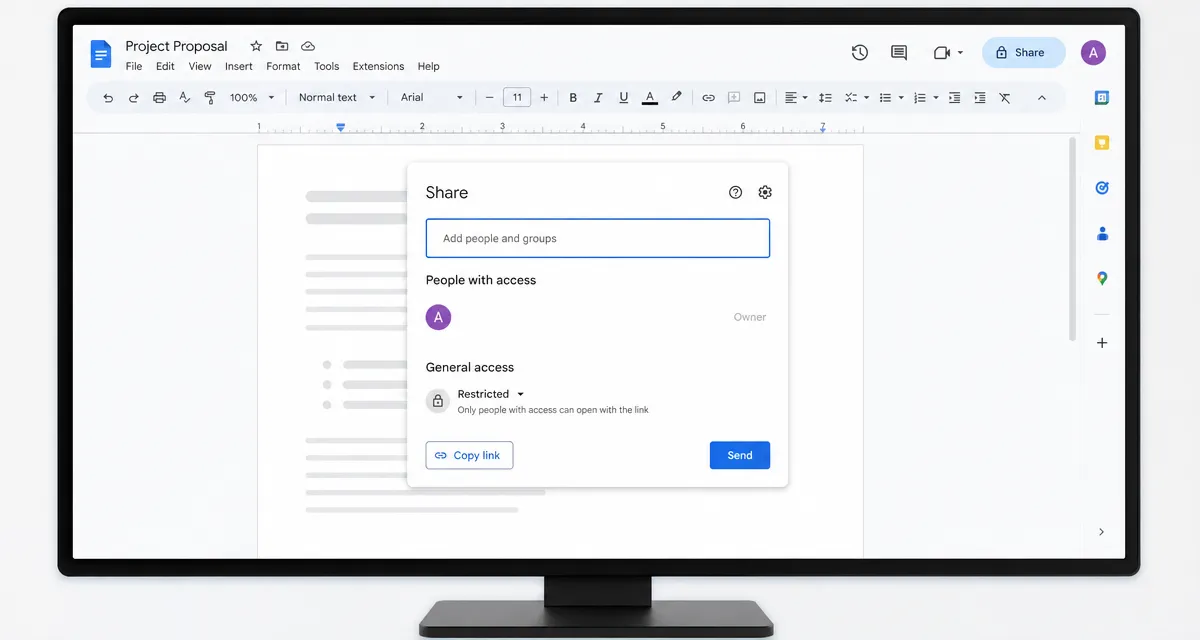
What we're going to do is go to the share section, and right here is where we add in the email that Findymail found. We're going to share this document with our prospect and put them as a commenter, then click send.
Before you forget, make sure to grab all the Lovable assets you're going to send to this person and compile them inside the doc in exchange for the placeholders. So instead of "asset number one," put the actual asset there, then "asset number two," and so on. I would grab this link after publishing and put it in as asset number one, that's the internal dashboard. Then quickly publish this one, grab this link, and put it into the document.
This is a great way to get this message in front of the person that Findymail found, and it makes sure it actually delivers to their inbox, because we're not sending this email from our own inbox, we're sending it from Google Docs' email inbox, and that is always going to be delivered. You could title the document something like, since we're doing this for Lovable, "Sample landing page and internal dashboard for Jean," something like that. You just want to get their attention so they put their eyes on this document.
How to Turn This Into a Paid Service
That is the entire system. If you want a game plan for using this system to make thousands of dollars offering it to clients, here's what to do. You would use this entire process to help them get more customers.
Exactly like I outlined in the video: use ChatGPT-5 to find ready-to-buy leads, then put the website into Findymail and say you want to target the CEO, founder, or CMO. Findymail is going to find the right contact and the valid email of that contact. Then use the prompts in our Google doc and put them into ChatGPT to write personalized cold email copy. Head over to Lovable.dev to build the personalized lead magnet for your prospects, and use our $1 million Google Doc system to send the email to these leads.
It doesn't matter what kind of service your customers have, you can probably use AI in one way or another to build these personalized lead magnets.
If you do all this and offer it as a full service for your customers, you need a few things in place. You need a money-back guarantee, because you can get to the point where, let's say, you're working with customers who charge $25,000 for their service and all you're doing is helping them get more leads. If they have a high-ticket service that expensive, you can charge upwards of $500 or $1,000 per lead that you deliver to these companies. The price can be based on how much they charge their customers.
What I'd recommend is finding the most expensive B2B service providers and making them a pay-per-lead deal that works in everybody's favor, an offer that has zero risk on their end. If you have a guarantee in place, you will close around 50 times more clients than if you didn't have a guarantee at all. The more clients you can stack, the more retainers you can get, the more money you will make offering this whole process as a service.