Paperpal AI Review (2026): Features, Pricing, Plagiarism Checker, and Best Alternatives Compared
Is Paperpal the best AI writing tool for researchers in 2026? We tested its plagiarism checker, grammar tools, pricing, and compared it against Grammarly and Jenni AI so you don't have to.

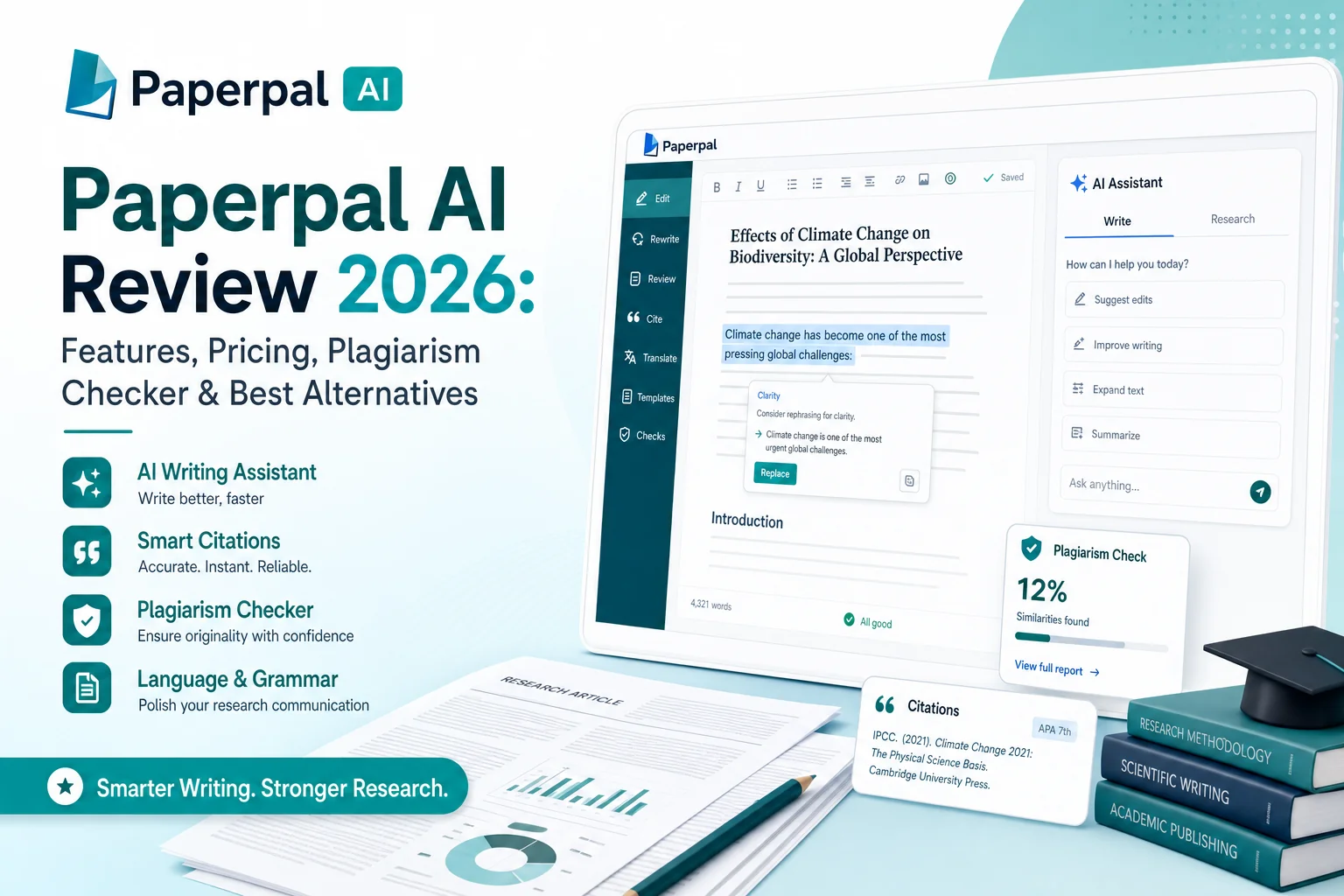
So my friend, who's a researcher at Northeastern Hill University, asked me whether Paperpal AI is good or not. He wanted to know if it's useful for academic research papers. Since I've been using and testing AI tools for a long time, he asked me to do a proper review for him.
I've already used Paperpal myself and shared my feedback with him, and right now he's using it for writing his research papers. He's also using Jenni AI, and I've written a short guide about Jenni as well. You can check that out too.
Review Methodology: To bring you this review, I combined my extensive personal testing of AI writing tools with direct feedback from a colleague researching at Northeastern Hill University. We evaluated Paperpal's academic language models, plagiarism checker accuracy, and compared it extensively against Grammarly and Jenni AI.
But this guide is mainly an in-depth Paperpal review based on my personal experience. I'll share everything I found about it. Paperpal is quite interesting, and I'll cover a lot of things you should know, including Paperpal cost, Paperpal vs Grammarly, Paperpal vs Jenni AI, and even Paperpal vs Yomu AI.
I'll also check how good its plagiarism checker really is, and whether there are any better alternatives. I'll include details like Paperpal discount codes, Turnitin detection, and whether Paperpal can pass AI detectors or not. I'll also go through real user reviews and share what people are saying about it.
What is Paperpal?
Paperpal is an AI writing tool mainly made for students, researchers, and academic writers. It helps you write, edit, and check your research papers more easily.
What makes Paperpal different from other AI tools is the way it's trained. Instead of learning from random internet content, it has been trained on millions of published research papers and academic articles. Along with that, the team behind it has over 20 years of experience in professional academic editing.
Because of this, Paperpal doesn't just understand English; it understands academic English. It knows how researchers write. It understands when it's okay to use passive voice, how to handle technical terms or formulas, and where other tools might make silly corrections.
In short, Paperpal is built specially for academic writing, which makes it more accurate, reliable, and useful for researchers and students.
Who is Paperpal For?
Paperpal is made for a few specific groups of people.
- Students can use it to write essays, theses, or dissertations. It helps them organize their ideas, improve their writing, and fix common mistakes.
- Researchers and academic professionals can use it to make the whole writing process easier, from preparing a draft to checking the paper before submitting it to a journal.
- Non-native English speakers can also benefit a lot from Paperpal. It helps them overcome language barriers by offering academic translation and smart suggestions so their writing matches the standard of English used in top research journals.
Is Paperpal Legit?
One of the questions my friend asked me was whether Paperpal is really legit or not. After checking everything, I can say that yes, Paperpal is a legit and trusted tool.
It's used by more than three million people around the world, including over a million researchers from more than 125 countries. It is also trusted by more than 400 academic journals and publishers such as Wolters Kluwer and IEEE.
When it comes to security, Paperpal is ISO certified and follows GDPR rules. Most importantly, it clearly mentions that your data and documents are never used to train its AI. So your research stays private and safe.
Paperpal's Key Features
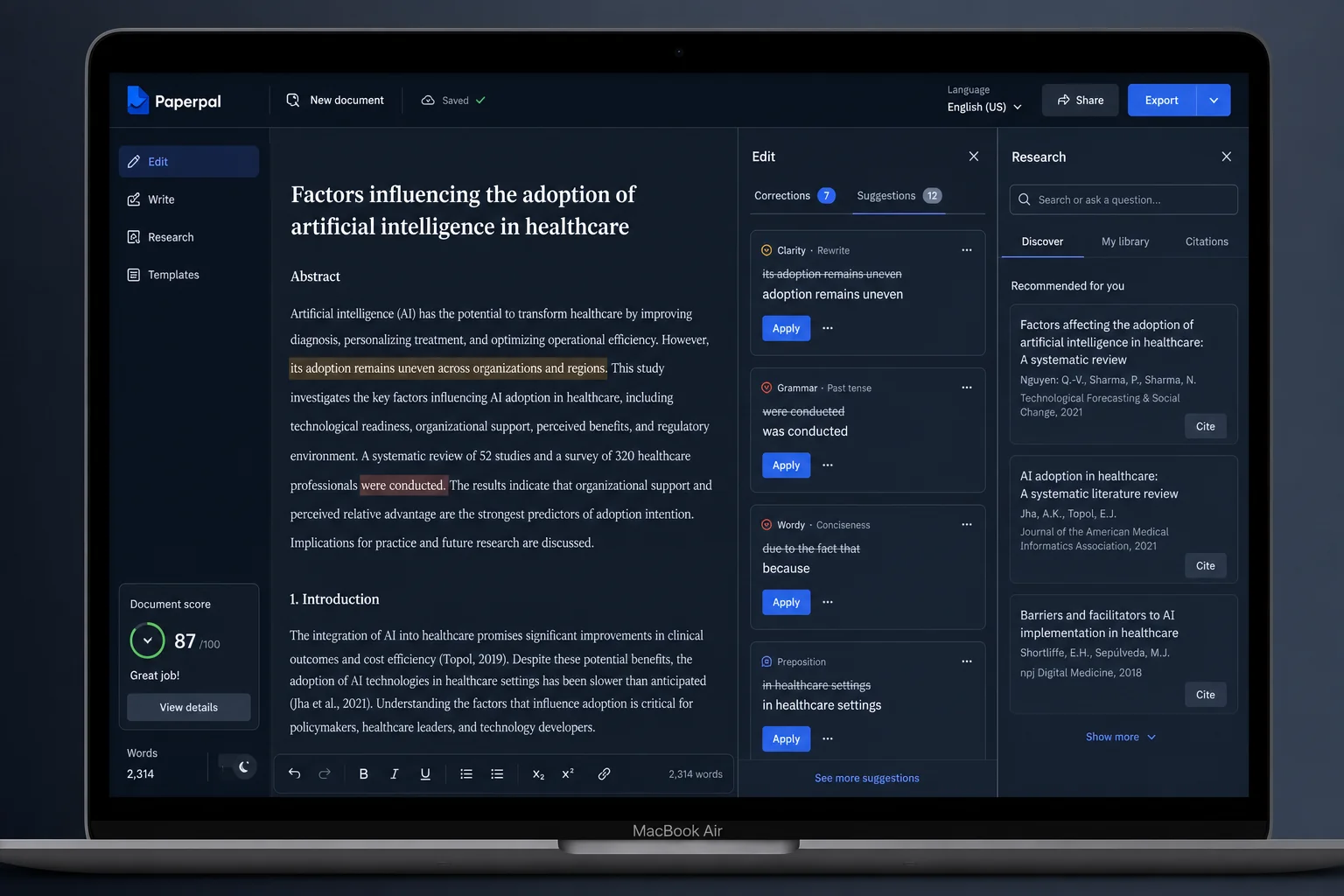
Paperpal is not just another grammar checker. It is a complete set of tools made to help at every stage of academic writing, from creating the first draft to preparing for journal submission.
The AI Writing Assistant (Copilot)
This is the main part of Paperpal that helps you start writing and stay in flow.
- Generative AI: With options like "Write" and "Keep Writing," it gives smart text suggestions based on your topic. It can add examples, counterarguments, or analogies to make your writing stronger.
- Templates: This saves a lot of time. You can create ready-made outlines for research papers, essays, and thesis chapters. It can also generate abstracts, summaries, titles, and even email templates for writing to journals.
- Refinement Tools: Paperpal can rephrase sentences to make them clearer, shorten long paragraphs to meet word limits, and check the tone so your writing stays formal and academic.
Advanced Grammar and Consistency Checks
Paperpal finds and fixes more grammar issues than most tools. It checks spelling, punctuation, and complex grammar mistakes. It also has a Consistency Checker that looks for style and formatting problems in your document, such as how you format p-values, spaces around symbols, or how figures and tables are labeled.
Research and Cite
This feature makes Paperpal more than just a writing assistant. You can ask questions and get research-backed answers from a database of over 250 million academic papers. Unlike many AI tools that make up sources, Paperpal gives links to real research papers. It also includes a citation generator with over 10,000 citation styles, so you can easily format your references as required by your journal or university.
Chat with PDFs
This feature is very helpful for literature reviews. You can upload your PDF files and then chat with them. You can ask for summaries, find key points, or even discover related research papers. It helps you save time and understand your sources better.
The Paperpal Plagiarism Checker
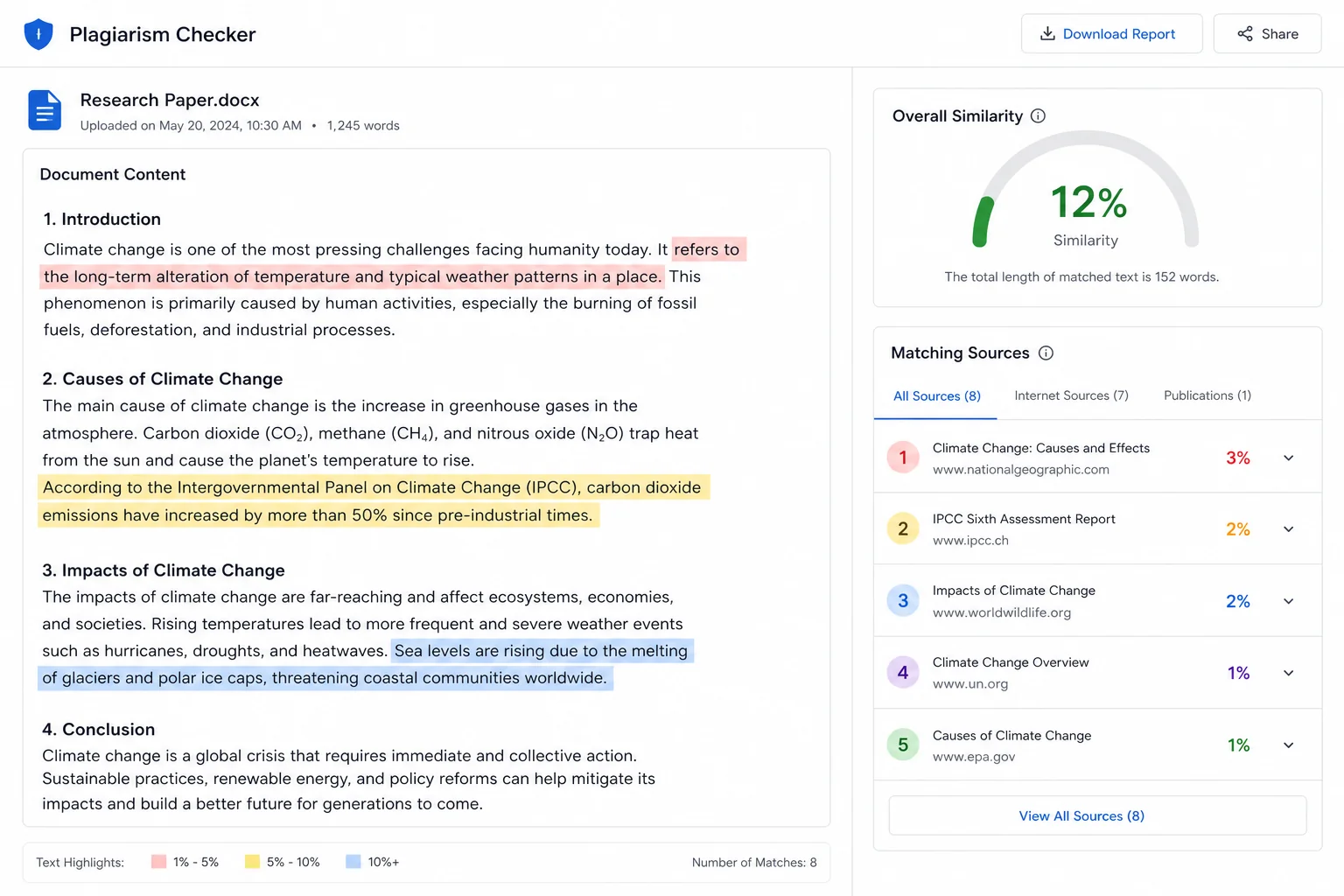
Paperpal has a powerful plagiarism checker that helps you avoid accidental copying. It scans your writing against over 99 billion web pages and 200 million research articles, covering almost all major journals.
It gives you a detailed report with a similarity score, highlighted problem areas, and side-by-side comparisons with the original sources. The free version gives a basic report with a few matches, while the paid version (Paperpal Prime) gives a full, detailed report that is better for deep checking.
Submission Readiness and AI Review
Before submitting your paper, Paperpal runs more than 30 checks to find language and formatting errors that might cause rejection. The AI Review feature works like a writing coach. It gives feedback on the flow, clarity, and structure of your writing, so you can fix weak areas before sending it for real review.
The Big Question: Paperpal, Turnitin, and AI Detection
Like my researcher friend, many students and researchers are worried about how AI writing tools work with plagiarism checkers like Turnitin. Let's make it clear how Paperpal fits into all this.
Paperpal and Turnitin Partnership
Paperpal's plagiarism checker is built in partnership with Turnitin. This is a strong sign of trust and credibility. Turnitin is one of the most respected names in plagiarism detection, and Paperpal uses Turnitin's technology to check for similarity with published content. This partnership only focuses on checking plagiarism — it does not deal with AI detection.
Why Paperpal Doesn't Have an AI Detector
Paperpal has clearly stated that it does not provide AI detection tools because they are not reliable. AI detectors work by looking for patterns like sentence length, tone, or word repetition. The problem is that academic writing often looks very structured and formal, especially for non-native English speakers. Because of that, these detectors can wrongly mark real human writing as AI-generated.
By skipping unreliable AI detection, it protects users from false accusations. This shows that Paperpal is taking a responsible and fair approach to using AI in academic writing.
Can Turnitin Detect Paperpal?
The answer depends on how you use Paperpal. If you use Paperpal to create full essays or paragraphs and submit them as your own, Turnitin might detect that as AI-generated text. However, Paperpal is built as a helper, not a writer. It gives ideas, fixes grammar, and improves clarity — but it's not meant to replace your thinking. If you use it properly to improve your writing and polish your own work, you're safe.
Paperpal vs. Grammarly vs. Jenni AI
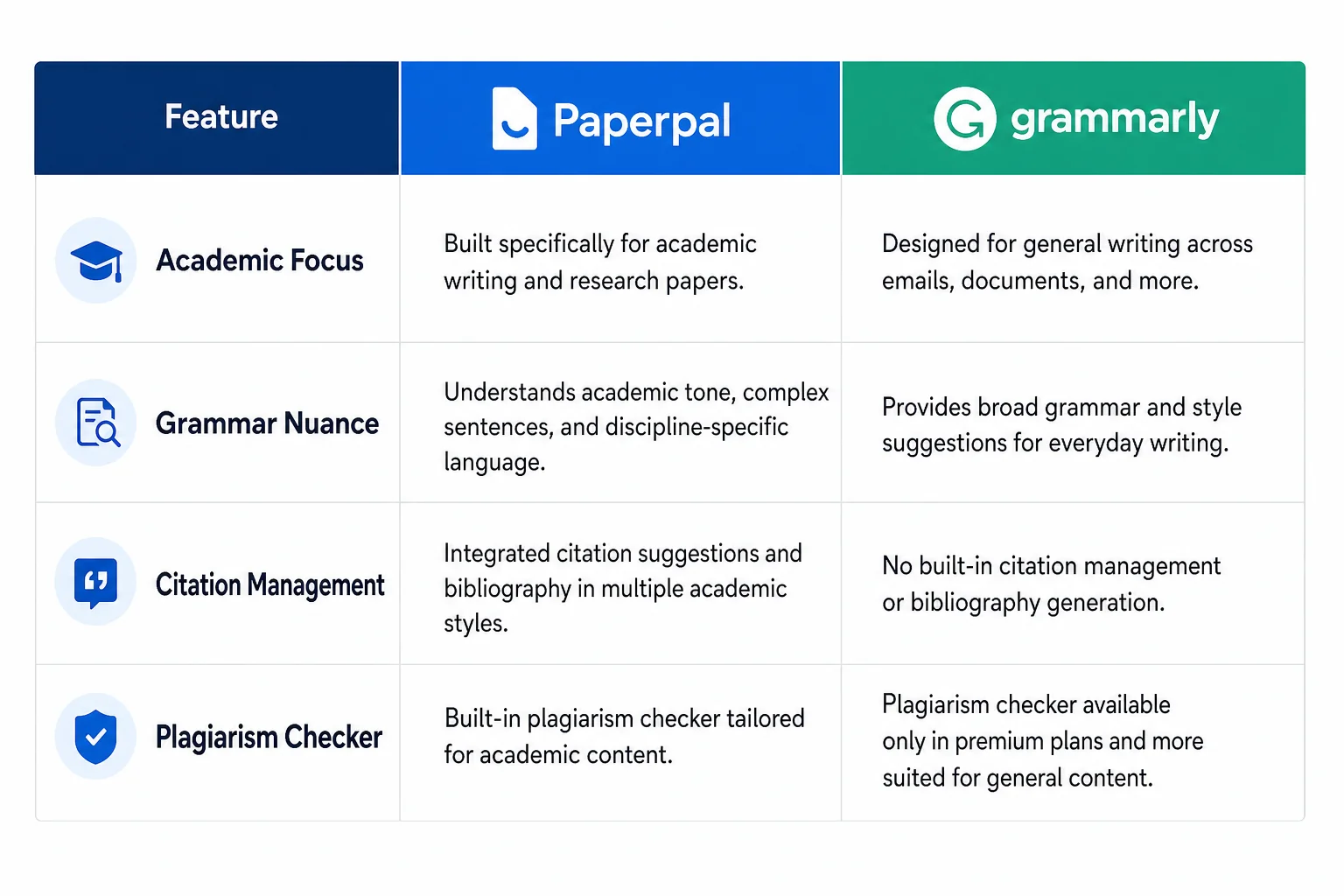
To truly understand Paperpal's value, it's essential to compare it to its main competitors.
Paperpal vs Grammarly
This is the most common comparison, and the difference is quite clear. Paperpal is designed for academic writing, while Grammarly is designed for everyday writing, such as emails, blog posts, and business communication.
Many Reddit users have reported that Paperpal offers more academic, context-aware suggestions, while Grammarly sometimes misinterprets technical words or scientific terms. For example, Grammarly often flags passive voice as an error, even though it is commonly used in research papers.
| Feature | Paperpal | Grammarly | Takeaway for Academics |
|---|---|---|---|
| Primary Focus | Academic and research writing | General writing (emails, blogs) | Paperpal is built for thesis and journal articles |
| AI Training Data | Millions of published scholarly articles | General web content | Paperpal understands academic terms better |
| Grammar Nuance | Understands passive voice in academia | Often flags passive voice as error | Paperpal needs less manual correction |
| Research Features | 250 million articles with verified citations | Limited, may generate fake sources | Paperpal acts as a real research assistant |
| Citation Management | 10,000+ citation styles | Basic APA, MLA, Chicago | Paperpal more flexible for journal requirements |
| Plagiarism Checker | 99B web pages + 200M research papers | ~16B web pages + ProQuest | Paperpal's database is larger and more academic |
Jenni AI vs Paperpal
Jenni AI is simple and focused. It's mainly made to help when you get stuck while writing. Its smart autocomplete feature suggests ideas and sentences so you can continue writing easily. It's a clean and lightweight tool that's perfect for breaking writer's block.
Paperpal, on the other hand, is a complete writing toolkit for academic work. It can do what Jenni AI does, but it also includes grammar correction, plagiarism checking, research tools, citation management, and submission readiness checks.
Finding a Paperpal Free Alternative
If you're still exploring, there are other tools similar to Paperpal that you can try for free. SciSpace is great for doing literature reviews. Writefull works very well with Overleaf, which is popular among researchers who use LaTeX. Trinka is another strong tool made for technical and research writing.
Paperpal Cost and Pricing: Is Paperpal Free?
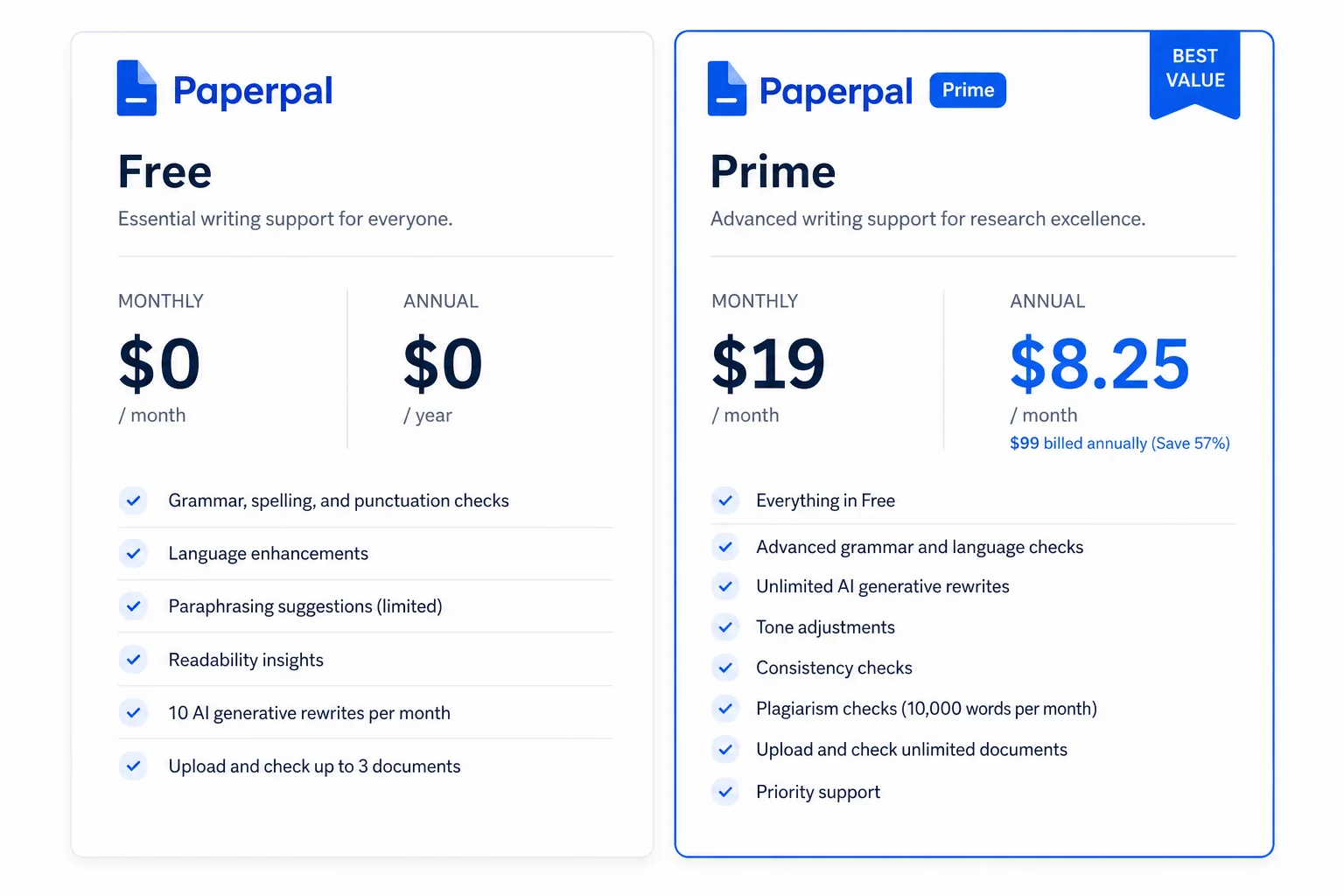
A common question people ask is, "Is Paperpal free?" The answer is yes. Paperpal offers a free plan that is actually useful and not just a trial.
The Free Plan
The free version gives good value and enough features for basic use:
- Language suggestions: Up to 200 suggestions every month to help you fix grammar and improve sentences.
- AI features: You can use tools like Rewrite, Translate, and Templates up to 5 times a day.
- Plagiarism check: You can check up to 7,000 words per month (around 25 pages). The report shows your overall similarity score and the top matching sources.
The Paperpal Price for Prime
For people who write a lot, such as PhD students or researchers, Paperpal Prime gives access to all the advanced features.
- Monthly Plan: $25 per month
- Quarterly Plan: $55 every three months (about $18.33 per month)
- Annual Plan: $139 per year (around $11.58 per month — best value)
- Multi-Year Plans: 2-year and 3-year plans that lower the monthly cost even more
With Paperpal Prime, you get unlimited language suggestions, unlimited use of all AI tools, a higher plagiarism check limit of 10,000 words per month, detailed plagiarism reports, and access to the full submission readiness report.
Finding a Paperpal Discount Code
Paperpal has a referral program where you can share the tool with a friend. When your friend gets Paperpal Prime, they get $10 off, and you also receive a $10 coupon for your next payment. You can also find Paperpal discount codes through YouTube reviewers, blogs, or affiliate links. Always double-check such deals directly on the official Paperpal website to make sure they are valid.
How to Use Paperpal Effectively
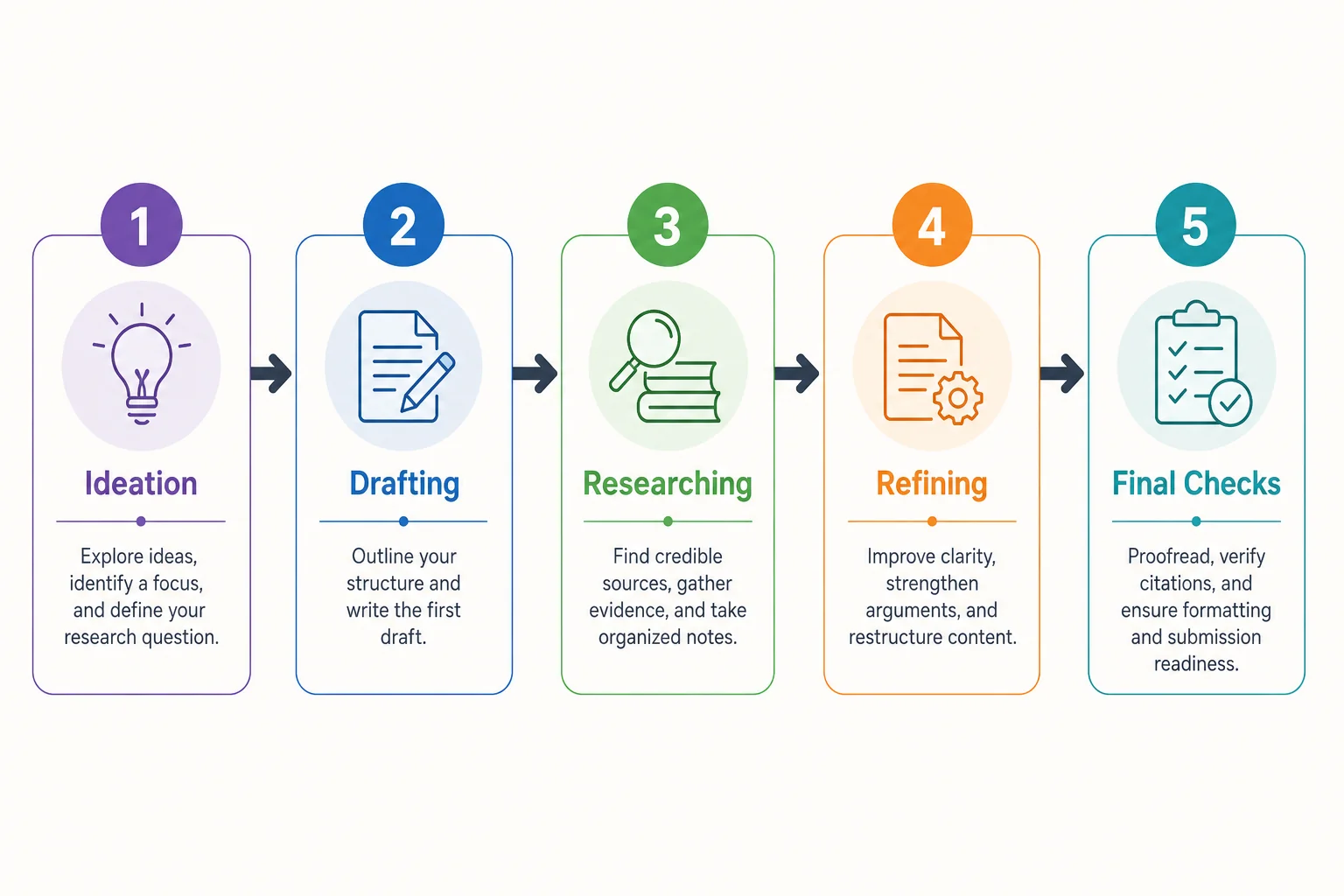
Using Paperpal is quite simple once you know where to start. Here's how you can set it up and use it step by step.
Installation and Setup
Many people ask how to add Paperpal to Microsoft Word. You can do it in two easy ways.
From within Microsoft Word:
- Open a Word document and go to the Insert tab.
- Click on Get Add-ins.
- Search for "Paperpal" in the store, click Add, and then click Continue.
- You can now find and open Paperpal from the Home tab in Word.
From Microsoft AppSource:
- Visit the Paperpal page on the Microsoft AppSource website.
- Click Get it now and sign in with your Microsoft account.
- Choose Open in Word to start using the add-in.
Paperpal is also available as an Add-on for Google Docs and as a web editor on its official website, which makes it flexible to use anywhere. You can also automate tasks inside the Comet browser by Perplexity AI.
A Practical Workflow for Academic Writing
- Ideation and Outlining: Start in the web editor. Use the Templates feature to generate an outline for your research article.
- Drafting: Write your main content in Word or Google Docs. If you feel stuck, use the AI Writing Assistant and choose "Write" or "Keep Writing" to continue your flow.
- Researching: While writing, highlight any claim that needs support and use the Research and Cite feature. Paperpal will find real academic sources with proper citations.
- Refining: After finishing your draft, review and apply grammar suggestions, rephrase unclear sentences, and run the Consistency Checker to catch small formatting errors.
- Final Checks: Before submitting, use the Paperpal plagiarism checker to verify originality, then run the Submission Readiness check.
An Honest Review of Paperpal
So, after this detailed look, I came to the point: Is Paperpal really good? To answer that, let's look at what users are saying online and what the overall reviews suggest.
What Users Are Saying
- Positive Feedback: Most academic users have very positive experiences with Paperpal. On Reddit, many people mention that it understands complex academic language better and gives more accurate suggestions than Grammarly. A Cambridge University study even found that human reviewers accepted most of Paperpal's edits, which proves how accurate it is.
- Negative Feedback: Some users say the free version promotes the paid plan too often. Others mention that the plagiarism check can feel slow. Also, since it has many features, new users might need a little time to get used to everything.
Pros and Cons Summary
Pros:
- Academic specialization: The AI understands how research writing works.
- Comprehensive toolkit: It covers writing, research, citation, and checking in one place.
- High-quality plagiarism checker: Its partnership with Turnitin makes it reliable.
- Strong integrations: It works smoothly with Microsoft Word and Google Docs.
- Generous free plan: The free version is useful and great for testing or short projects.
Cons:
- Niche focus: Not suitable for creative or business writing.
- Paywalled features: The best features need the Prime plan.
- Information overload: The many tools and features might feel overwhelming at first.
Conclusion
Paperpal has built a strong reputation as one of the best AI writing assistants for academic work. Its biggest strength is that it's trained specifically for research writing. It doesn't just help you write correctly; it helps you write in a proper academic style.
- For undergraduate students: The free version is perfect for improving essays, learning citations, and checking for plagiarism.
- For PhD candidates or researchers: The Prime plan is worth it. The advanced tools for research, submission checks, and plagiarism reports make it easier to prepare and publish research papers.
- For non-native English speakers: Paperpal is one of the best options available. Its academic translation and grammar correction tools help you write clearly and confidently.
If you're part of the academic world, Paperpal is more than just another AI tool. The best way to see how good it is would be to try the free version yourself and see how it helps with your next paper.
For more AI tool reviews tailored to researchers and content creators, check out our in-depth reviews of Abacus AI (ChatLLM) for automated research and presentations, Outlier AI for earning with your academic expertise, and GoHighLevel for marketing automation that complements your content strategy.
Frequently Asked Questions (FAQs)
Is Paperpal better than Grammarly for academics?
Yes. Paperpal is trained specifically on millions of published scholarly articles. It understands academic conventions like passive voice and technical formatting (like p-values), whereas Grammarly often flags these as errors since it focuses on general writing.
Is Paperpal free for students?
Paperpal offers a generous free plan that includes up to 200 language suggestions per month and a basic plagiarism check for up to 7,000 words. For heavier academic workloads, the Paperpal Prime plan is highly recommended.
Can Turnitin detect Paperpal?
Paperpal actually partners with Turnitin for its plagiarism checker. If you use Paperpal to strictly edit, correct grammar, and improve the flow of your original writing, Turnitin will not flag it. However, if you use its generative features to draft large portions of text without your own input, it may be detected.