Top 10 AI Avatar and Talking-Head Video Generators I've Actually Used (2026)
My honest take on 10 AI avatar video generators, from HeyGen and Synthesia to Arcads, based on what I have actually tested and built workflows around.
To be honest, the whole reason I went so deep into AI avatar and talking-head video generators was not because I wanted to follow some shiny AI trend. It actually started out of pure frustration.
Whenever I had to record a new video for my YouTube channel, or record lessons for my course platform, or test ad hooks for a campaign, the whole process used to drain my energy before I even spoke a single word. You have to set up the tripod, fix the lighting, clip the lav mic properly, check the audio levels, and then sit there sweating in front of the camera. And if you fumble one line or say something wrong in the middle, you have to record the whole take again.
That's when I realized I need a system where I can just write my script, or pass it through my terminal workflow, and let an AI avatar or talking-head tool do the heavy lifting for me.
In my other post, I already covered the cinematic B-roll and visual AI video generators like Higgsfield AI, Google Flow, OpenArt, Runway and Kling. So if you haven't read that, check it out as well. But in this one, I'm going to talk specifically about the top 10 AI avatar and talking-head video generators that I have actually tested, used in my workflows, or explored deeply for content creation and marketing.
I'm not going to give you those generic feature lists that people write without ever logging into the tool. I'll share my real experience: what worked for me, where I wasted credits, and which one you should actually spend your money on.
1. HeyGen
So let's get started with tool number one, HeyGen. If you ask me which AI avatar tool I know inside out, from top to bottom, it's definitely HeyGen.
Right now I have an active Creator subscription with them, and I didn't just use their web dashboard like a normal user. I literally built an entire video automation repo using the HeyGen API and connected the HeyGen MCP directly to Claude Code in my terminal, so I can trigger video generations automatically. That's how deeply I've explored it.
Why do I still pay for HeyGen when there are so many new tools popping up every week? Because their Avatar IV and the latest Avatar V models are miles ahead when it comes to natural micro-expressions and hand gestures. When you record your base footage and upload it to create your custom avatar, it copies your exact body language, your lip sync and your head nods, without making you look super robotic or cringe like some other models do.
They also have Video Agent and HyperFrames, which I use all the time for my shorts and explainer videos. You just give it the script, and Video Agent doesn't just put your talking head on the screen. It automatically adds clean motion graphics, B-roll transitions and subtitles right inside the video. Basically 99% of my editing work is done before I even download the file, and with a simple webhook call, I can push the finished video straight into my automation pipeline.
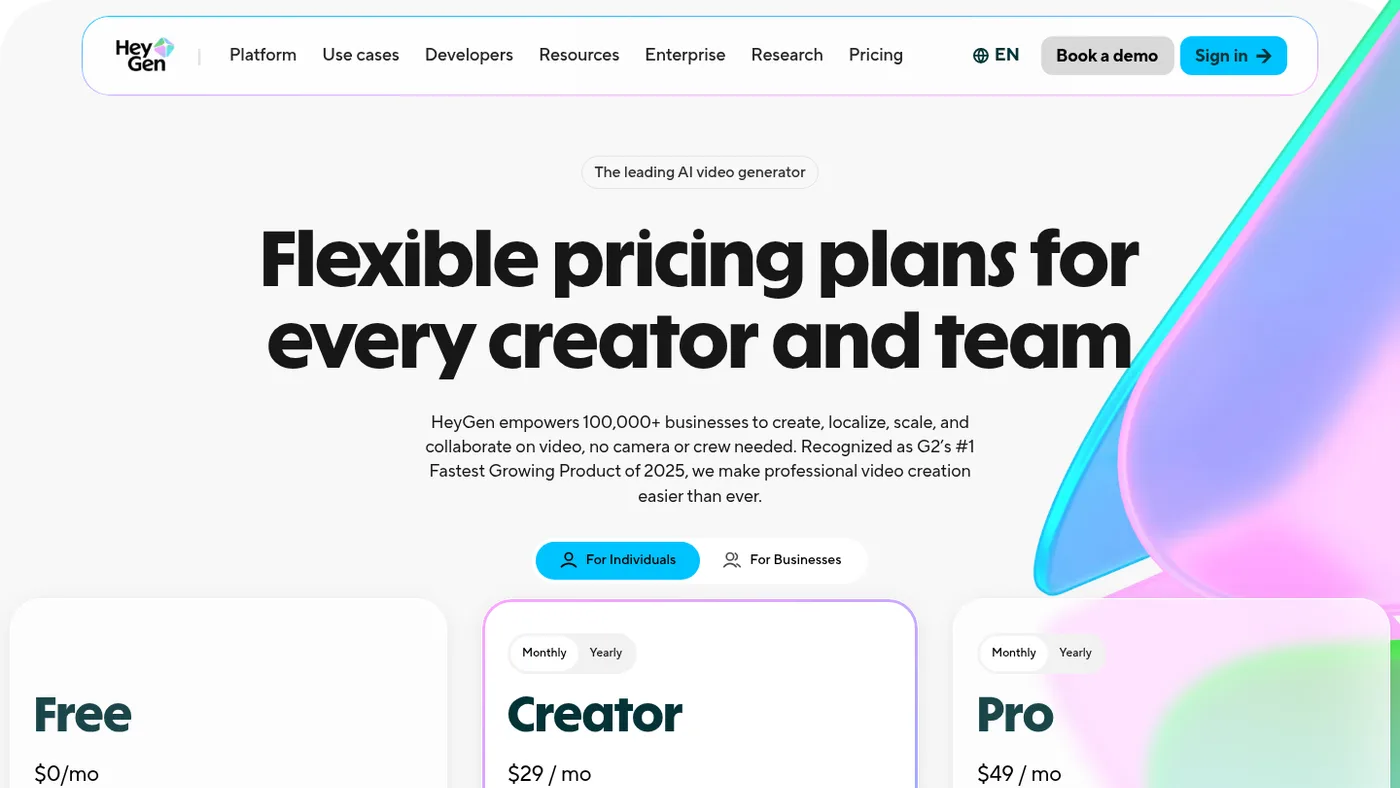
Now I won't lie to you, HeyGen is expensive. They do have a free plan where you can test one or two watermarked videos, and I'm currently paying $29 per month for the Creator plan, which gives me 600 credits a month. That comes out to roughly 30 minutes of generated video, depending on the model.
One small annoyance you'll notice is that sometimes, on certain words, your avatar might make a weird facial expression. But the good thing is their support team actually listens. When I reported an expression issue on my avatar, they took action and fixed it pretty fast. So if you're a YouTuber, educator or marketer who wants your own digital clone, HeyGen is still the king in my book.
2. D-ID
Number two is D-ID. You probably remember D-ID from the early days when AI talking photos first went viral on the internet. Back when everyone was uploading a single still portrait and making it talk or sing, D-ID was the main tool behind all of that.
When I was building my automated video pipeline and looking for cheaper API alternatives to HeyGen, I spent a good amount of time testing D-ID Studio and their API documentation. What I noticed is that D-ID is super fast when all you have is a single flat photograph and you want to turn it into a talking presenter. You don't even need a two-minute video recording to train an avatar. You just drop one clean photo, give it an audio file or a text script, and it animates the face.
Recently they also shifted a lot toward interactive AI agents, like those live talking avatars you can embed on a landing page to answer customer questions in real time. That part is actually really cool if you're building a SaaS or a service website.
However, if I compare D-ID to HeyGen for actual YouTube videos or social media reels, you'll quickly feel the limitation. Because it often works off a still frame or a stiffer base, the neck and shoulder movements feel a bit locked in place, and you don't get those natural hand gestures that keep viewers watching past the first five seconds.
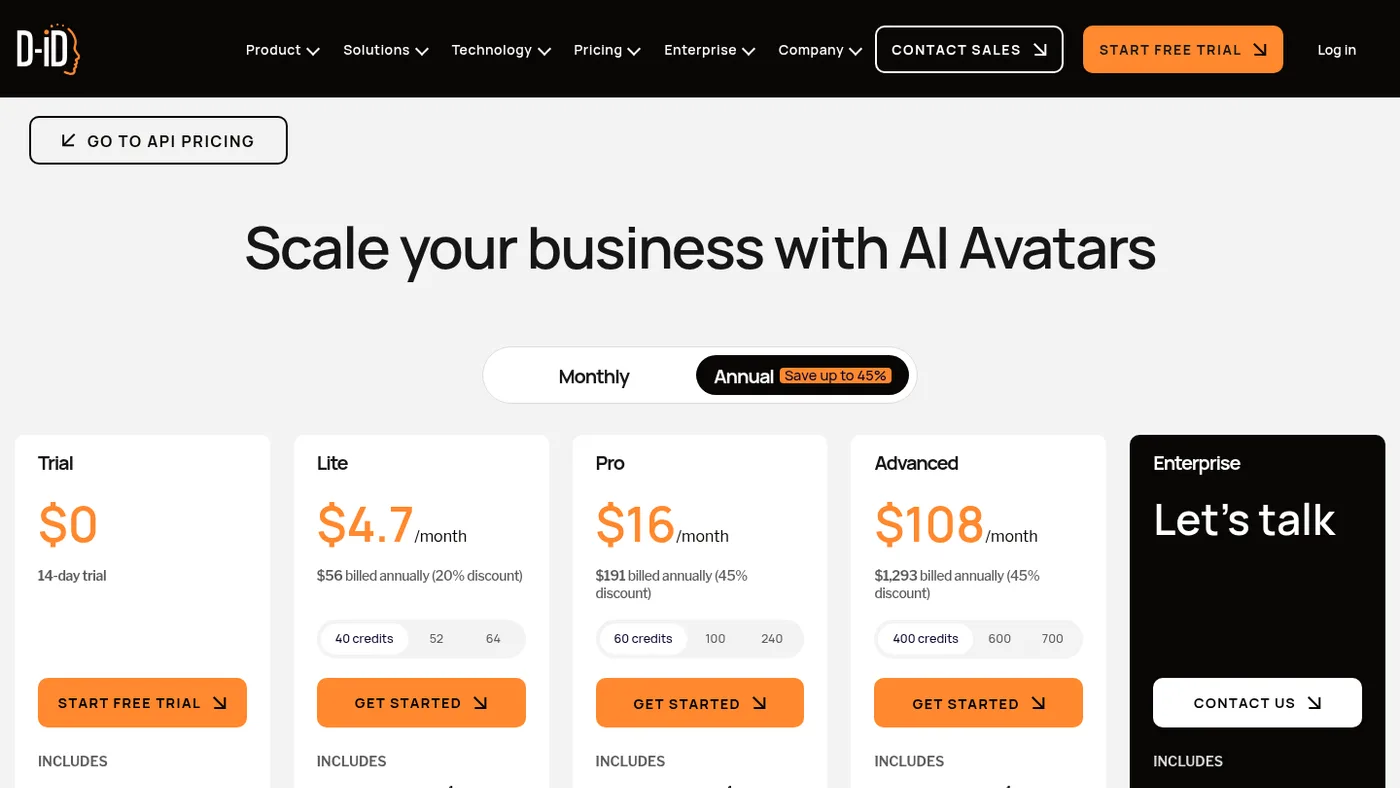
Pricing-wise, D-ID is much cheaper to enter than HeyGen. Their Lite plan starts around $5 a month and their Pro plan is around $16 a month on annual billing, though if you want more minutes for API use or campaigns, you have to jump to their higher tiers. For me, D-ID is great if you just want to animate still images fast or build a conversational web agent, but for full-scale content creation, I moved past it.
3. Synthesia
Next up at number three, we have Synthesia. Whenever people talk about HeyGen, the very first competitor that comes up is always Synthesia, because both of them dominate the avatar space.
When I was setting up my own custom course and membership platform to host student modules, I seriously tested Synthesia to see if I could use it to record all my onboarding and tutorial lessons without turning on my camera. Once I got inside Synthesia and started building scenes, I realized immediately who this tool is actually built for.
Synthesia is built from the ground up for corporate training, enterprise teams and formal presentations. It feels less like a video generator and more like PowerPoint mixed with an AI studio. You can pick from over 200 stock avatars, type your script, and as your avatar speaks a specific sentence, it can trigger screen recordings, bullet points or slide animations right next to the presenter. Their lip sync across 140+ languages is honestly rock solid, and they've released expressive avatars that try to show happiness or seriousness based on your script.
The reason I personally didn't stick with Synthesia for my own brand is the vibe. Even their best avatars have this very clean, corporate, polite energy, like someone working in HR giving a company presentation. That works amazingly well for B2B software documentation or internal company training, but put it on YouTube or Meta Ads and people immediately feel like they're watching a corporate slide deck.
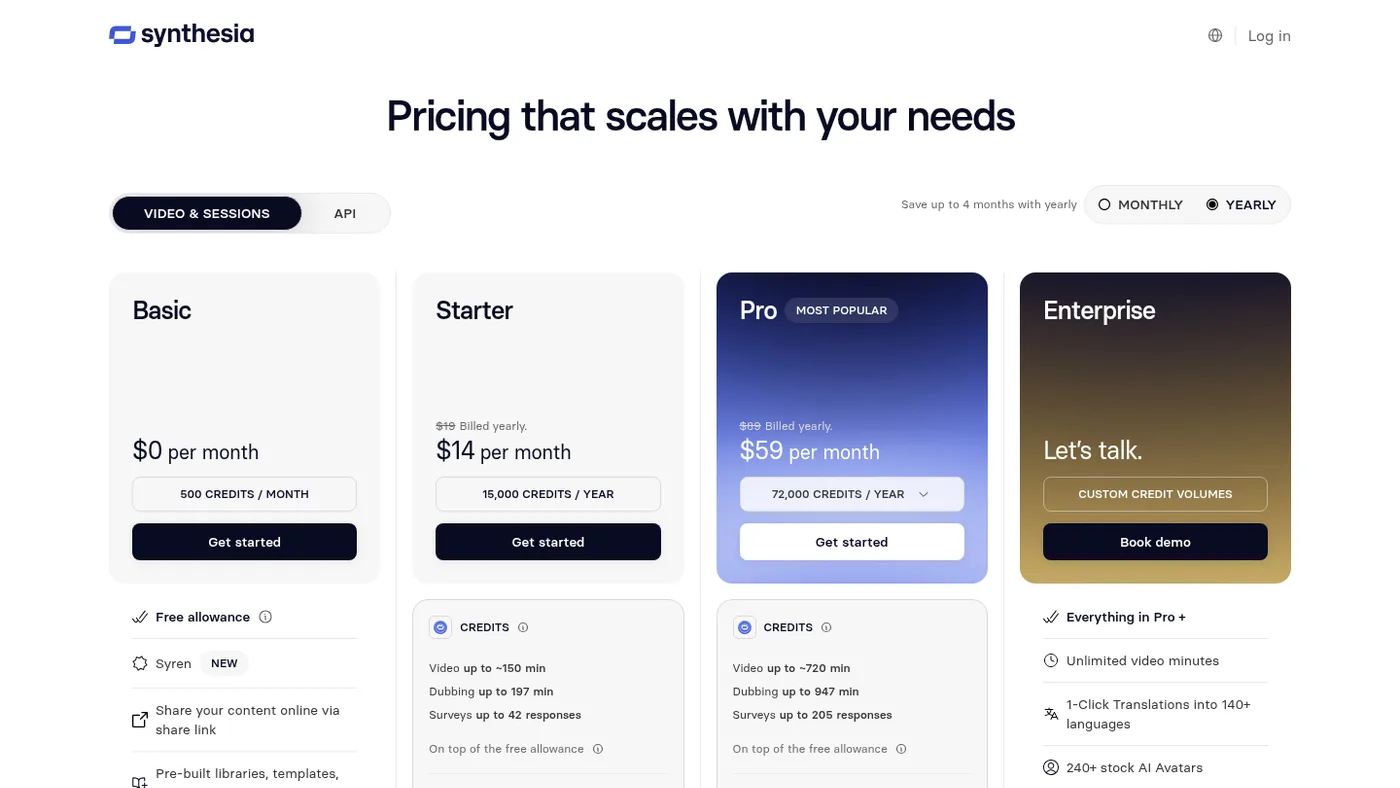
Pricing-wise, they have a free tier with a few minutes a month, and their Starter plan is around $14 a month billed annually, or $19 monthly. If you're in corporate L&D or enterprise tutorials, go with Synthesia. Otherwise, HeyGen feels much more creator-friendly.
4. Captions AI
Moving on to tool number four, let's talk about Captions AI, or Mirage, as they call their research model side.
A friend of mine who edits short-form vertical videos for creators first showed me Captions AI. I had asked him how he was cranking out so many talking-head reels where the speaker never blinked weirdly or looked away from the lens. When I tested Captions AI myself, first on mobile and then on their desktop web app, I understood why short-form creators are obsessed with it.
Initially, Captions was just an app to add those flashy Hormozi-style word-by-word subtitles to your reels. And they had that viral Eye Contact feature where you could literally read your script off a laptop screen beside your camera, and the AI would shift your eyeballs so it looks like you're staring dead into the lens. I used that eye contact fix a couple of times when I was too lazy to memorize a long script, and honestly it works like magic, as long as you don't turn your whole head too much.
On top of that, they built AI Twin and AI Creator inside the platform. You can clone yourself or pick one of their realistic UGC-style avatars, type a prompt or script, and Captions doesn't just give you a raw talking head. It automatically cuts the pauses, throws in dynamic captions, zoom-ins, sound effects and AI B-roll images right on the timeline.
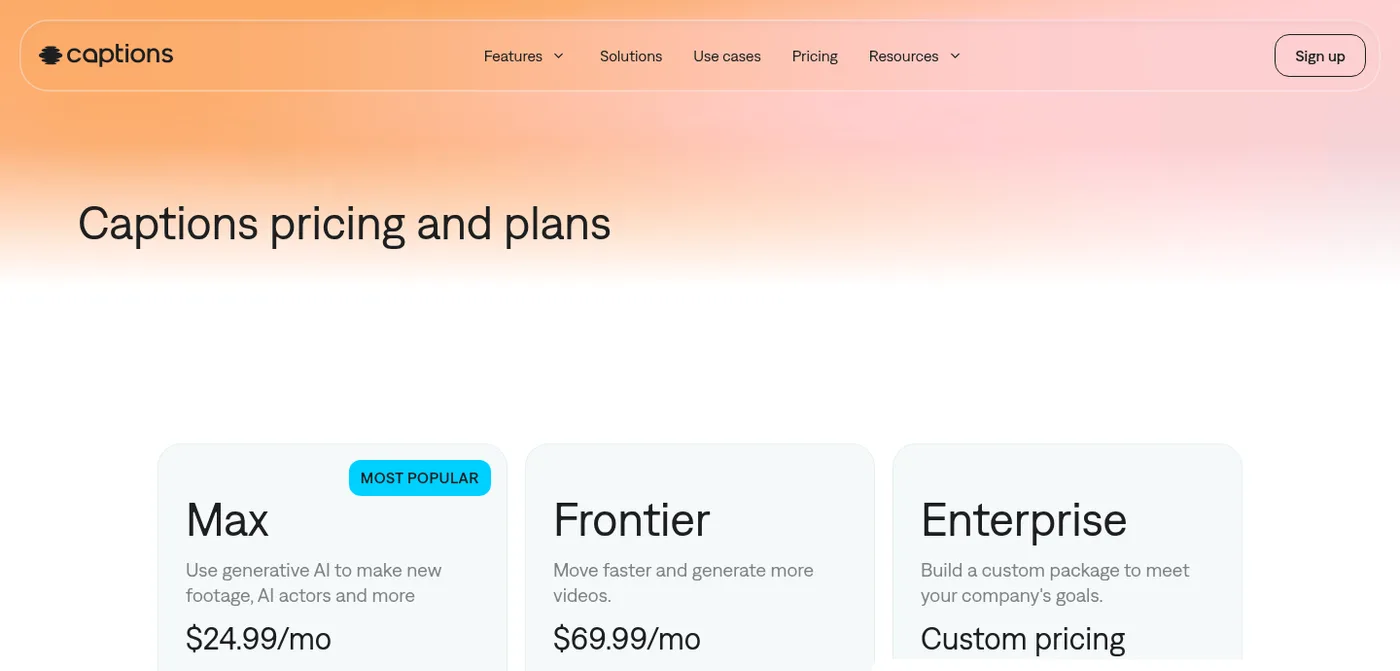
The downside I noticed is that if you want total control over how the video is edited, or if you want long-form 15-minute horizontal YouTube videos, Captions AI feels too boxed into the vertical TikTok and Reels format. Their Max plan is around $25 a month, and the Frontier plans with heavier AI usage start around $70 a month. If your main focus is pumping out daily vertical shorts without opening a heavy editor, Captions AI is a massive time-saver.
5. Akool
At number five, we have Akool. I discovered Akool a few months ago when I was experimenting with ad creatives. I wanted to test whether I could take a high-performing talking-head video and either swap the actor's face or translate the exact video into another language with proper lip re-mapping.
Let me tell you, the very first time I ran a face swap and a talking avatar test on Akool, I was genuinely shocked at how sharp the output was. A lot of avatar tools make the mouth area look slightly blurry or smudged when the avatar speaks fast. You've probably seen that blurry teeth effect on cheaper models. Akool somehow keeps the skin texture, the teeth and the jaw movement super crisp, even up to 4K resolution.
Beyond normal talking avatars from text or audio, they have a real-time streaming avatar feature where you can hop on a live stream or video call using an AI face and voice, plus a really strong video translation studio and a product background generator for e-commerce. I used their free trial credits to test a couple of marketing hooks, and the visual realism was easily on par with the top dogs in the industry.
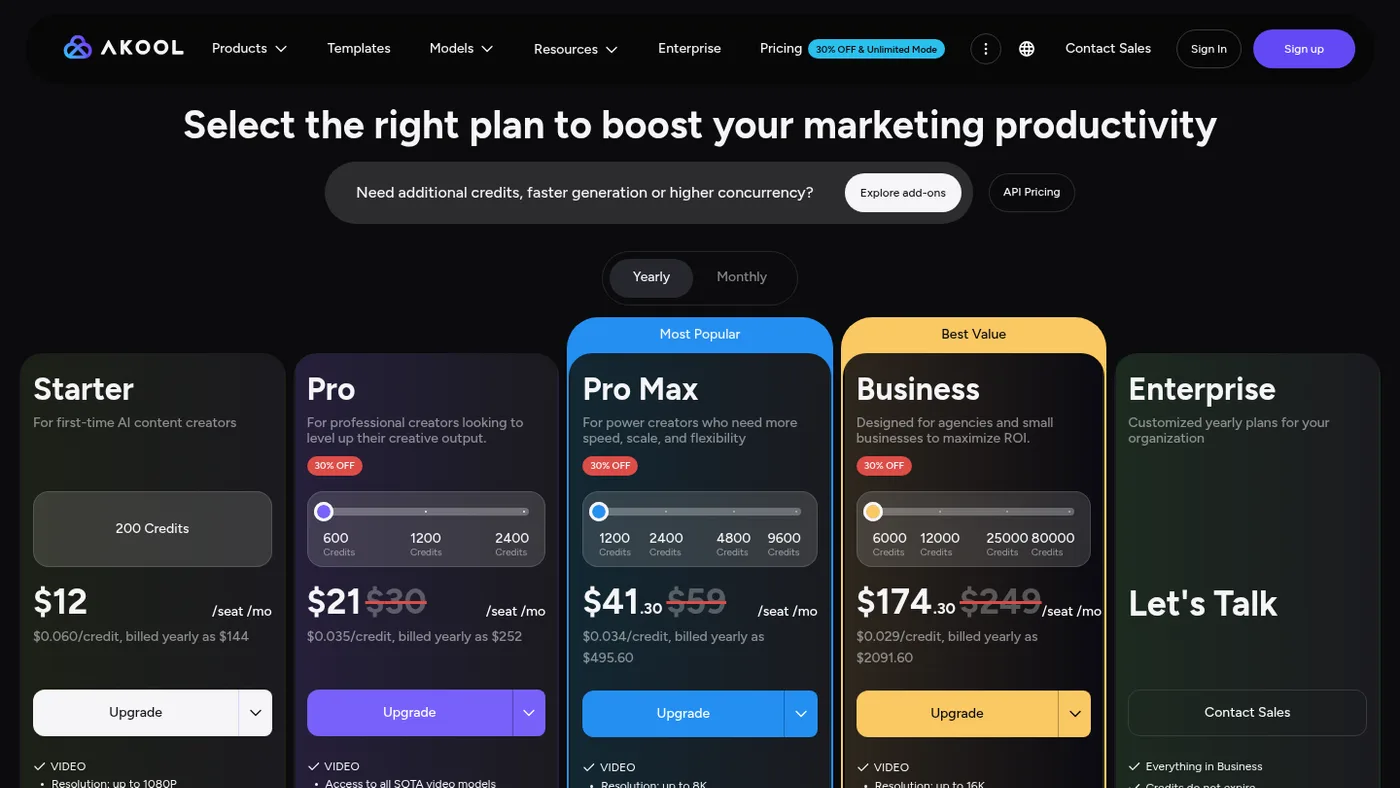
The main thing that held me back from making Akool my daily driver is their credit system and dashboard flow. Their Pro plan is around $21 to $30 a month depending on billing, which gives you around 600 credits. But if you turn on high resolution, face enhancing or longer durations, those credits burn up before you even finish experimenting with three or four variations. Still, if your main use case is ultra-realistic face swapping for ad variations, or translating video ads with crisp lip sync, Akool is a beast of a tool.
6. Colossyan
Number six on the list is Colossyan. Remember when I mentioned I was looking for tools to generate structured lessons for my online courses? Right after I tested Synthesia, I jumped over to Colossyan because a lot of educators kept recommending it on forums.
At first glance, Colossyan looks very similar to Synthesia. You get a clean slide-based workspace, dozens of realistic studio avatars and multi-language voiceovers. But once I actually created a sample lesson inside Colossyan, I found two specific features that made me pause and say, okay, this is actually really smart for course creators.
First, Colossyan lets you put two or more AI avatars in the same scene, having a side-by-side conversation. Instead of one boring talking head lecturing the viewer for ten minutes straight, you can script a back-and-forth dialogue where one avatar asks a question like a beginner student, and the other avatar explains the solution.
Second, they have interactive branching and multiple-choice quizzes built right into the video export. Let's say you're teaching digital marketing or coding, and three minutes into the video you want a quiz to pop up so the student has to pick the right answer before the lesson continues. Colossyan handles that natively.
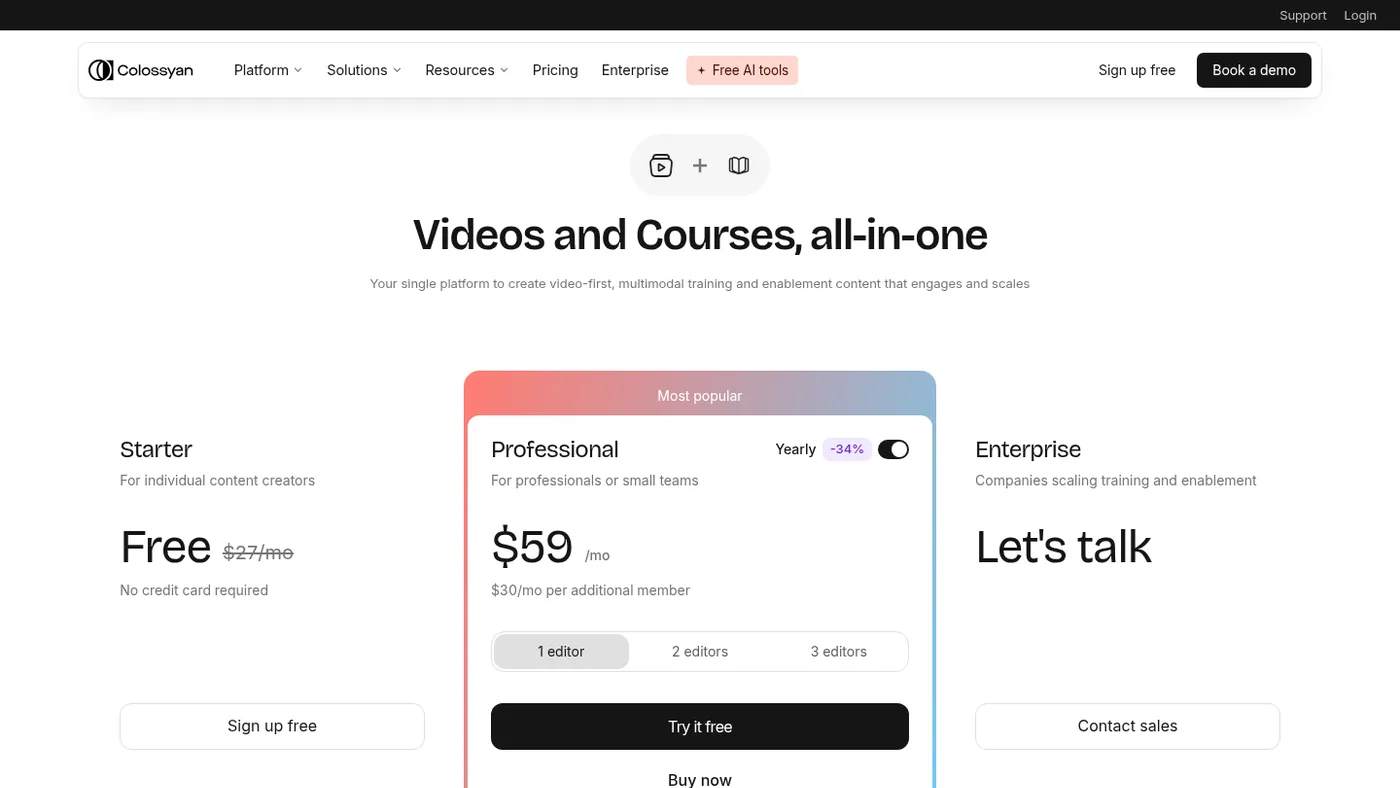
Where it falls short for me is creative marketing and social media content. Just like Synthesia, the avatars have that stiff, studio-lit corporate posture, so you can't really use them for casual YouTube commentary or scroll-stopping Facebook ads. Their Starter plan is now free (it used to be $27 a month), and the Professional plan is around $59 a month on annual billing. If you're building an academy, an LMS or employee training modules, Colossyan is honestly one of the most practical picks out there.
7. VEED
Now let's talk about tool number seven, VEED, or Veed.io. Almost everyone in the creator or marketing space has used VEED at least once over the last few years, mostly back when we needed a quick browser tool to burn subtitles into a video without crashing our laptops on Premiere Pro.
I used VEED just for quick captioning and trimming years ago, and then I stopped for a while. Recently, I logged back in to see what they've done with AI video generation and AI avatars, and they've basically turned it into a complete AI studio. You can create a custom avatar clone of yourself by recording a short webcam video, or use their stock avatars, which actually have decent casual clothing and backgrounds compared to the corporate tools.
What I really appreciated when testing VEED is that because it started as a full timeline video editor, you don't have that annoying workflow disconnect where you generate an avatar clip in one tool, download the MP4, and upload it into another editor to cut out silences, add progress bars or drop in screen recordings. In VEED, your AI avatar sits right on a multi-track timeline alongside Magic Cut, the background noise remover, the eye-contact fix and the stock B-roll library.
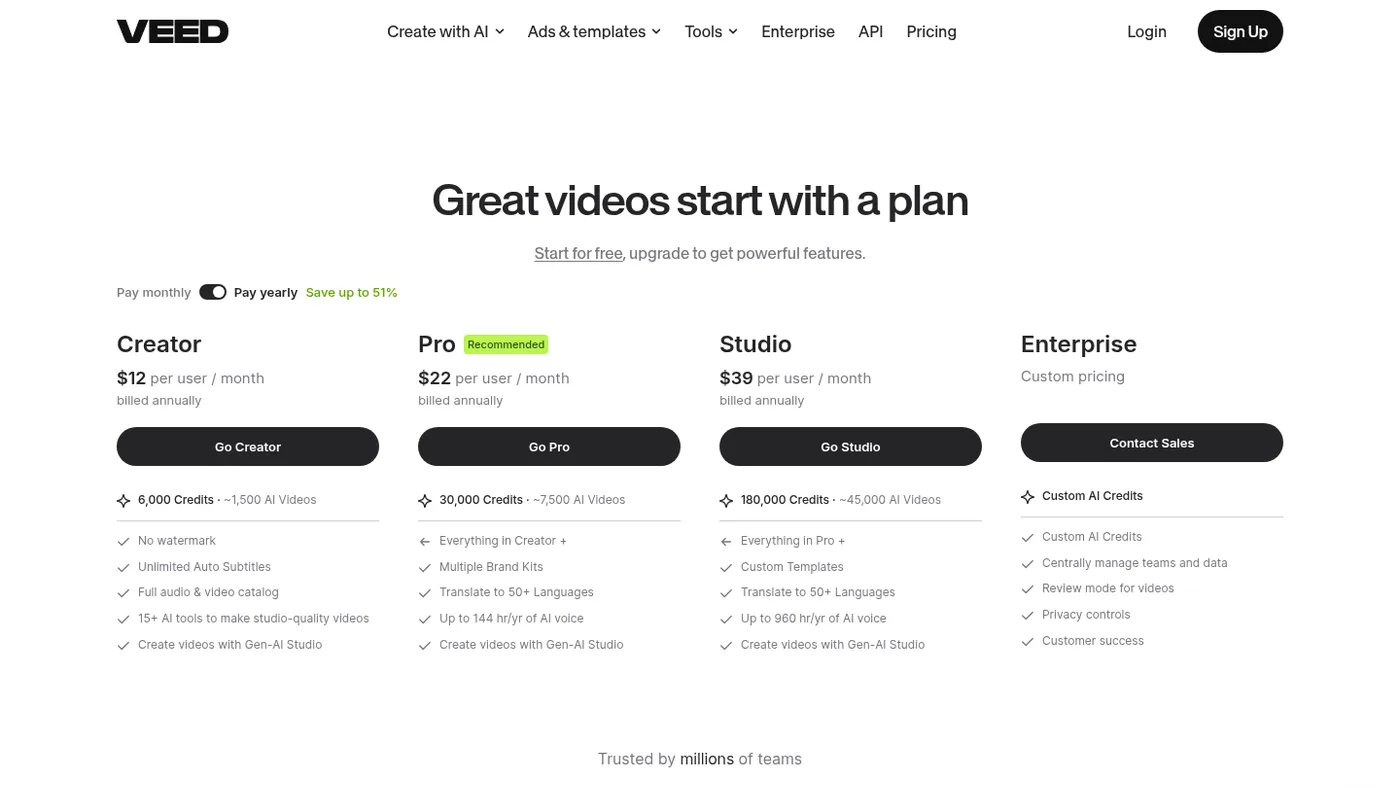
The downside from my testing is that their avatar lip sync and facial movements, while good, are still a notch below HeyGen's Avatar V model. If you look closely at fast sentences, you can tell it's an AI avatar. Pricing starts around $12 a month for the Creator plan and around $22 a month for Pro, billed annually, though custom avatars and heavy AI generation need higher tiers or add-ons. If you hate jumping between five different tabs and just want a browser timeline editor with built-in avatars, VEED makes life very easy.
8. ElevenLabs
Coming to number eight, we have ElevenLabs. Now wait, I know what you're thinking. ElevenLabs is an audio and voice generation platform, so why is it in a top 10 AI avatar video generators list? Listen carefully, because this comes straight from my personal experience building automated video pipelines.
When you generate an AI avatar video, whether it's in HeyGen, D-ID or any API workflow, what actually makes a viewer believe the video is real? Fifty percent is the visual lip sync, and the other fifty percent is the voice cadence. In the beginning, when I used the default text-to-speech voices inside avatar tools, my videos sounded flat and monotonous, with zero breathing pauses. The moment someone hears that robotic pacing on YouTube or in an ad, they click away.
That's when I brought ElevenLabs into my workflow. I created a professional voice clone of my own voice inside ElevenLabs, which captures my exact Indian English tone, my natural pitch drops, and even the slight breath sounds between sentences.
And ElevenLabs isn't just raw MP3 files anymore. They have a full Dubbing Studio where you upload an existing MP4, and it separates the background music from the dialogue, translates your speech into 30+ languages using your cloned voice, and syncs the timing to the video track. They've also been rolling out audio-to-avatar and conversational agent integrations through the API.
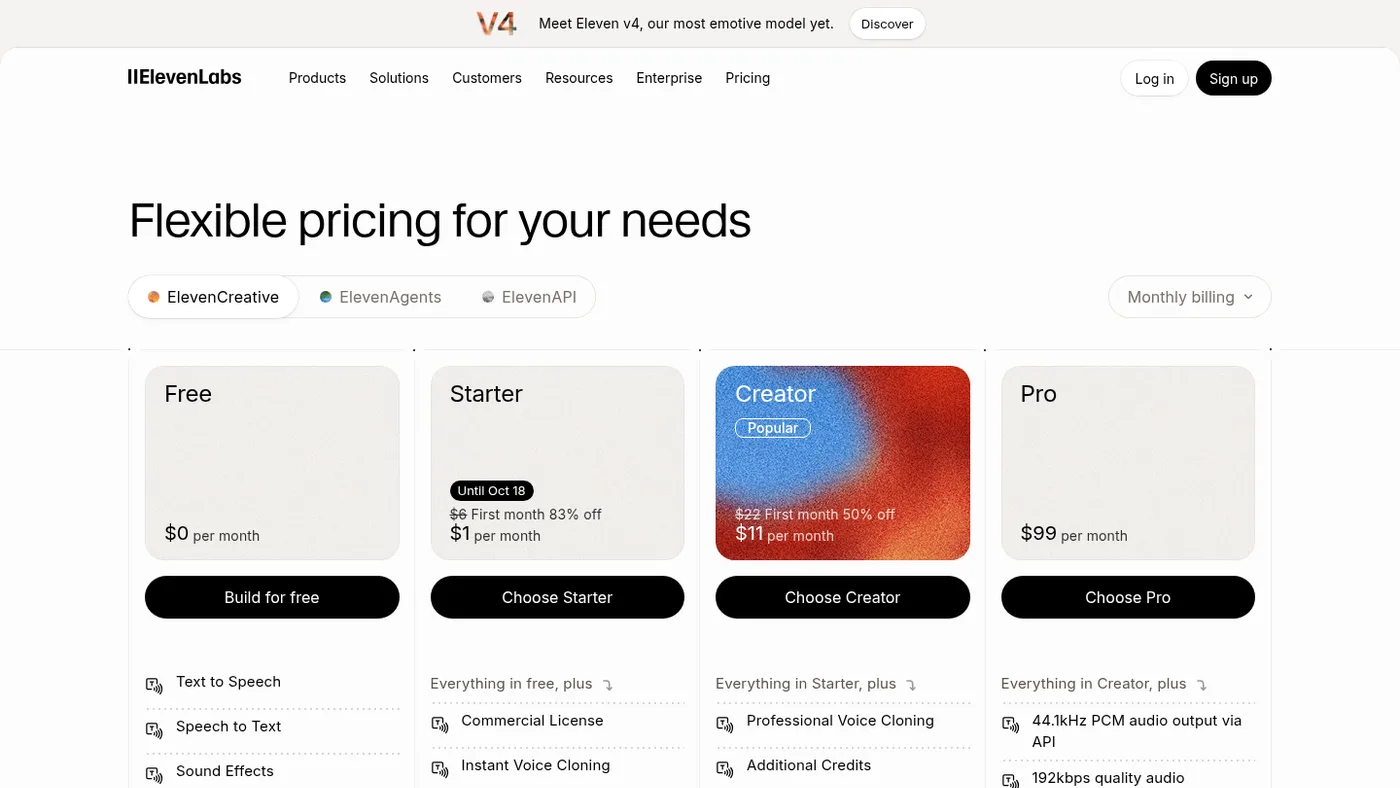
So what I do in my automation repo is generate the emotional voice track, or speech-to-speech audio, in ElevenLabs first, and pass that audio straight into my avatar generator, so the lip sync follows real human emotion. Their free plan gives you 10,000 credits a month, the Starter plan is $6 a month, and the Creator plan is $22 a month. Trust me, if you're making AI avatar videos without pairing them with ElevenLabs, you're ruining half your video quality for no reason.
9. TopView AI
Next, at number nine, let's look at TopView AI. Since my day-to-day work involves performance marketing, running Google Ads and Meta Ads and testing creatives, I'm always looking for tools that actually help sell products rather than just making pretty videos. A few months back I tested TopView, because they pitch themselves specifically as an AI marketing video agent for e-commerce and apps.
The workflow inside TopView is completely different from Synthesia or Colossyan. Instead of sitting in front of a blank script box wondering what to write, you paste an Amazon product URL, a Shopify store link or an App Store link right into TopView. Its AI agent pulls the product images, bullet points and reviews from that link, analyzes top-performing TikTok and Meta ads in its database, and writes three or four different hook-body-CTA scripts for you automatically.
Even better, they have a Product Avatar feature where you upload a simple photo of your physical product, let's say a skincare bottle or a gadget, and the AI avatar actually holds your product naturally in their hand while talking about it on screen.
When I tested this with a sample product page, I was honestly impressed by how well it understood ad pacing. It didn't write boring essays. It wrote actual punchy 30-second ad scripts, with captions and product cutaways already placed on the timeline. Of course, sometimes the product size in the avatar's hand looks a tiny bit off if the reference photo has a weird angle, so you have to tweak it a couple of times.
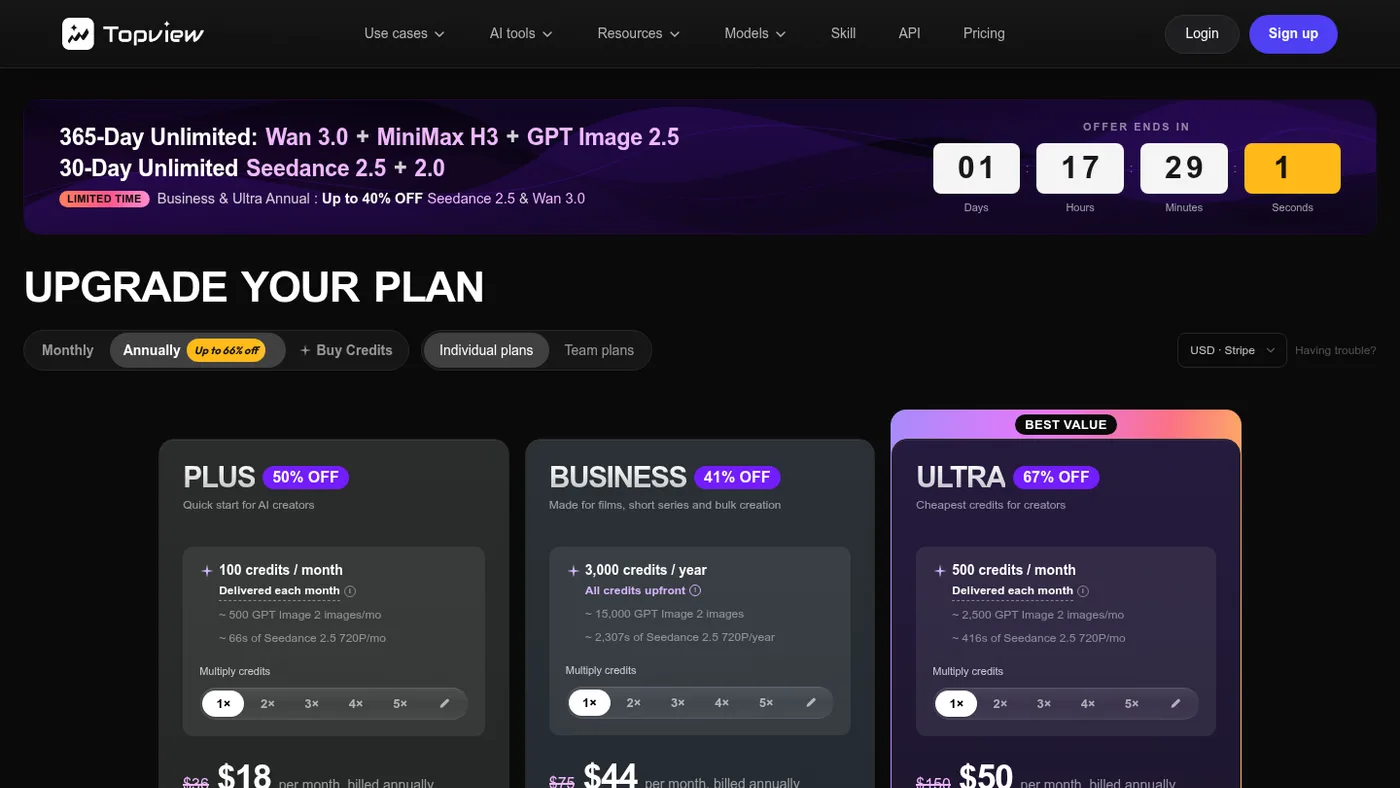
Their Plus plan is around $18 a month and the Business plan around $44 a month, billed annually. If you run an e-commerce store, dropshipping or affiliate offers and need fast product video ads, TopView will save you so much headache.
10. Arcads
Finally, at number ten, we have Arcads. I saved Arcads for the end because if you're a performance marketer, media buyer or founder running paid acquisition on Meta or TikTok, this is the secret weapon a lot of ad agencies are quietly using right now.
You know how hard and expensive it is to hire real UGC creators on platforms like Billo or Fiverr. You pay them $100 to $200 per video, ship them the product, wait two weeks, and then they deliver a video where their energy is completely dead on the hook. When I explored Arcads for media buying campaigns, I realized why so many brands switched to it.
Unlike every other avatar tool where the actors stand still in a clean studio room, Arcads actors are recorded in real-life, messy environments: sitting inside a parked car, walking down a sunny sidewalk, sitting on a couch in a bedroom, or holding a tiny lapel mic up to their mouth just like real TikTok creators do.
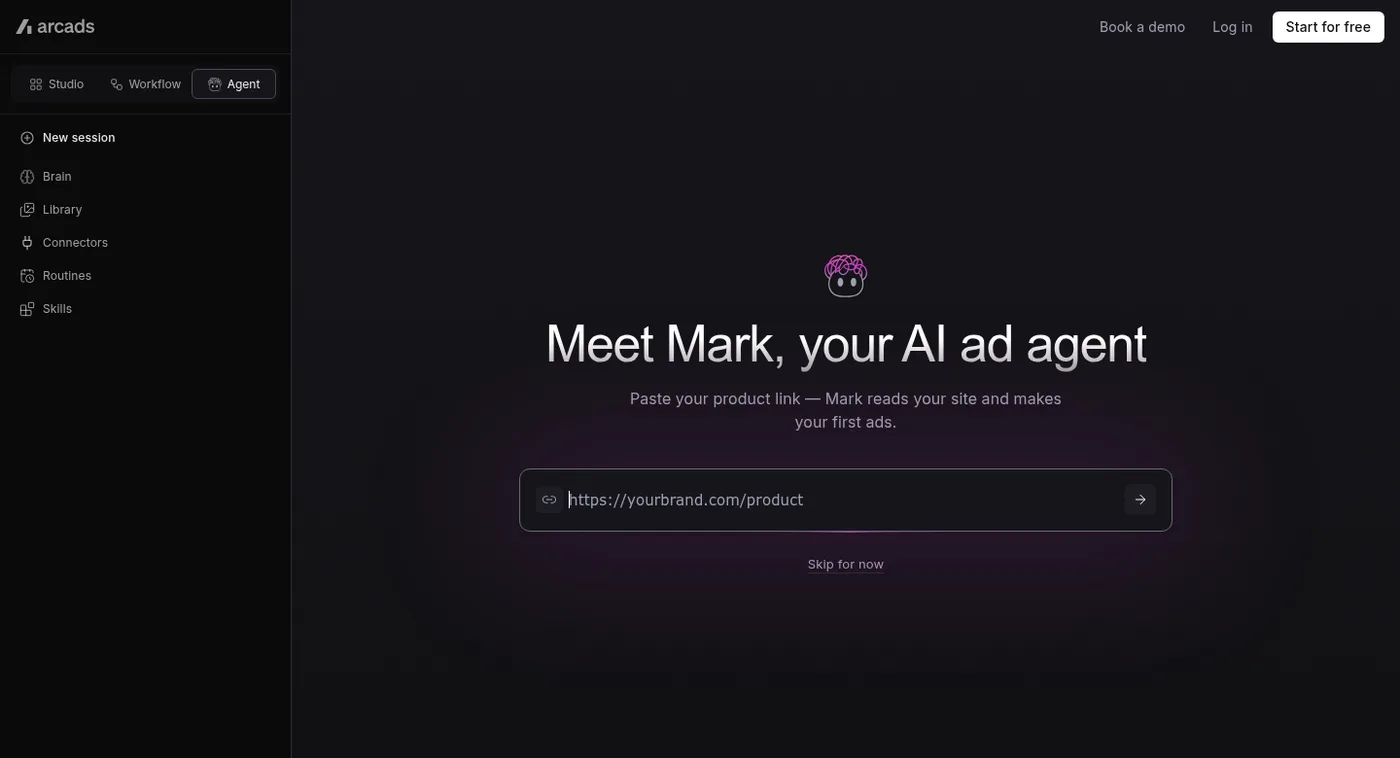
And the killer feature in Arcads is speech-to-speech. Instead of typing text and hoping the AI reads the hook with excitement, you can record yourself speaking the script on your phone with the exact vocal inflection, pauses and hype you want, upload that voice memo, and the AI actor performs your exact delivery with their face and voice. You can generate 10 different actors reading 5 different hooks in twenty minutes, and launch them into a Meta Ads testing campaign the same afternoon.
Now, here's the brutal truth about Arcads, and I won't sugarcoat it. They don't have a free plan or a cheap $10 starter tier. Their plans start around $100 to $110 per month, which gives you roughly 10 generated videos a month, so each video costs you around $10 to $11. For a casual beginner, that feels super expensive. But if you're a marketer who used to pay $150 for one single creator video, paying $11 to test an ad hook immediately is a complete no-brainer.
My Setup: Which Tools I Combine
So yeah, that's my complete, honest breakdown of the top 10 AI avatar and talking-head video generators, based on what I've actually used, tested and built workflows around.
Like I told you at the start, if you're looking for cinematic B-roll, camera movement and text-to-video scene generators like Higgsfield AI, Google Flow, OpenArt, Magnific or Kling AI, I've already written a dedicated post on those, so read both posts together and you'll know which tool fits which part of your workflow.
Usually, the best setup is combining a talking avatar from a tool like HeyGen with custom voice emotion from ElevenLabs, and dropping in cinematic B-roll from Google Flow or Higgsfield. That's literally the exact formula I use.
If you want my actual automation workflows, want to see how I connect these APIs with Claude Code and n8n, or want to learn how I build my own custom web platforms and business systems using AI without spending thousands of dollars on SaaS subscriptions, then join my newsletter. Whenever I test a new model or build a new automation repo, I share everything with my newsletter community first, and we can connect, talk and build cool stuff together.
That's all I wanted to cover in this post. Go test a couple of these tools yourself and see which one fits your style best.

Shubho Dey
Founder, Indish Marketer
Shubho runs Indish Marketer, building automation and AI agent systems for coaches, consultants, and service providers. He writes about the tools and workflows he builds and uses himself.